

Taranac MFA
Taranac MFA is the second factor the project builds itself, rather than renting. It is two halves: a service you run — its own container, its own database, its own encryption key — and a phone app your users install. Between them there is no third party holding anything: no publisher backend to sign in to, no tenant to provision, no shared secret to leak. Firebase, where you switch it on, is a delivery van and nothing more — it cannot approve anything, because an approval is only valid signed by a key that never left the phone.
It is one of five MFA providers Taranac supports. This page is about that one, end to end, because it is the only one where both sides are ours and the whole path can be described honestly.
Two things make it worth the trouble of hosting:
- It survives losing Google. Push arrives over Firebase when Firebase is available, over the app’s own polling when it is not, and if there is no network at all the same enrollment still produces a six-digit offline code. A phone with no Google services is a first-class citizen, not a degraded one.
- Approvals are signed in both directions. The challenge is signed by the server; the answer is signed by the phone, with a key generated on the device that never leaves it. Neither side holds a secret the other could lose.
Where it sits
Section titled “Where it sits”The service is deliberately shaped so it can live in a DMZ. It exposes one inbound port — 8443, HTTPS — and opens no connection back into your platform. The Taranac core is always the client; the phone reaches the service from the internet. Nothing about that arrangement requires a hole pointing inward.
holds the users and
the audit trail
- its own database
- its own encryption key
- knows users by UUID only
approves or denies,
and signs it
What the service keeps to itself:
| Its own database | taranac_mfa — four tables: tokens, token info, owners, challenges |
| Its own encryption key | 96 bytes, three AES-256 keys. Deliberately not the platform’s MASTER_KEY — losing one does not expose the other |
| Only UUIDs | It knows users by identifier. Usernames reach it only as the cosmetic label printed on a QR code |
How the core reaches it. Three settings on Integrations → MFA:
mfa.taranac_mfa.base_url (default https://taranac-mfa:8443),
mfa.taranac_mfa.api_key — sent as an X-API-Key header on every call, and
held encrypted — and mfa.taranac_mfa.verify_tls, on by default. Verification
trusts the CA certificate at the path in TARANAC_MFA_CA_CERT
(/opt/taranac/mfa-certs/ca.crt unless you say otherwise), which the MFA
container shares out through a volume; if that file is not there, the system
trust store is used instead — which is what lets a DMZ host with a real
certificate work with no extra configuration. Turn verify_tls off only for a
self-signed endpoint inside a network you trust.
The app
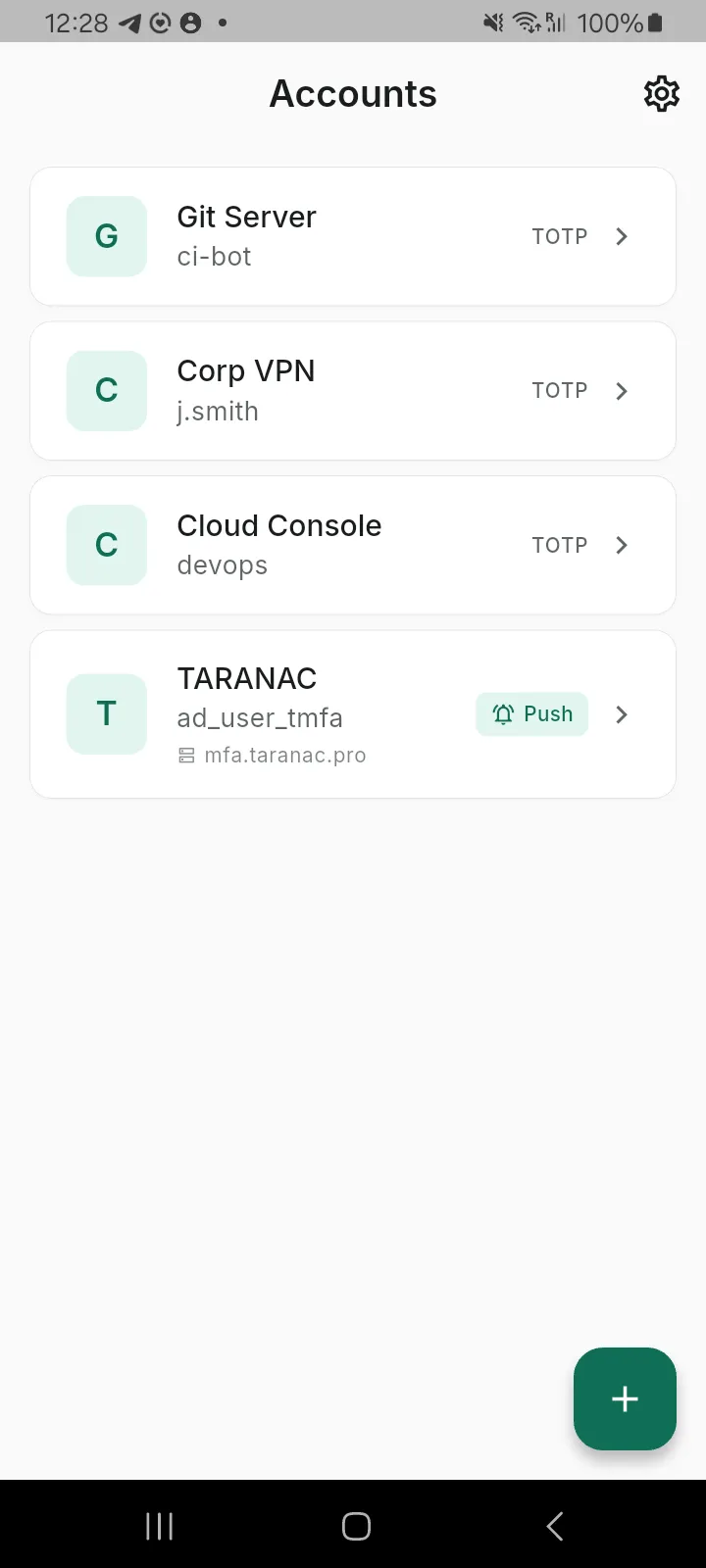
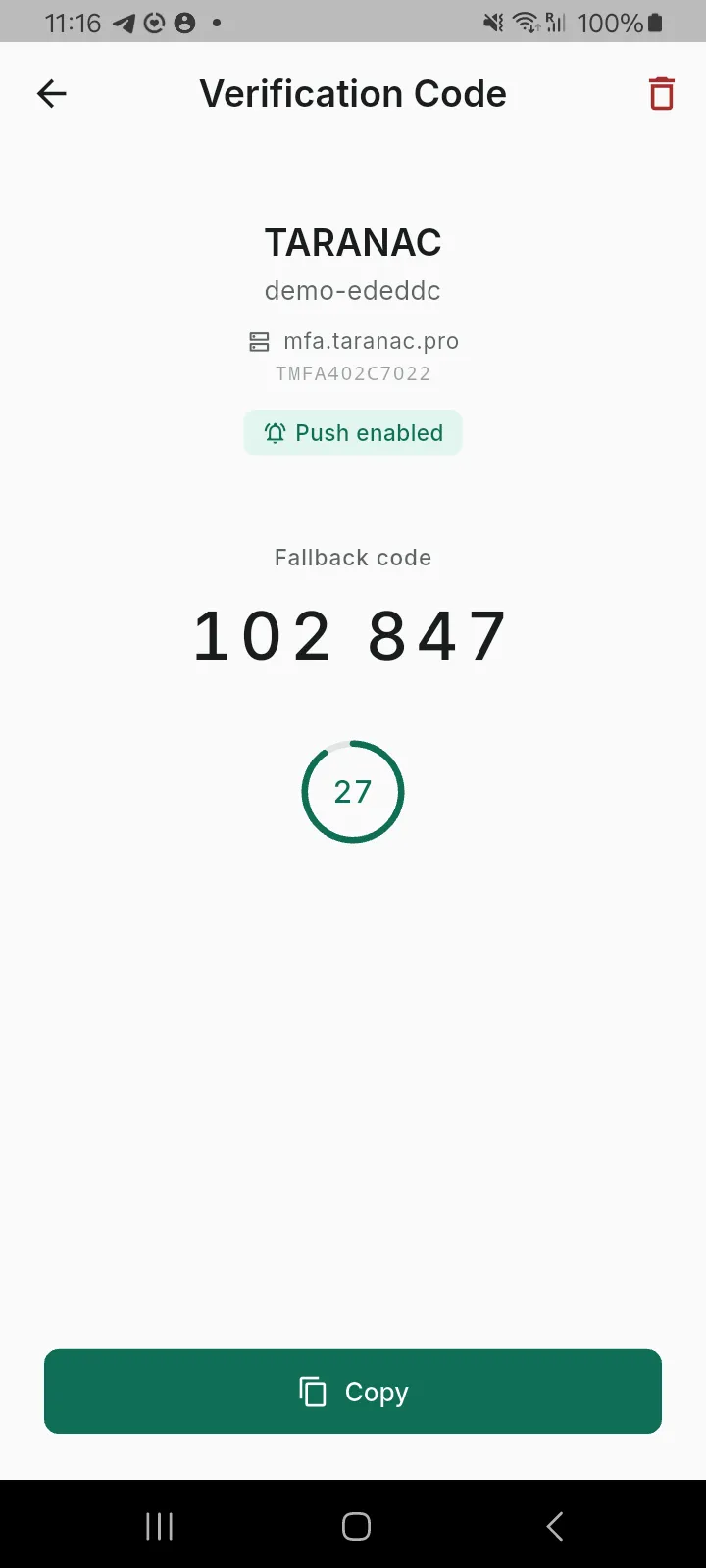
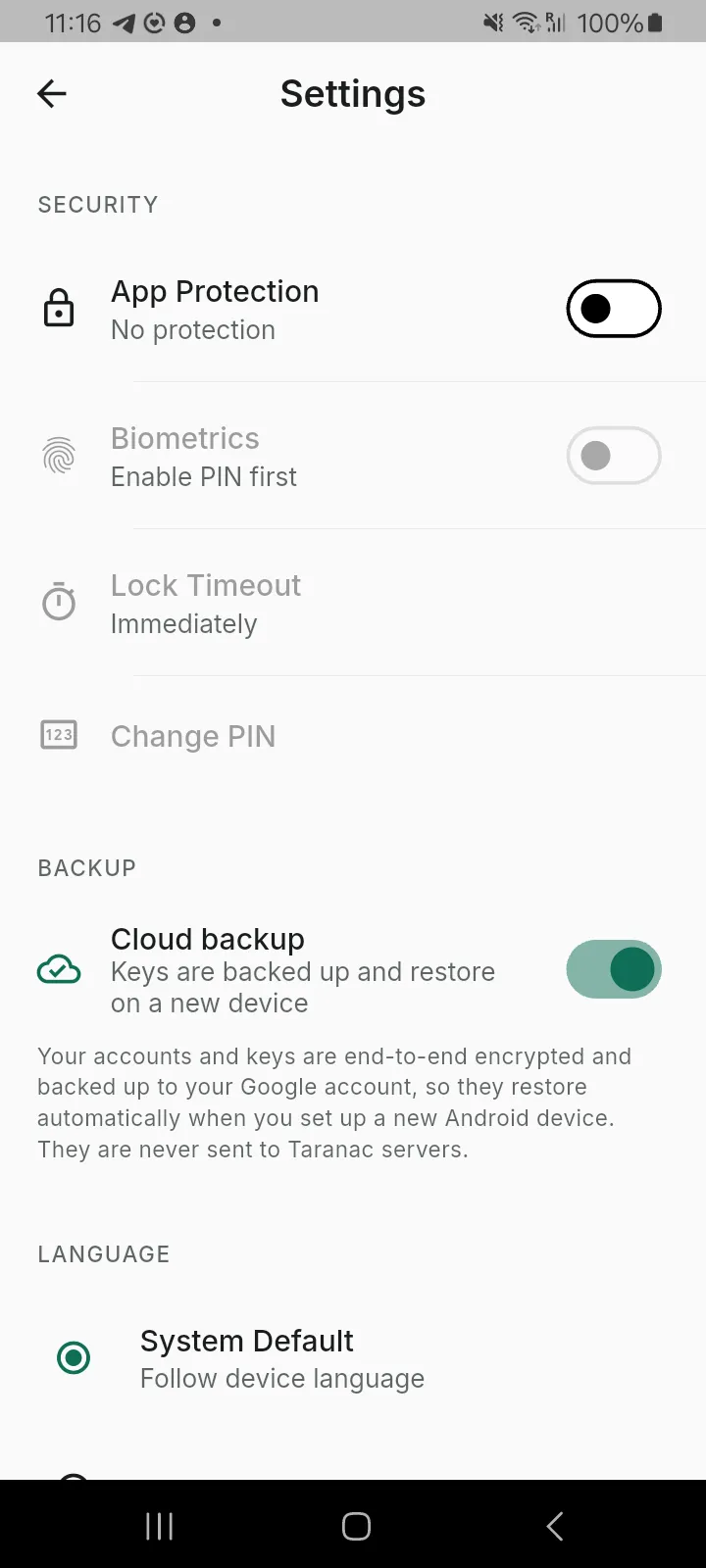
Section titled “The app”A Flutter application, version 1.0.0+6, shipping on Android (7.0 and newer). The UI is translated into seven languages — English, German, Spanish, French, Portuguese, Russian and Ukrainian — with full parity across all of them.
One enrollment, two ways in
Section titled “One enrollment, two ways in”A single QR code enrolls both a push identity and a TOTP secret. That is the design decision that makes the rest of it work: the user never sets up a “backup method”, because the backup was always there.
It takes two round trips, and the phone is only in the second one:
- Taranac asks for a token. The core calls
POST /token/initwith the user’s UUID; the service mints a serial (TMFA+ eight hex characters) and a one-time enrollment credential, parks the token inclientwait, and hands back the QR. Starting a new enrollment deletes that user’s earlier incomplete ones, so a stale QR can never be finished later. Active enrollments are left alone — the swap to a new one is gap-free. - The phone finishes it. The app posts the serial, the credential and its
own public key to
/ttype/push— plus an FCM token if it has one. The service compares the credential in constant time, spends it, generates its own RSA-4096 keypair, marks the token enrolled, and answers with its public key and the TOTP secret. That answer is where the offline code comes from; it is not a second enrollment. - The user confirms once — one approved push, or one typed code — and Taranac marks the enrollment active.
The server decides between the first two per request. The user is never asked, and never has to know which one they are on.
- Firebase push server has Firebase · token has an FCM tokenarrives instantly, app closed or open needs Google services on the phone
- the app polls anything else — no Google services, or Firebase not configuredapp asks every 5 s while it is open only while the app is in the foreground
- offline code no network at alluser reads 6 digits and types them the user does the carrying
Three consequences worth stating plainly:
- A phone with no Google services enrolls poll-only and works. It is not refused, and the user is not told to go and install anything.
- If Firebase stops working server-side, everyone falls back to polling — the signed challenge payload is stored for every request regardless of channel, so there is nothing to switch on.
- Polling runs only while the app is open, every 5 seconds. That is the honest cost of the tier: a poll-only user has to open the app when they log in.
What a login looks like
Section titled “What a login looks like”The challenge tells the user what they are approving — which service, which device, which account, from which address — because “approve this login?” with no context is how people are trained to tap yes.
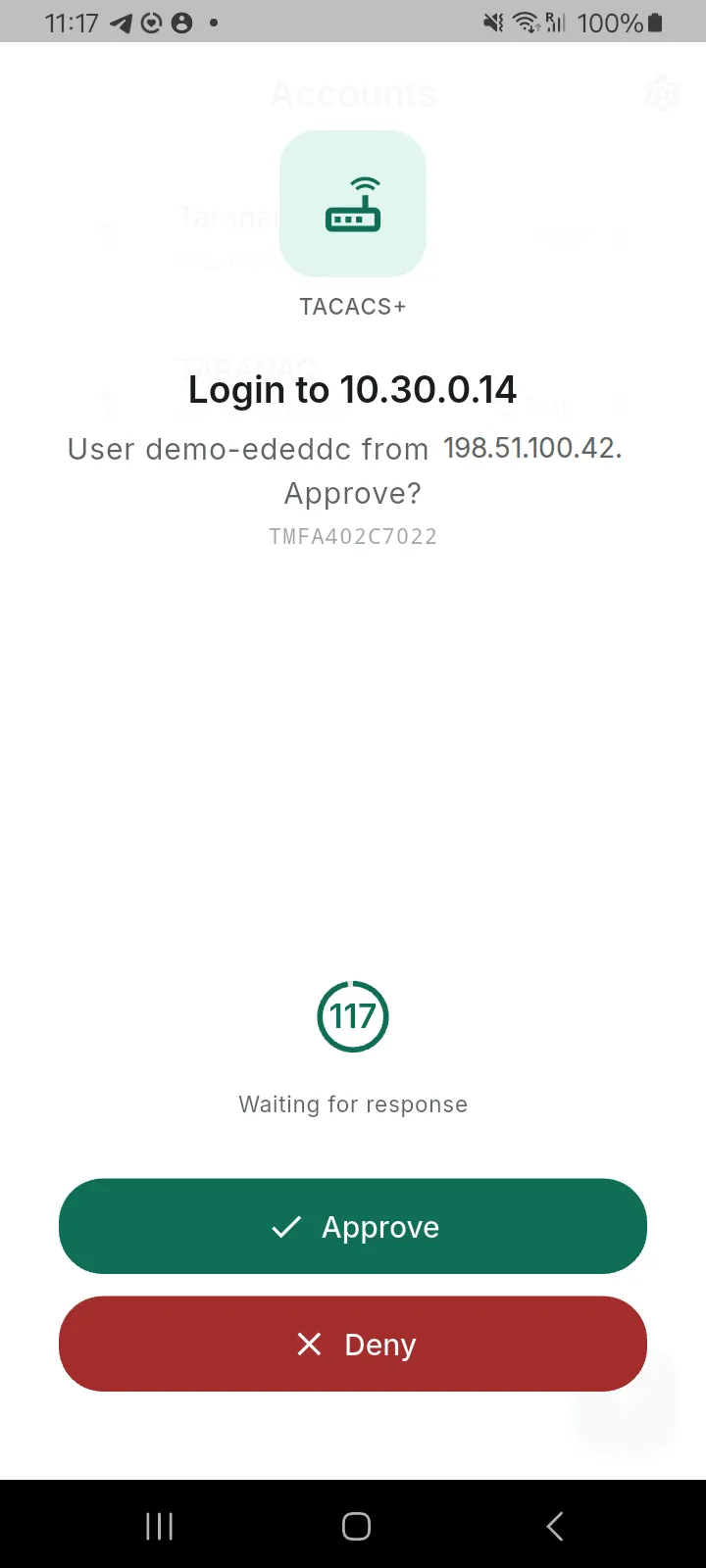
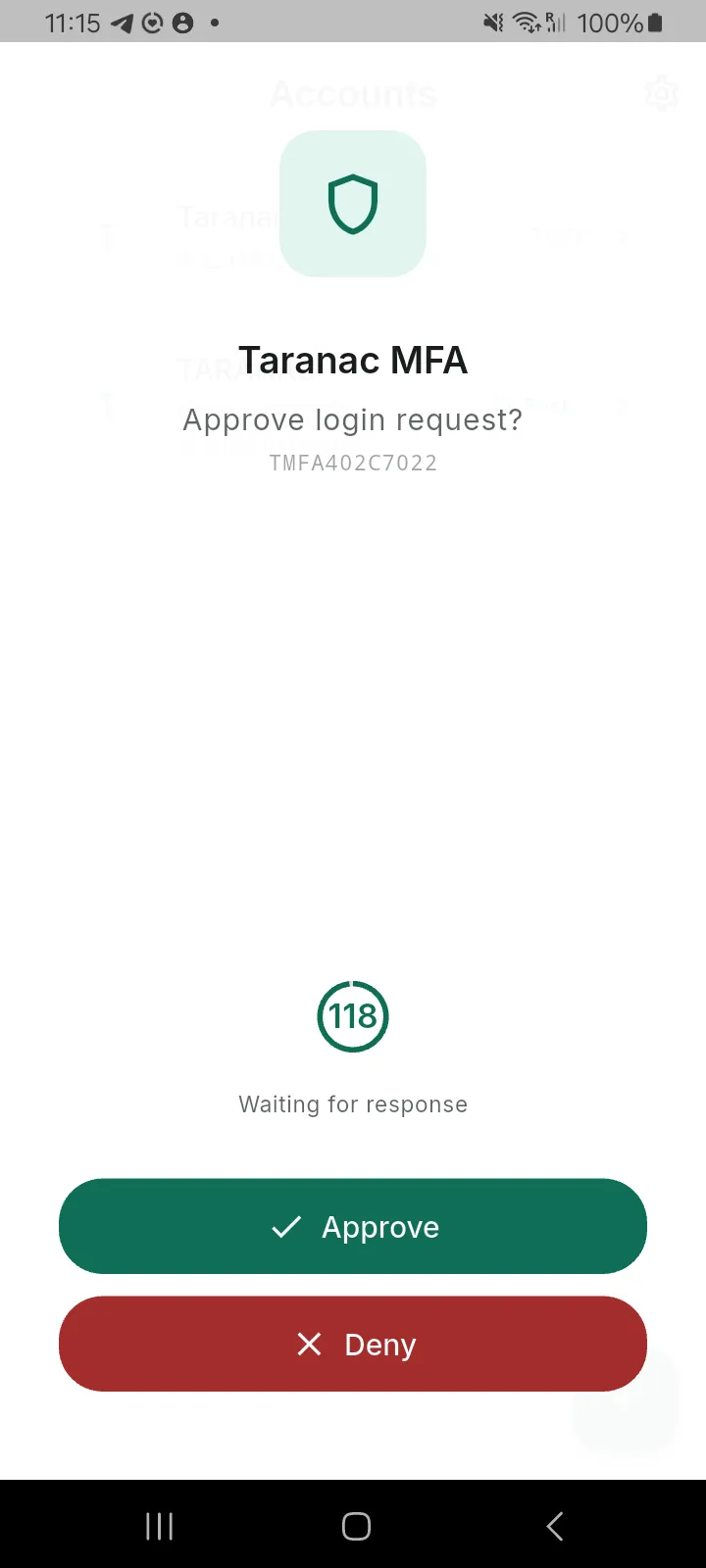
The countdown is real: a challenge lives 120 seconds. When it runs out the app
stops offering the buttons and says so, and the server rejects a late answer with a
410. Re-triggering inside 10 seconds reuses the same challenge and sends
nothing, rather than firing a second notification at the user; past that, the
same challenge is signed and delivered again — the nonce and the transaction
survive, so an approval already on its way is never orphaned by a resend.
Why an approval cannot be forged
Section titled “Why an approval cannot be forged”The private key is created after the scan and never leaves the phone — so a photographed QR code buys an attacker a spent credential and a URL.
nonce · url · serial · question · title phone drops anything that fails to verify nonce · serial + approve | deny server verifies against the enrollment key - The QR carries one secret, and only until it is used. It holds a URL, a
serial and a one-time enrollment credential — and that credential is spent by
the first step 2 that presents it, so photographing the code off someone’s
screen after they have enrolled yields nothing. Before that it is live: the
ttlprinted in the QR is advice to the app, not a server-side expiry. What bounds it instead is that the next enrollment the user starts deletes this one, and an enrollment left unfinished is purged after 24 hours. Treat an unscanned QR as a credential on screen, not as a picture. - The phone generates RSA-4096 on the device and sends only the public half. The server keeps that; it never has the private key to lose. It also refuses anything that is not RSA or is below 2048 bits, at the moment the key is bound rather than the first time an approval matters. The server sends its own public key back, so the phone can reject a challenge that is not really from the server. Both directions sign with RSA-PSS over SHA-256.
- The URL is inside the server’s signature, so a man-in-the-middle cannot redirect an approval somewhere else without breaking it.
- Every other operation is signed too — polling for pending challenges, liveness checks, FCM token updates, deletion — each over a fresh ISO-8601 timestamp that must land within 120 seconds of the server’s clock, so a captured request cannot be replayed later. Deletion is the one that makes this matter: it is irreversible.
Rate limits are per token serial, not per address, so one user cannot exhaust another’s budget — a floor full of phones behind one NAT egress does not share a bucket, and each class of operation (approve/deny, polling, liveness, management) gets its own. The ban that follows repeated bad signatures — three in a row, five minutes — is keyed on the client address instead, precisely because the serial is not a secret and keying the ban on it would let anyone lock out a stranger’s phone.
Where it applies
Section titled “Where it applies”MFA is not bolted onto one entry point. Each path has its own shape, and the differences are protocol facts rather than choices:
| Path | How the second factor is asked for | Notes |
|---|---|---|
| Web admin UI | Push or code, in a dedicated step | The login returns no session tokens until the factor verifies |
| TACACS+ | Code appended to the password, or push | TACACS+ has no way to ask a second question — with a combined enrollment, Taranac tries the appended code first, then falls back to push |
| RADIUS — PAP | Code appended to the password, or push — and it can also ask with a real Access-Challenge | The full path: every mode is available here |
| RADIUS — MS-CHAPv2 | Push only | The packet carries a hash, not a password, so there is nothing to append a code to. This is the transport that MikroTik administrators arrive on |
| RADIUS — CHAP | Not supported | CHAP needs a cleartext password on the server; Taranac stores argon2id hashes |
| 802.1X / captive portal | Push only | PEAP and EAP-TTLS cannot prompt, EAP-TLS has no password, MAB has no user at all |
Operating it
Section titled “Operating it”Requiring MFA is layered, and all three layers must agree. A user’s enrollment
decides which factor; a group’s mfa_required flag decides whether; and an AAA
policy rule or NAC rule decides where. Each daemon then has a master switch above
all of that.
That last one is the trap worth knowing: if a rule requires MFA but the daemon’s master switch is off, the login succeeds without a second factor and the daemon logs a warning. It is the one place in the design that fails open, and it fails open on configuration, never on an outage.
Everything else fails closed. If the MFA service is unreachable, if a challenge cannot be created, if a poll times out — TACACS+, RADIUS, 802.1X and the web UI all reject. There is no “let them in, the service is down” path.
Health. The service reports db, crypto and firebase separately, and
Firebase being absent is not unhealthy — poll-only is a fully supported state.
The distinction is wired into the two probes: /healthz answers 200 for as long
as the process can answer at all and puts the verdict in the body, while /readyz
returns 503 when the database or the crypto subsystem is down — and never for a
missing Firebase key, because an orchestrator acting on that would restart a
perfectly working poll-only deployment forever. A backend watchdog checks every
enabled provider every 90 seconds and raises a mfa:<provider> alert when one
degrades.
Tokens expire from disuse, and that is deliberate. An enrolled token untouched for 90 days is deleted by the service’s own sweep, as is an enrollment that never finished step 2 after 24 hours. Any login or any liveness check from the app resets the clock — and because push and the fallback code share one token, either keeps it alive. A user who comes back after a long absence therefore finds the token gone; Taranac drops the now-dangling enrollment and asks them to re-enroll rather than pushing at something that no longer exists. One more bound worth knowing: the service caps a user at five tokens.
Under HA, the MFA service runs on every node and its encryption key is part of the cluster secret set, so a token enrolled against one node verifies on all of them. One caveat to handle deliberately: the push registration URL is still node-scoped. Point it at a cluster name or VIP rather than a single node’s address, or enrollment links will stop working when that node does.
Getting the app
Section titled “Getting the app”The app is not on Google Play. That is a funding matter, and it is worth being straight about it: publishing costs money, Taranac is free and self-hosted, and the project does not currently have it. Everything else for the listing is finished — the store texts in seven languages, the privacy policy, the data-safety answers, the screenshots — and it will go up when the account can be paid for. Until then the build is distributed as an APK you install directly.
Check both numbers before you install it. The first says you got the file intact; the second says this project built it. A matching checksum on a file signed by somebody else is worth nothing, which is why the certificate digest is published too:
sha256sum taranac-mfa-1.0.0.apk # → the SHA-256 aboveapksigner verify --print-certs taranac-mfa-1.0.0.apk # → the certificate digest aboveThe checksum is also in
SHA256SUMS alongside the appliance
images.
Two consequences of installing outside a store, and neither is hidden:
- A directly-installed APK does not update itself. There is no store channel to push a new version down, so come back here when a release is announced.
- Android will ask you to allow installing from this source, once, for the browser or file manager you use. That prompt is the platform doing its job; the checks above are how you make it a safe yes.
If you would like this to change sooner, supporting the project is what pays for the listing.
Honest limits
Section titled “Honest limits”- iOS is not available. Same codebase, untested, unsigned, unreleased.
- Polling only runs while the app is open. On a phone without Google services, a login means opening the app.
- Instant push travels through Google. Where Firebase delivery is switched on, the notification goes out as an FCM data message — and the context the screen shows (the service, the target device, the username, the source address) is in that message, readable by the transport. The approval cannot be forged there, because only the phone’s signature settles it; the context is simply visible in transit. Poll-only delivery never touches Google at all.
- The app lock is a convenience, not a vault. A PIN protects against someone picking up an unlocked phone; it is not resistance against an attacker who can extract the phone’s storage.
- Secrets are held by the platform’s secure storage — encrypted under a key held in the Android Keystore or the iOS Keychain. That is strong, and it is not the same claim as the seeds themselves living inside a hardware element.
- Encrypted cloud backup is on by default — to the user’s own Google or Apple account, never to us — which is what stops a lost phone becoming a lost authenticator. Users who would rather not can turn it off in Settings.
Related
Section titled “Related”- Multi-factor (MFA) — all five providers, enrollment, making it mandatory, and choosing between them.
- Users & groups — where
mfa_requiredlives. - High availability — the shared cluster secret set that lets a token verify on any node.
- Privacy policy — what the app does and does not collect.