

Dev Blog
Dev Blog
Short notes on building Taranac — new features, demos and behind-the-scenes.
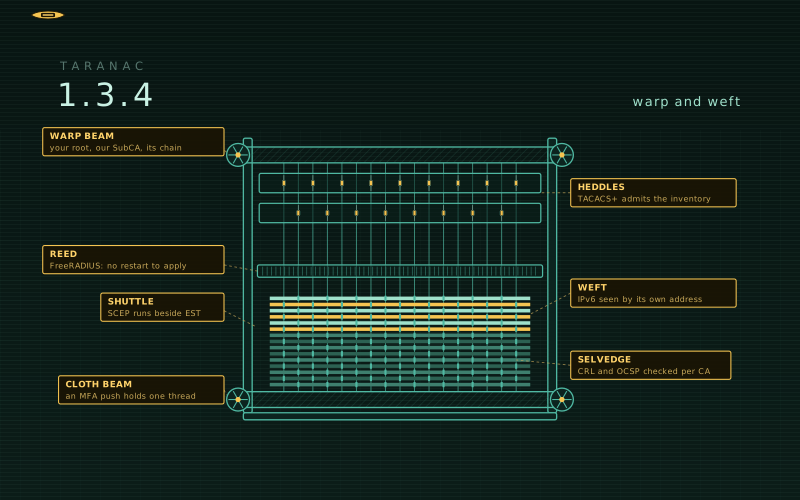 1.3.4 — Warp and weft 1.3.4 weaves Taranac's PKI into yours — an Internal CA signed by your corporate root, imported or requested by CSR, with its chain, upper-chain CRLs and same-key renewal — and adds SCEP beside EST. TACACS+ accepts only inventoried devices and says why it refused a connection, IPv6 clients are seen by their own address across the stack, FreeRADIUS applies a new configuration without a restart, a waiting MFA push no longer stalls RADIUS or NAC, and CRL and OCSP checking apply per CA. Some changes need action on your side when you update — they are listed first.
 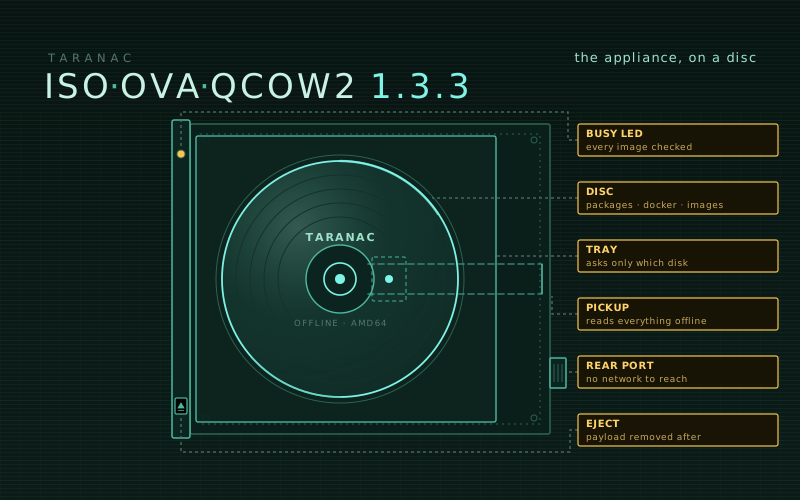 The appliance, on a disc — 1.3.3 images and an offline installer ISO The 1.3.3 appliance is out as an OVA and a QCOW2, now built on Ubuntu 26.04 LTS — and beside them, a third artifact for the sites the first two never reached. The offline installer ISO installs Taranac on a VM you create yourself, BIOS or UEFI, asks only which disk to use, and needs no network at all. The setup wizard also asks for your time servers now, because a closed network has no public pool.
 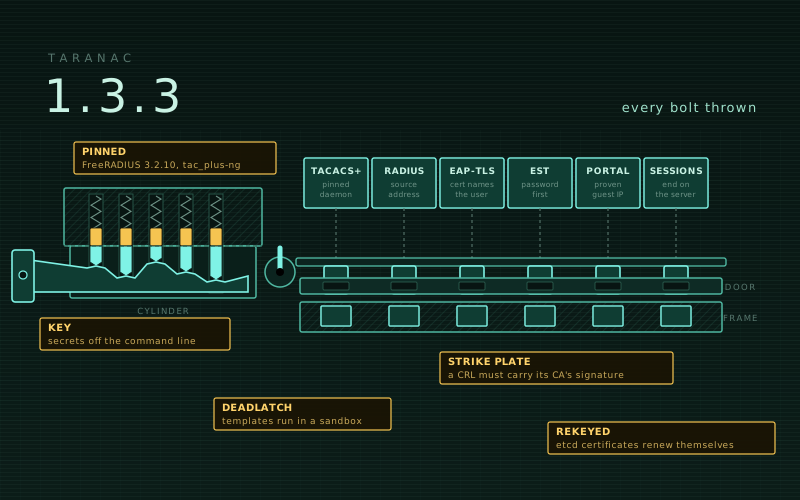 1.3.3 — Every bolt thrown A security release. 1.3.3 closes a broad security review — web sessions end on the server, RADIUS knows a device by the address its request comes from, EAP-TLS takes the user from the certificate alone, email and SMS templates run in a sandbox, and secrets stay off the command line — and builds FreeRADIUS 3.2.10 and tac_plus-ng from pinned, tested forks. TACACS+ over TLS and EST renewal work out of the box, a cluster renews its etcd certificates and replaces its etcd CA by itself, and a CRL revocation takes effect on every node without a restart. Some changes need action on your side when you update — they are listed first.
 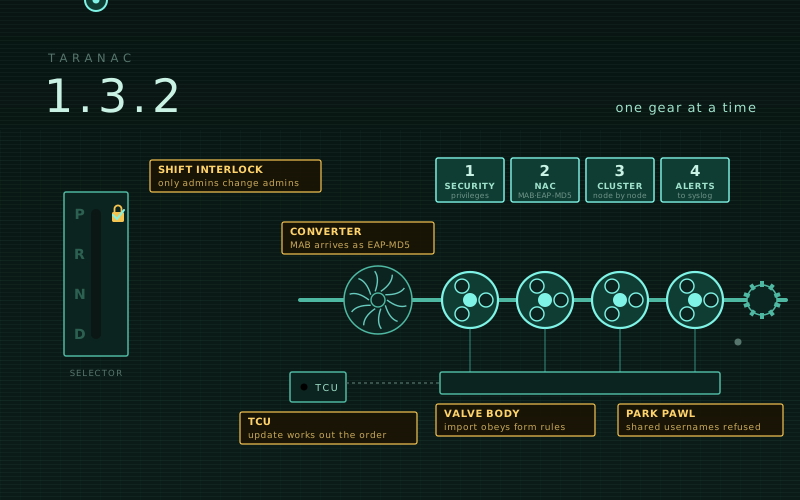 1.3.2 — One gear at a time Security, NAC, clusters and operations, one gear at a time. Every way an account with partial rights could reach more — editing a user who holds more, joining a richer group, mapping a directory to a stronger role, granting itself permissions — is closed, and a username shared by two accounts is refused everywhere. Clusters become much harder to break by hand — `./taranac update` works out the order and takes one member at a time under a lock in etcd, the witness can be removed once three nodes carry the cluster, and commands that would split it are refused before they act. MAB carried as EAP-MD5 works on the switches that send it, alerts go to syslog, import and export run through the same rules as the forms, and `./taranac restore` carries the keys.
 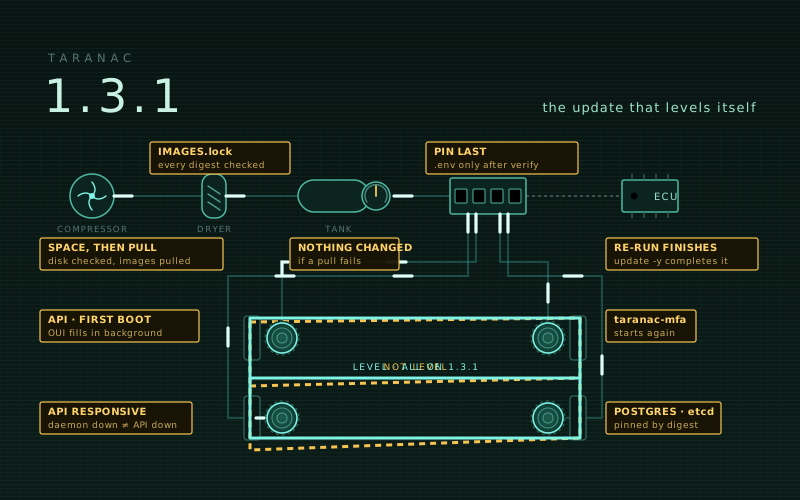 1.3.1 — The update that levels itself A release about installing and updating, and nothing else. `./taranac update` now pulls and verifies every image before it touches a single file, each release names its images by digest, and Postgres and etcd stop following upstream tags. A re-run of an update that stopped half-way finishes it instead of saying there is nothing to do. A fresh install starts on the first `up`, the API stays responsive while a daemon is down, and the `taranac-mfa` container starts again.
 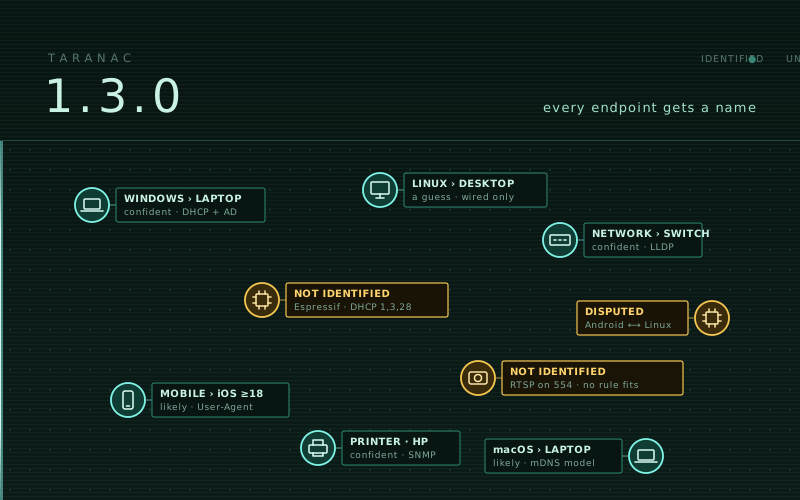 1.3.0 — Every endpoint gets a name The largest release since 1.0. Taranac can now say what a device is, not only what it has been heard saying — Device Profiling names every endpoint and explains where the name stops. Five new discovery sources feed it (a passive DHCP listener, your own scripts, SNMP, an active scanner on a collector, switch forwarding tables), rule sets travel between installations without waiting for a release, and the unidentified can be handed to an AI assistant and brought back as a bundle you preview. Plus a captive portal that can open the network itself, policy rules scoped to an SSID or a period, and three public issues closed — including 802.1X over the air.
  1.2.8 — MS-CHAPv2 without a domain, and the rest of what you asked for Two more public issues closed, and both of them were the product holding a belief about itself that was never true. MS-CHAPv2 now works against FreeIPA with no domain join and no winbind. A directory synced for policy no longer hands thousands of accounts a login to the management console. TACACS+ gets a login banner at the one scope the protocol can actually carry it. And the worker that used to ask a switch whether a session was still alive is gone, because on a customer's Huawei that question stripped the VLAN off the users it was asking about.
 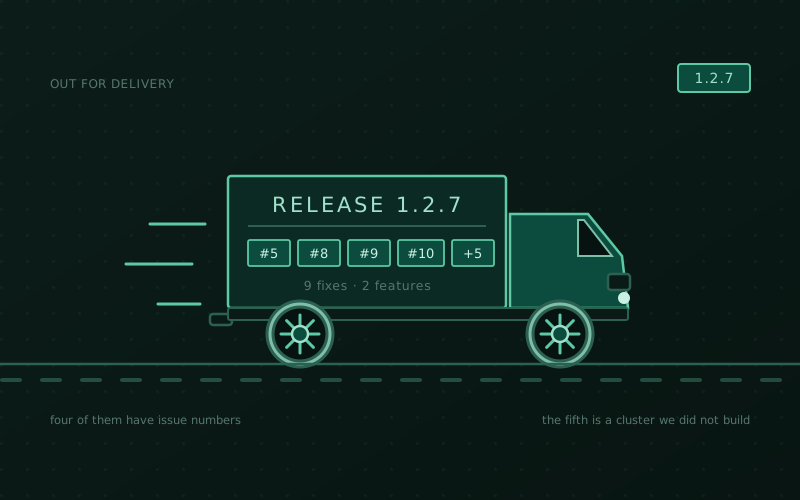 1.2.7 — four issues, and the first cluster in the field Last week the product found its own faults. This week other people did — four public issues, one customer's Calix switch, and the first high-availability cluster built by somebody outside our lab, which turned up five defects in its own lifecycle. An endpoint can now be classified by where its machine sits in the directory. A TACACS+ password prompt that was saved, rendered and never once sent reaches the device. An attribute declared optional stops going out mandatory. And a witness stops trying to run the whole product on the host whose purpose is to be cheap to lose.
  1.2.6 — the third one this week Wednesday, Thursday, Friday. The diagnostic collector grew two more modes — one command for a whole HA cluster, one for a single configuration collection that explains itself in four layers. Three Huawei faults, one of which stopped every 802.1X login the moment a client had IPv6 and another of which silenced the authentication journal entirely. Windows machine certificates stop being logged as PEAP. Updating stops hoarding superseded images. And a change to mail that quietly loosens security on every installation, which is the one section to read.
 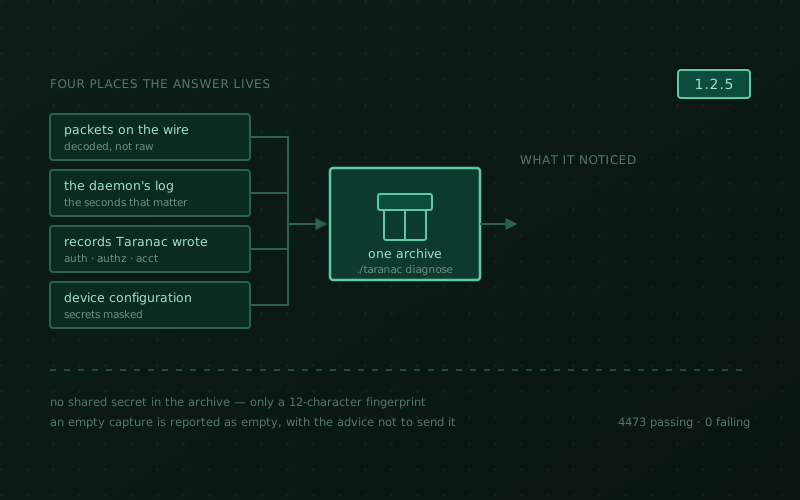 1.2.5 — what actually happened on the wire One command now collects the evidence for a failure that nobody can gather by hand while it is happening — the packets, the daemon's log for those seconds, the records Taranac wrote and how the device is configured — decodes it so you can read it yourself, and never writes a shared secret into the archive. Plus two cases where Taranac misread what a device actually said on the wire — an enable request over RADIUS reported as a user who does not exist, and a PAP login reported as a failed enable, which also let it past multi-factor authentication.
 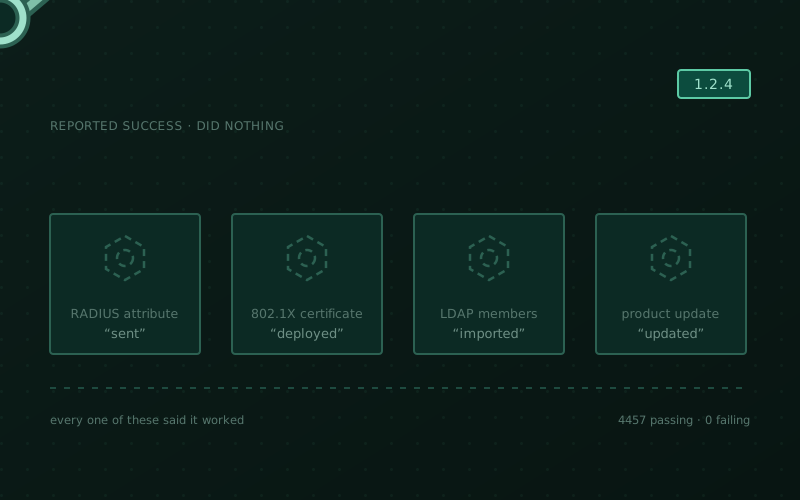 1.2.4 — tightening the bolts A fix release, and a particular kind of fix keeps recurring — something reported success and did nothing. A custom 802.1X certificate the page called deployed and no supplicant ever saw. A RADIUS attribute the log called applied and the switch never received. A directory synchronisation that finished green with zeroes in every column. An update that replaced half the product and said it was done. Plus two new things — your own RADIUS attribute dictionary, and groups inside groups — and one breaking change that wants five minutes before you pull.
 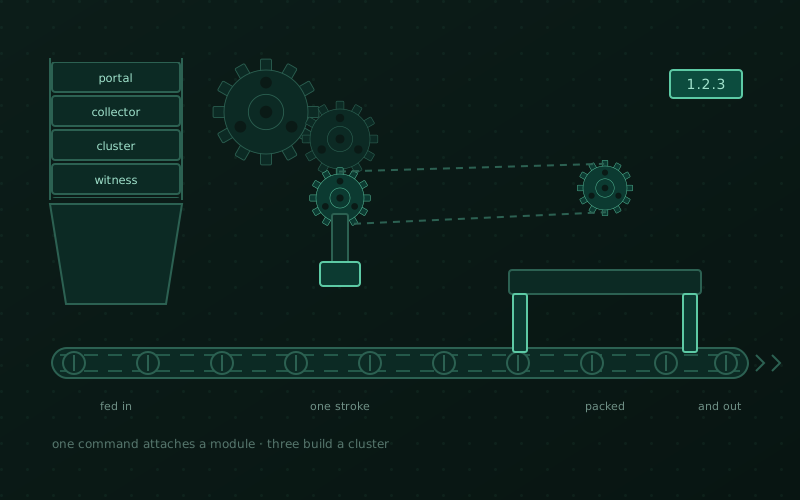 1.2.3 — a module in one command, a cluster in three One appliance image is now four — Taranac, a collector, a captive portal or an HA witness, chosen on first boot and installed with no registry in reach. A remote collector or a DMZ portal attaches with the single command the core prints, and a cluster is built with three commands instead of a runbook of scp'd TLS files and a hand-carried master key. Plus a backup that used to fail outright on every installation.
 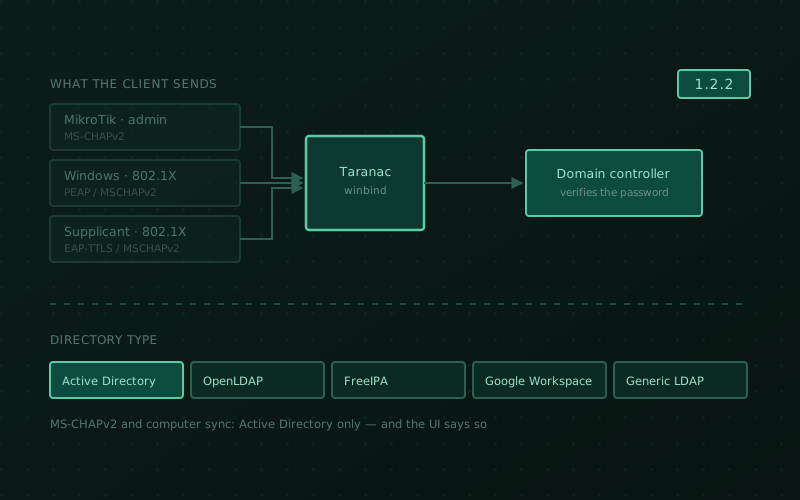 1.2.2 — MS-CHAPv2, and a directory that isn't AD MikroTik administrators can finally log in, domain accounts authenticate over 802.1X with PEAP and EAP-TTLS, the node joins Active Directory by itself — and a directory no longer has to be Active Directory at all. Certificate enrollment works end to end for the first time, 802.1X sessions stop lying about themselves, and ten security findings are closed.
 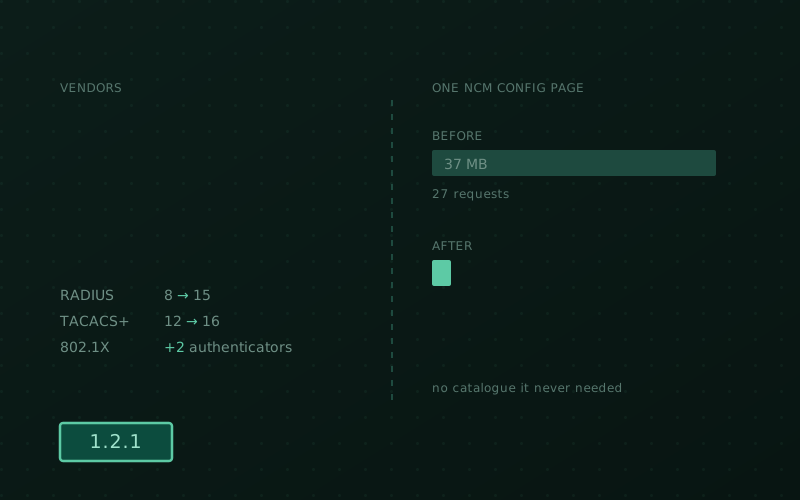 1.2.1 — more vendors, lighter pages Seven more vendors for device administration and two more 802.1X authenticators, readable FortiGate command accounting, configurations too big to store now tracked instead of failed, and a UI that stopped downloading catalogues it never needed — one NCM page went from 37 MB to 2.5 MB.
 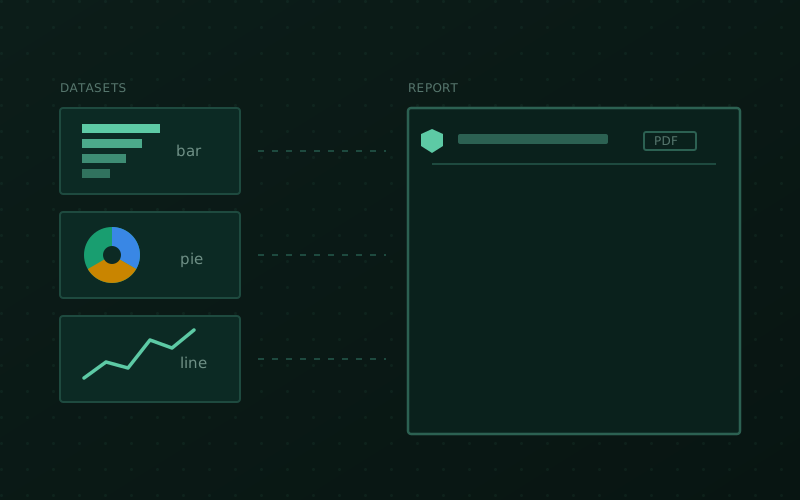 1.2.0 — reports, without writing a single query Reporting across AAA, NAC and audit data — 43 ready-made templates, saved as datasets, composed into multi-page reports, exported to PDF/CSV/XLSX and mailed on a schedule. Plus a round of UX sharpening and a stack of fixes.
 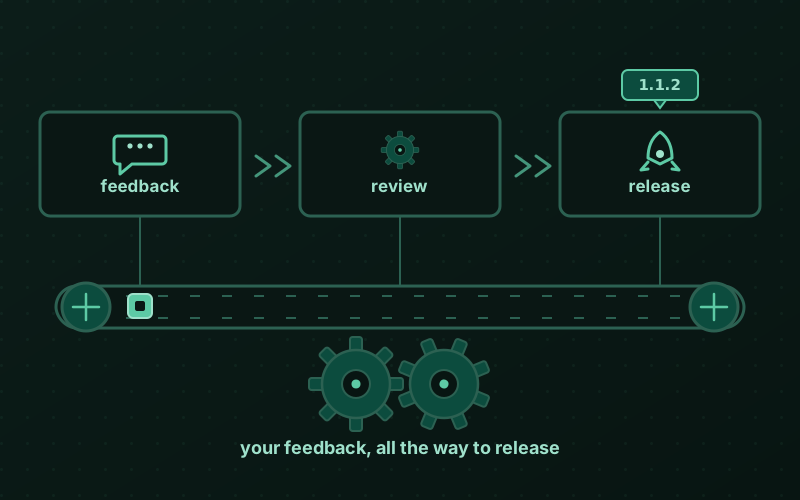 1.1.2 — you wrote this one A thank-you release. Almost every line of it came from people who spun Taranac up, hit an edge, and told us about it — vendor profiles that now deploy exactly as previewed, sharper LDAP errors, cluster-wide MFA replay protection, and more.
 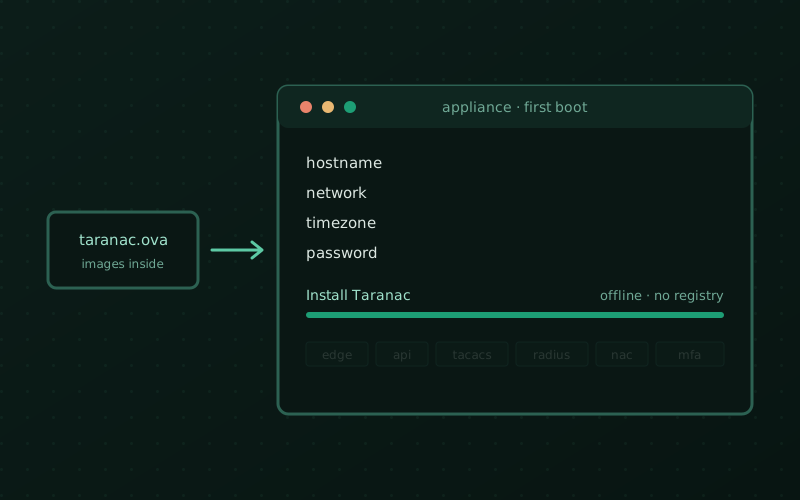 Boot it and it's done — Taranac now ships as a VM An OVA for VMware and a QCOW2 for Proxmox and KVM, with every container image already inside. Import one file, answer four questions on the console, and the stack installs offline — no Docker to set up, no registry to reach.
 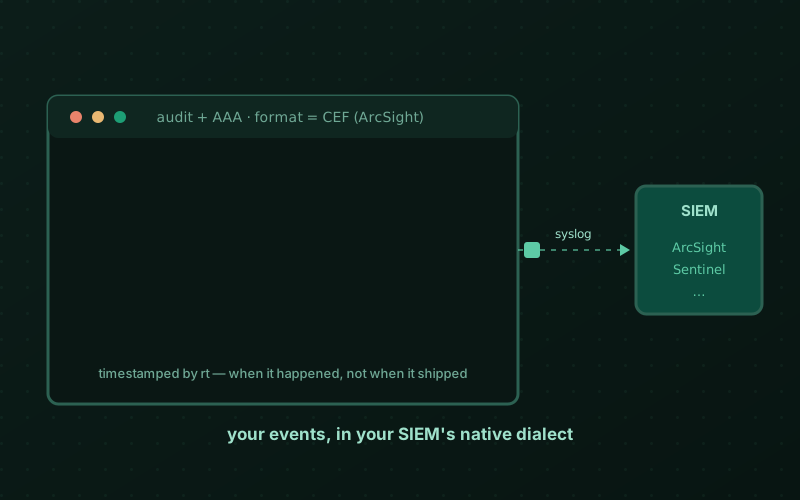 1.1.1 — ArcSight-ready, and a JIT fix under real load A fast follow to the Configuration Tracker — CEF output for your SIEM, plus the concurrency and durability fixes a week of real use turned up.
 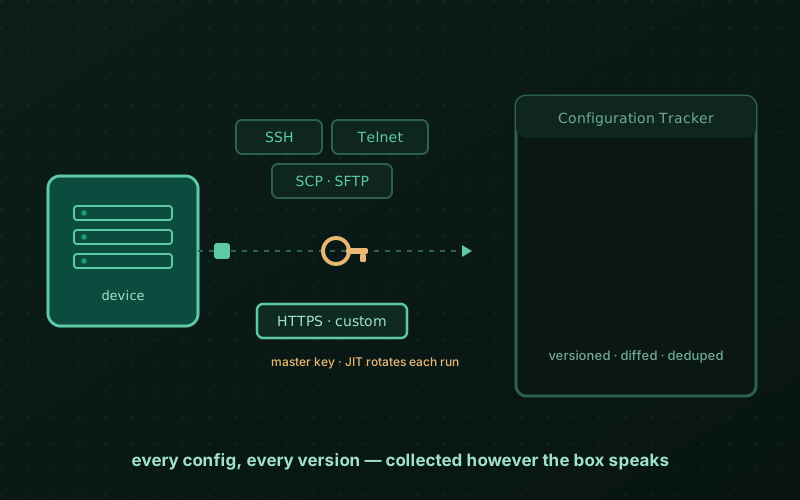 1.1.0 — Configuration Tracker ships Backup, versioning and diff for your device configs — collected over SSH, Telnet, SCP/SFTP or HTTPS, with logins nobody ever sees because Taranac mints and rotates them itself.
 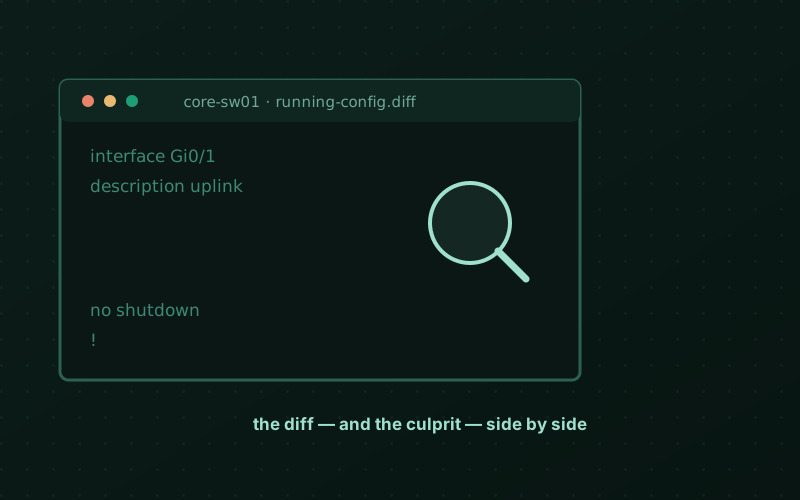 What's next — a config tracker that knows who typed what A sneak peek at Configuration Tracker, a third pillar next to AAA and NAC.
 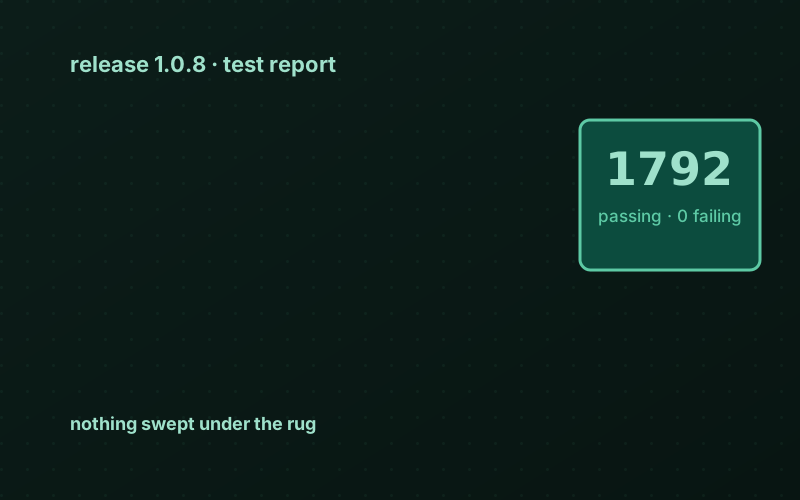 1.0.8 — 1792 tests and nothing to hide A release built on top of HA, plus a receipt for every green checkmark.
 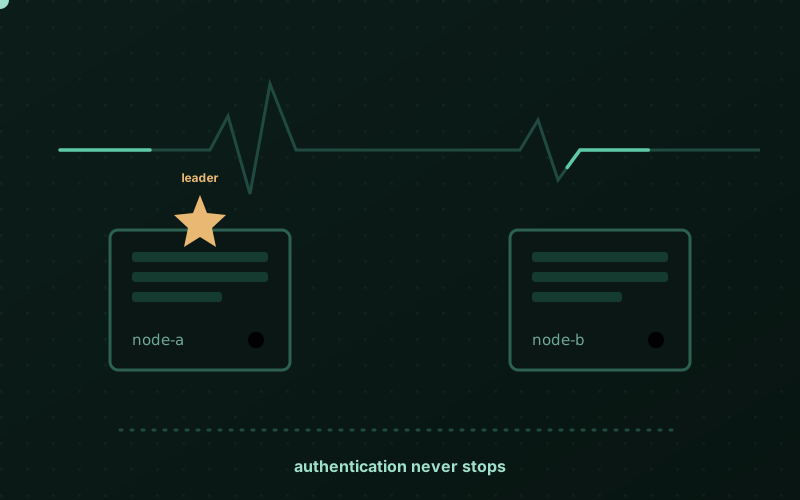 Learning to fall over gracefully Taranac grew a second node — and the good manners to survive losing one.
  Taranac 1.0.0-rc Release candidate — AAA, NAC, captive portal and PKI, all on one core.
 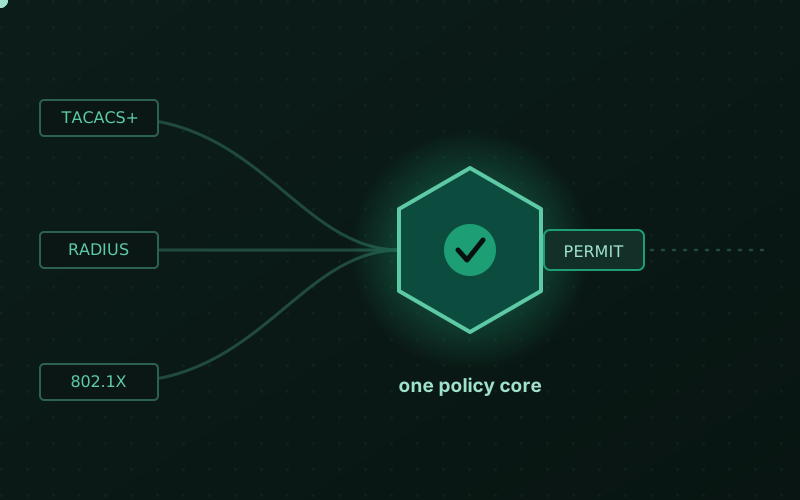 One policy core — the idea behind Taranac Why one engine should decide every TACACS+, RADIUS and 802.1X request.
 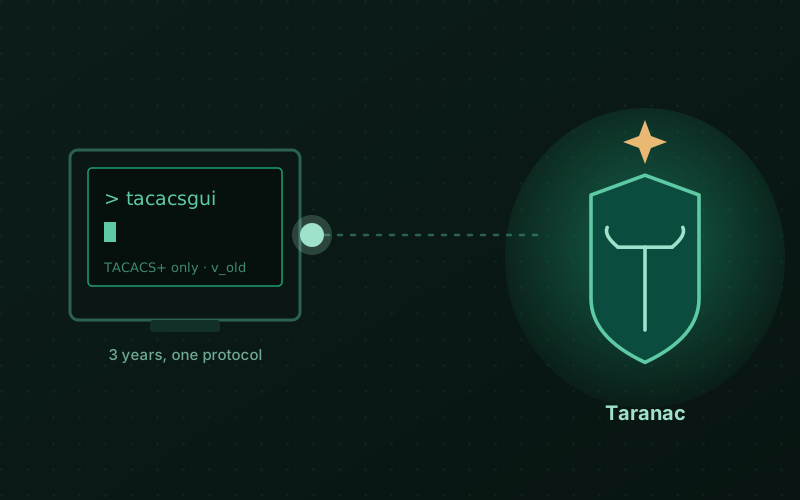 From TACACS GUI to Taranac — the long way round A three-year project I loved, an architecture I carried in my head, and the help that finally let me build it.
 1.3.4 — Warp and weft
A loom makes cloth from two sets of threads. The long threads — the warp — are put on first and stay in place. The cross threads — the weft — go through them one row at a time. The cloth is strong because the two sets cross each other.
Most companies already have their long threads: a corporate PKI, with its own root certificate and its own rules. Until now Taranac’s PKI stood next to it. In 1.3.4 it becomes part of it.
- Your PKI — an Internal CA can be a SubCA signed by your corporate root: imported, or requested by a CSR whose key never leaves Taranac, then renewed with the same key. Its chain goes wherever a chain is needed and never into EAP-TLS trust.
- SCEP beside EST — for the Cisco IOS and MikroTik devices that cannot do anything else, configured on its own.
- TACACS+ — only inventoried devices log in, and a refused connection is in the Authentication Log with its reason. TLS clients are checked for revocation.
- IPv6 — every client is seen by its own address, not the Docker gateway’s.
- RADIUS and NAC — a new configuration is applied without a restart, a waiting MFA push holds one worker instead of the node, and CRL and OCSP apply per CA.
Several of these change what an existing setup does, and 1.3.4 needs Docker 28. Read the first section before you update.
What’s in 1.3.4
Before you update
The warp: your PKI
- An Internal CA signed by your corporate root
- Requested by CSR, renewed with its own key
- SCEP beside EST
- Who may enroll, and who enrolled
The weft: what crosses it
- TACACS+ accepts the inventory, and says why it refused
- TACACS+ over TLS checks revocation
- IPv6 clients are seen by their own address
The loom never stops
- FreeRADIUS applies a configuration without a restart
- A waiting MFA push holds one thread
- CRL and OCSP, per CA
Fixes worth knowing
What to do when updating
Read this list before you run ./taranac update. Most items are one line of work;
skipping them is what hurts.
Before anything else
- Docker 28 or newer, and IPv6 in the kernel. The stack network now carries IPv6.
bootstrap.sh,install.shand the update refuse — before changing anything — on an older Docker, on Podman answering thedockercommand, or on a kernel without IPv6, and say what to do. - HA: update Docker on every database node before updating the first one. The update checks it node by node; a node that fails the check is left untouched, but the members updated before it are already on 1.3.4 and the rollout stops half-way. The witness is not checked.
- The stack goes down and comes up once during the update: the stack network is recreated with IPv6.
TACACS+
- Devices outside the inventory no longer log in with the global key. The global
key is still the fallback for inventoried devices. The update lists the addresses
that logged in without an inventory entry in the last 30 days (and keeps the list in
.taranac-update.log): add them, or enable their entry. - Over TLS too, a device must be in the inventory, whatever its certificate. EST and SCEP enrollment do not need an inventory entry; TLS login does — add the device before it logs in over TLS.
- The check is per address: an entry for
0.0.0.0/0,::/0or any subnet lets every address it covers in, with that entry’s key.
IPv6
- IPv6 devices are matched by their own address — check their keys. Until now every
IPv6 device reached TACACS+ and RADIUS from the Docker gateway (
10.255.255.225in the bundle), so an entry covering that address matched all of them. Each one now needs its own entry. If such entries exist and the inventory has no IPv6 entry at all, the update refuses, names them and says what to add (::/0for all); to go on anyway, runTARANAC_IPV6_OWN_ADDRESS_OK=1 ./taranac update. - IPv6 to the client-facing ports no longer passes the host’s ufw INPUT rules, as
IPv4 already did not. Filter it in the
DOCKER-USERchain.
New port, new defaults
- Port 8446 (plain HTTP) is published on every installation — the SCEP listener,
whether SCEP is on or not. If you do not use SCEP, filter it in
DOCKER-USER, or move it withSCEP_HTTP_PORT. - Every RADIUS Access-Reject is answered 1 s later. The Reject Delay setting was never read; now it is, with its default of 1 s. Set it to 0 to answer at once.
- NAC: an OCSP responder URL saved on a Trusted CA now takes effect. The field did nothing until now; a stale URL saved there will refuse every client of that CA. Check it, or clear it.
PKI
- EST Device binding becomes a list of Device accounts. Accounts that have already enrolled are put on it; an account that has not enrolled yet now gets a certificate in its own name — add it to the list first.
- An Internal CA’s certificate field takes exactly one certificate. A certificate pasted with its chain is refused; the chain has its own field now.
Going back
- Going back to 1.3.3 needs
python -m alembic downgrade 0030in this release’s api container (on HA, on the leader) before switching images — or the backup taken before the update — and loses what only 1.3.4 stores: issuing chains, pending CA requests, SCEP settings and more.
An Internal CA signed by your corporate root
NAC → PKI → Import CA takes an intermediate whose issuer is outside Taranac: choose
External CA (issuing chain) and paste every certificate above it, up to and
including the self-signed root, in any order. Taranac keeps the chain with the CA and
hands it out wherever a chain is needed — EST /cacerts, SCEP GetCACert, downloads,
the TACACS+ client-CA bundle and server certificates, child CAs created under it.
The chain never joins EAP-TLS trust: FreeRADIUS verifies clients against the CA alone, so your corporate root does not suddenly admit every domain laptop. A chain that does not reach a self-signed root, holds a certificate off the path, an expired member or a mismatched key identifier is refused with the certificate named. Legal but risky properties — a restricted EKU, name constraints, pathLen 0, an upper certificate that expires before the CA — are shown as warnings.
Around it:
- Upper-chain CRLs are downloaded from the distribution point each certificate names, and can be edited or cleared in place on the issuing-chain card.
- Internal CA chain expires — a daily alert at 90 and 30 days for the earliest expiry in the chain, naming that certificate.
- Replace chain gives a CA signed outside Taranac a new chain. It is also the repair for a corporate SubCA that could only be imported as a root before: it becomes an intermediate and keeps its key, its certificates and its EST setup. Server certificates issued from it pick up the new chain on every node within 30 seconds.
Requested by CSR, renewed with its own key
NAC → PKI → Request (CSR) generates the CA key and a CSR inside Taranac — the key never leaves it. Have your corporate CA sign it (in AD CS, the Subordinate Certification Authority template); the request waits in the CA tree as Awaiting signature until you paste the signed certificate and its chain. It then becomes an Internal CA exactly as an import would make it.
When that CA nears its end, Renew certificate generates a renewal CSR from the same key. The CA keeps its record, its key, every certificate it issued and its CRL; a certificate with another key or subject is refused, because everything already issued would stop verifying. NAC and TACACS+ server certificates send the renewed CA certificate on every node within 30 seconds, with no redeploy.
SCEP beside EST
NAC → PKI Settings has a SCEP card next to EST. Switch it on and devices that speak
SCEP enroll at http://<host>:8446/scep — plain HTTP, because the SCEP clients of Cisco
IOS and MikroTik cannot do HTTPS. /scep/pkiclient.exe and /cgi-bin/pkiclient.exe
work too, AES and 3DES envelopes are accepted (IOS-XE sends 3DES), single DES is
refused.
SCEP is configured on its own: its own CA, validity, approval and networks. Devices authenticate with one shared challenge password, generated when SCEP is switched on; renewal needs none — the device signs it with its current certificate. A certificate issued by EST can be renewed over SCEP and the reverse.
EST got easier to set up as well: the card shows one device enrollment URL with a copy button instead of two ports, every field can be set before EST is switched on, and Device accounts decide which accounts may request a certificate in the device’s own name.
Who may enroll, and who enrolled
- Networks devices may request certificates from — on the EST and SCEP cards, each on its own. A request from anywhere else is refused before its password is checked.
- Wrong EST passwords no longer lock the account. Routers share one, so five wrong passwords could lock out the whole fleet. They now count against the source address: five in 15 minutes block that address for 15 minutes, with an alert and an Unblock button on the card.
- Used by on a CA lists where new certificates come from it — EST, SCEP, Certificate Defaults. A CA in use cannot be deleted.
- Source on issued certificates — Manual, EST, SCEP renewal, NAC server and so on — with a link from a renewal to the certificate it renews.
TACACS+ accepts the inventory, and says why it refused
A device that is not in the inventory no longer logs in with the global key. Its connection is refused, logged as Not in the inventory, and raises an Unknown TACACS+ device alert — for IPv4 and IPv6 alike. Over TLS the same holds whatever certificate the device presents: without it, importing a SubCA would let every holder of a certificate under your corporate root reach the TLS port.
Every connection the daemon refuses before a login can be tried is now a row on the Authentication Log’s TACACS+ tab, in plain words:
- a key mismatch — and whether the key was wrong or none was sent;
- an address not in the inventory;
- a failed TLS handshake — the device does not trust the server’s CA, sent no certificate, sent an expired one or one from an untrusted CA, no common TLS version — with OpenSSL’s own reason in the details.
Repeated refusals from one address are folded into one row per minute, and they do not count as failed logins in the dashboard or the reports. Until now the only trace of a TLS refusal was a syslog line that could not tell an untrusted certificate from an expired one.
Also in TACACS+:
- Applying a change no longer drops connections. The port used to close for a few
milliseconds on every reload; it now stays open (
tac_plus-ngbuilt from thetaranac-2026.10.9tag of our fork). - An MFA push is waited for at most 50 seconds, and a push that failed for a reason outside the person is answered as a failed login, so the device does not fall through to its next server or to local accounts.
- Server certificates: Restore previous, a confirmation before Deploy switches to another CA, an issue form that starts from this node’s addresses and name, and a card that names the node addresses the certificate does not cover.
TACACS+ over TLS checks revocation
A client certificate revoked by an Internal CA — or listed in the CRL of a trusted CA or of an upper-chain certificate — is refused within one 30-second cycle, logged as certificate revoked, without reloading the daemon. A CA without a CRL is simply not checked; the TLS Client Trust card shows where each CA’s revocations come from. A certificate whose AKI names no key identifier no longer crashes a worker.
IPv6 clients are seen by their own address
Until now an IPv6 client arrived from the Docker gateway’s address. RADIUS ignored it as an unknown client — no answer, no log line — unless an inventory entry covered the gateway, which then answered every IPv6 device with one key. The EST gateway did not listen on IPv6 at all.
Now TACACS+, RADIUS, NAC, EST and SCEP, the MFA service, the web interface and the captive portal record, match and rate-limit an IPv6 client by its own address. The stack network carries a ULA /64 for the services clients dial; every other container stays IPv4-only.
- Per-address limits count an IPv6 client by its /64, so walking through the addresses of one network does not escape a limit. Logs keep the full address.
- “Login from a new IP” means a new network: an IPv6 /64 or an IPv4 address.
- A host that takes its IPv6 route from router advertisements keeps it —
install.shand the update setaccept_ra=2where Docker’s IPv6 forwarding would have silenced them.
FreeRADIUS applies a configuration without a restart
A new radiusd starts next to the running one on the same ports. Once it is ready, traffic moves to it; the previous one finishes the requests it already has and exits. No request is lost, and every change is applied this way.
That fixes more than it sounds like. Adding, removing or disabling a CA used to reach FreeRADIUS as a reload it partly ignored: a removed CA kept letting its clients in and a new one was refused until some unrelated restart. A configuration the new radiusd cannot start with is not applied — the previous one keeps serving and the alert RADIUS/NAC configuration not applied gives the reason. Dynamic RADIUS clients now work from their first packet, without a restart.
FreeRADIUS stays at 3.2.10, now built from the taranac-2026.10.4 tag of our fork, with
fixes from the upstream 3.2 branch.
A waiting MFA push holds one thread
While one user’s push waited for approval, the node answered no other RADIUS request — logins, accounting and every 802.1X/MAB request — for up to two minutes. A push approved after the NAS had given up was even recorded as a successful login.
Requests are now served in parallel: a waiting push occupies one worker and nothing else. The answer always leaves in time for the NAS (Max Request Time minus 3 seconds); a push not approved by then is rejected and cancelled, so a late tap is recorded as expired. One user has at most one pending push, at most 16 wait per node (8 in NAC), and the RADIUS log now says why a push failed — denied, not confirmed in time, replaced by a newer login, MFA service unreachable.
CRL and OCSP, per CA
CRL. Enable CRL Check used to make FreeRADIUS require a current CRL from every trusted CA, so a single CA without one had all its clients rejected. Now a certificate is checked against a CRL when some CA of its chain has one configured — an Internal CA always, a Trusted CA or LDAP EAP-TLS CA once it has a CRL URL or an uploaded CRL. Saving a CRL URL downloads the CRL in the same save, or refuses with the reason.
OCSP. Check revocation with OCSP turned OCSP on for every trusted CA at once, and
an unreachable responder held a FreeRADIUS thread for about two minutes — a few such
attempts stopped all NAC authentication on the node. Now OCSP applies to that CA and
its sub-CAs only, with an optional OCSP responder URL that is tested when you save.
A dead responder holds at most 16 of NAC’s now 32 worker threads, for about three
seconds each. OCSP works with Microsoft’s Online Responder (no nonce), and refusals
are logged as tls_ocsp_revoked, tls_ocsp_unknown or tls_ocsp_failed.
./taranac diagnose --protocol nac shows which CAs are checked, how, and which clients
would be refused.
Security
- An emptied TACACS+ global key no longer lets an outside device in. With the global key cleared, requests from addresses outside the inventory were processed with no key at all. The catch-all now always has a key of its own that no device is given.
- RADIUS MFA required by a policy rule is no longer skipped where the MFA mode setting was missing.
- A chain pasted into an Internal CA’s certificate field no longer joins EAP-TLS trust — a corporate root among it would admit every domain laptop. A CA imported that way before keeps those anchors until you take them out with Replace chain, which lists them first.
- FreeRADIUS fixes from the upstream 3.2 branch: EAP-TLS no longer takes an earlier EAP-Identity response as a TLS fragment, and secret attributes are zeroed in memory when freed.
NAC and CoA
- EAP-TLS accepts clients of an issuing sub-CA uploaded as a whole chain; Taranac’s own check refused them as untrusted although the chain had verified.
- A refused client certificate is logged with its real cause — revoked, expired, not
yet valid, untrusted, CRL expired or missing — instead of
auth_failed. - Supplicants get the intermediates:
server.pemis now the leaf followed by its chain. - CoA and Disconnect name the session the way the NAS holds it and carry Event-Timestamp — ArubaOS-Switch dropped or NAK’d them before.
- Profiling: OUI rules match devices that never sent DHCP, a deleted default endpoint group stays deleted, and a group’s scan exclusion stays on when the group is saved.
PKI and EST
- A disabled CA no longer vanishes from CA pickers: it is greyed out with the reason, and issuance refuses with the same reason.
- Every certificate gets a random serial number and names its CA by the CA’s own key identifier, so corporate CAs whose SKI was made another way verify.
- Certificates start one hour in the past, for devices whose clock runs behind.
- EST works with Cisco IOS-XR 25.4.2 (case-sensitive header names) and with requests whose attributes are not in canonical order; the approval queue no longer hides new requests behind 50 old ones.
Collection, SNMP, the dashboard and HA
- NCM collects devices whose output ends in NUL bytes (seen on a D-Link DGS-3130), and a failed collection says which stage failed. Bulk onboarding tells a slow device from an unreachable one, with a probe timeout in the wizard — thanks to @jirilazorcak (#16). Config Tracker names the recipe step that changed the CLI prompt — thanks to @raypnman (#17).
- SNMP fills a device’s OS version and Location, recognises Aruba CX, and a device group’s SNMP profile can be read and set.
- The Palo Alto PAN-OS TACACS+ template matches
service == PaloAltoon new installations — thanks to @beabaul (#26). - The dashboard activity charts draw quiet hours as zero instead of skipping them.
- HA:
cluster verify --rehearsetakes each replica in turn,cluster statusnames a removed witness that is still running at once, andwitness-join.sh --leaveremoves the witness’s images. - Appliance: the 1.3.3 OVA shipped two preloaded images cut short, which broke
add-witness. The update now checks every image’s files against its layers before changing anything and replaces a damaged one — updating cures those appliances. The appliance itself is now built on Ubuntu 26.04 LTS and asks for time servers; see the appliance, on a disc.
1.3.4 is available now through ./taranac update — read
What to do when updating first, and update Docker to 28
before you start. The full list of changes is in the release’s CHANGELOG.md.
Questions about weaving Taranac into your own PKI are welcome through
support.
The appliance, on a disc — 1.3.3 images and an offline installer ISO
The oldest way to install software is still the one that works where nothing else does: a disc, a machine, and nobody asking it to reach the internet.
Our appliance has always installed offline — every container image is already on its disk. But it only got as far as the hypervisors that would take it. An OVA assumes a hypervisor that imports OVAs and an operator who is allowed to import a ready-made image. In the closed networks Taranac is built for, that is not a given: VMs come from the site’s own template, with its own controller and firmware, and “import this file we downloaded” is exactly the step that gets refused.
So the appliance now also comes on a disc.
Three artifacts, one appliance
The download page now offers 1.3.3 three ways:
- OVA — VMware ESXi, vSphere, Workstation, Fusion, VirtualBox;
- QCOW2 — Proxmox VE, libvirt / KVM, QEMU;
- Offline installer ISO — anything that boots an install disc, BIOS or UEFI.
They are not three products. The ISO ends exactly where the OVA begins: at the
same setup wizard, on the same system, with the same bundle in /opt/taranac.
What the ISO does
Boot it, choose Install Taranac 1.3.3 (offline), and Ubuntu’s own installer runs with every question answered in advance — except which disk. We left that one to you on purpose. An unattended install would be faster, but an ISO in someone’s hands will one day boot on the wrong machine.
The heavy half happens on the first boot, because only there is a running system with a Docker daemon to load images into. The console shows each step as it goes: the root grown to the whole disk, the base system patched, the appliance’s packages and Docker installed, and the container images loaded — all from what the ISO carries, with no route out. The ISO holds a small package repository resolved against its own Ubuntu, not against whatever machine built it, so what it installs is exactly what that system was missing.
Before it hands over, the preparation checks that every image the bundle names is present, by the exact reference the stack will ask for. An image that loaded under the wrong name is the kind of mistake that only shows up on the stack’s first start, when it reaches for a registry it cannot see. The installer refuses to finish instead — and if it stops, the console names the log and the one command that resumes it, rather than leaving a login prompt that “does nothing”.
Then the payload — several GB of packages and images — is removed from your disk, and the wizard opens. Our acceptance runs are done on an isolated port group with no DHCP and no gateway, on purpose: if anything in the chain reached for the network, that is where we would find out.
The offline installer guide walks through it with screenshots.
Ubuntu 26.04 underneath
The appliance is now built on Ubuntu 26.04 LTS, supported until 2031 — two years more than 24.04. An appliance deployed next year should not be on an OS with two years left to live.
This changes the appliance’s own base, not what the bundle supports: Taranac still
installs on Ubuntu 22.04, 24.04 and 26.04 hosts. And an appliance you already run
stays on the Ubuntu it was deployed with — ./taranac update moves Taranac forward,
not the operating system under it.
26.04 did not come over quietly. Its new initrd builder kept only the drivers of the machine the image was built on — a VM with a different disk controller would not have found its own disk — so it is now built generic, and checked. A kernel upgrade during the ISO install once left a boot menu without its initrd; the menu is rewritten after the upgrade now, and the build verifies it. Each of those was found by installing it, not by reading release notes.
The wizard asks for time servers
There is a new step after the timezone: time servers (NTP). Leave it empty and the appliance keeps Ubuntu’s public pool; in a closed network, enter your own.
On a NAC box a wrong clock is not cosmetic. MFA codes stop matching, certificate validity checks misfire, and accounting records stop lining up with the switches’ own logs. And on 26.04 it is not enough to add a server beside the defaults: the public pool is authenticated (NTS), and while it is configured chrony will not pick an unauthenticated server, reachable or not. On our test bench a clock 32 minutes off stayed 32 minutes off with the operator’s server answering every poll. So the servers you enter replace the pool, and the clock is stepped right away.
Also in this image
- The collector is 1.3.3. An appliance carries the collector image of the release it was cut from, and the previous image’s collector no longer matched a current core. Deploying a collector from this image against a 1.3.3 core works as it should.
- The previous release stays. 1.2.3 remains downloadable below the cards, for anyone mid-pilot on it. 1.1.1 is retired from the page.
Where to start
Download from the download page and check the SHA-256 printed beside each file — this image gets root on the box that authenticates your network. Then the appliance guide for the OVA and QCOW2, or the offline installer guide for the ISO.
Self-hosted, artifact-only, free — and now it fits on a disc.
1.3.3 — Every bolt thrown
A good door lock is not one bolt. One key turns one cylinder, and a rod throws bolts at several points along the door, so it is only as easy to open as its weakest point. 1.3.3 is that kind of release: a security review that went round the whole door and threw a bolt wherever one was missing.
- Sessions — signing out and the idle timeout end the session on the server; a copied session token is no longer good for days.
- RADIUS — a device is the address its request comes from, not what it writes
into
NAS-IP-Address. - EAP-TLS — the user comes from the certificate alone, and a directory user must belong to that directory.
- TACACS+ — the daemon is built from a pinned, tested fork, and a command set can no longer write its own rules into the configuration.
- EST, captive portal, collectors, MFA — each one stops trusting what its client says about itself.
- Secrets — join tokens and the master key never go on the command line.
It also makes TACACS+ over TLS and EST renewal work out of the box, and a cluster renews its etcd certificates — and replaces its etcd CA — by itself.
Because this is a security release, some changes need action on your side when you update. They are listed first.
What’s in 1.3.3
Before you update
Security: every bolt
- Web sessions end on the server
- RADIUS knows a device by where the request comes from
- EAP-TLS: the certificate names the user
- TACACS+: a pinned daemon and sealed command sets
- FreeRADIUS 3.2.10
- Templates run in a sandbox
- EST, captive portal, collectors and MFA stop taking the client’s word
- Secrets stay off the command line
- CRLs: signed, on every node, without a restart
New
- TACACS+ over TLS that accepts clients
- EST renewal on a bundle install
Password+MFA:and a profile’s own MOTD- etcd certificates renew themselves, and the CA can be replaced
- Smaller additions
Fixes worth knowing
What to do when updating
Read this list before you run ./taranac update. Most items are a single line of
work; skipping them is what hurts.
Everyone
- RADIUS devices that send from another address. The device is now the source
address of the request. A device whose
NAS-IP-Addresspointed at a different device record than its source address now matches the record for its source address — check the policy rules of those devices. Devices behind one NAT address are one device for RADIUS. - EAP-TLS with OpenLDAP or FreeIPA. Fill in the LDAP configuration’s domain suffix, or EAP-TLS matches those users by email only.
- Automation that passes secrets as arguments.
collector-join.sh --enrollment-token,portal-join.sh --tokenand./taranac restore --master-keyare refused. Use the--…-fileoptions, stdin (-) or the environment variables (TARANAC_ENROLLMENT_TOKEN,TARANAC_PORTAL_TOKEN,TARANAC_MASTER_KEY). - MFA.
TARANAC_MFA_API_KEYmust be at least 32 characters. If it is missing, the update generates one — enter the same key under Settings → MFA, or push MFA stops. A standalone MFA service behind your own reverse proxy must list it inTARANAC_MFA_TRUSTED_PROXIES. - Telegram MFA. The api log used to contain the bot token. If your logs were shared or forwarded, revoke the token in @BotFather and set the new one.
- Email and SMS templates are checked by a sandbox. A template the sandbox rejects fails to send until you correct it.
- TACACS+ command sets whose command uses characters other than letters, digits,
_ . : -and single spaces, or whose pattern is not a one-line regular expression, must be corrected the next time they are saved. - A customised password prompt that mentions the OTP: users under an MFA rule now see the separate MFA password prompt — set that one too, or leave it empty (see below for when to leave it empty).
- LDAP servers that cap paged searches (OpenLDAP defaults to 500) now make the sync fail with a clear error instead of syncing a truncated list. Raise the limit for the bind account.
- EST. First enrollment is by password only; a client certificate only renews a certificate this Taranac issued. Devices renew on the EST gateway port 8445 — open it in the firewall. The gateway presents its own certificate, signed by the Infrastructure CA; devices that trusted it through the NAC certificate must trust the Infrastructure CA instead.
- TACACS+ over TLS (6049) accepts clients and by default trusts every enabled internal CA — including the ones that issue EAP-TLS certificates. To narrow it, set TACACS+ Settings → TLS Client Trust to Selected CAs.
- Sponsor approval links sent before the update no longer work.
Clusters
- Update every member to 1.3.3, the witness included — replicas, then the leader,
the witness last. Each member runs a new
etcd-agentcontainer that renews its etcd certificate. An air-gapped witness setsETCD_AGENT_IMAGE_PREFIXto its mirror. - After the update the witness holds the cluster’s etcd CA key (
config/etcd-ca, 0600): protect the witness like a database node.
Remote parts
- Collectors must run 1.3.3 to get NCM work; until then the core shows a Requires
update badge and an alert. Update them after the core:
./collector-join.sh --update. - Standalone captive portals must be updated (
./taranac captive-portal updateor./portal-join.sh --update), or the core no longer learns the guest’s address.
Web sessions end on the server
Signing out — from the user menu or by the idle timeout — now ends the session on the server. Before, the browser only forgot it, and a copied session token stayed usable for up to seven days.
The idle timeout holds when the browser is closed. The server refuses to extend a session that has been idle past Authentication → Idle Timeout, so a laptop opened the next morning lands on the login page. A new Maximum Session Length ends every web session a set number of hours after login, active or not (off by default).
Around that:
- Rate limits on login, MFA and guest registration count each client, not the proxy in front — a handful of requests from anyone no longer locks everyone out.
- Push and email MFA challenges are limited: at most five per sign-in, twenty seconds apart.
- Password hashing runs off the request loop, so a burst of login attempts no longer freezes the API.
- The api log no longer contains the Telegram bot token (it was in every logged request URL).
RADIUS knows a device by where the request comes from
NAS-IP-Address is written by the sender. RADIUS AAA used it to decide which device a
request came from, so any device holding a valid shared secret could name another
device’s address and be matched by that device’s rules — and dodge a per-device
brute-force ban by changing it on every request.
The device is now the address the request comes from, the one its shared secret is
bound to — the way TACACS+ always worked. NAS-IP-Address decides nothing and stays in
the raw request of the log entry.
A welcome side effect: devices that send no NAS-IP-Address at all (Calix CMS/SMx,
in-house tools) used to end in “No matching policy” after a correct password. They now
match like any other device. The NAS IP column of the RADIUS logs shows the source
address, and the Policy Tester asks for a Device IP.
EAP-TLS: the certificate names the user
The user was taken from the client-supplied User-Name when the certificate named nobody, and a certificate’s domain was dropped unchecked — so a certificate for one directory could sign in as a same-named user of another.
Now the user comes from the certificate alone: its UPN, then its email, then its CN. A certificate that names none of them (a machine certificate with only a DNS name) is a machine session with no user, whatever the client wrote. A directory account matches only if the certificate carries the account’s own email, or a UPN/CN in the LDAP configuration’s domain suffix; a certificate from the wrong domain is rejected before policy, with the reason in the NAC authentication log.
TACACS+: a pinned daemon and sealed command sets
tac_plus-ngis built from a pinned, tested revision of the TaranacLabs fork ofevent-driven-servers, instead of whatever upstreammasterheld at build time. It brings upstream fixes that matter: on a device with single-connection, a session could receive the authorization verdict of an earlier session on that connection; an MS-CHAP login could crash a daemon worker; and a configuration that crashes the parser could pass validation.- A command set cannot alter the configuration. Its command and pattern were written into the daemon’s configuration as stored, so a crafted value could add its own rule. Both are now encoded, the command is matched literally, and the form accepts only CLI words and a one-line regular expression.
- A policy change cannot briefly hand a user another rule’s privilege level. Rules were tied to their profiles by position, so right after a reorder a user could, for a moment, get the profile of the rule that used to be at that position. A rule now takes effect only once its configuration is applied.
FreeRADIUS 3.2.10
The radius (AAA) and nac images move from FreeRADIUS 3.2.8 to 3.2.10, built from
a pinned tag of the Taranac fork. It carries the fixes from the
FreeRADIUS advisory of 1 June 2026: a long
NAS-Filter-Rule that could crash the server before the shared secret was checked,
buffer overflows in EAP-MSCHAPv2, EAP-MD5 and TEAP, and memory leaks.
Templates run in a sandbox
Operator-written email layouts, email templates and SMS templates could run code on the server. They are now rendered in a sandbox and checked on every save; a template that reaches outside it is refused. Previewing a layout with a custom body needs the settings edit permission.
EST, captive portal, collectors and MFA stop taking the client’s word
- EST — the gateway forwards only the address that connected to it, so a device can no longer choose the IP Taranac records for it. The enrollment endpoint is no longer a password oracle: it checks the request first, then the password the way the web login does — locked accounts refused, failures counted and audited, rate-limited. A client certificate renews only a certificate this Taranac issued and still holds as active. Every refused enrollment is in the Activity log and syslog with its reason.
- Captive portal — a guest can no longer approve their own sponsored access (the approve link carried the guest’s own session token; it is now a separate one-time secret and the decision is a button). A guest’s address is proven by the portal that served them, with a key only the core and its portals hold.
- Collectors — a standalone collector checks the device’s SSH host key before logging in; it used to accept any key, so whoever answered on a device’s address received its credentials. The scanner aims only at its own subnet, and the core accepts only sightings a collector is entitled to report.
- MFA service — an empty API key used to match an empty header; the service now
refuses to start with a short key and believes
X-Forwarded-Foronly from listed proxies. - Witness join — a witness join token no longer opens the cluster’s secrets; the witness gets only the etcd CA key.
Secrets stay off the command line
Join tokens and the master key used to be passed as arguments, which put them in shell
history and in ps for anyone on the host. The join scripts now ask for the token at a
prompt that does not echo, and take a file, stdin or an environment variable when there
is no terminal; ./taranac restore takes --master-key-file or TARANAC_MASTER_KEY.
Tokens reach curl on stdin, and no HA repair puts the replication password on a
command line.
CRLs: signed, on every node, without a restart
- A downloaded or uploaded CRL must be signed by the CA it is configured for; before, a CRL that merely carried the CA’s name was accepted.
- A revoked EAP-TLS certificate is refused without restarting anything, and under HA every node applies the new CRL, not only the one that downloaded it. An Internal CA’s CRL is the same on every node and carries a CRL Number.
- CRL alerts open when an EAP-TLS CRL is about to expire or has expired, and when a node fails to download one three times in a row. NAC Settings lists the CAs that have no CRL while CRL checking is on.
- CRLs can be downloaded from private addresses (where AD Certificate Services publishes them); loopback, link-local and metadata addresses are still refused.
TACACS+ over TLS that accepts clients
Until now the TLS listener on port 6049 accepted no client at all. It now trusts every enabled internal CA by default, so a device with a certificate from Taranac’s own PKI — issued by hand or over EST — connects with no trust configuration. The TLS Client Trust card on the TACACS+ settings page shows that list; switch it to Selected CAs to narrow it. TLS 1.2 clients are accepted as well as 1.3, and changes apply without a restart.
The server certificates Taranac generates for TACACS+ over TLS and the EST gateway now carry the node’s addresses and are reissued automatically when those change or before they expire — a device that checks the server’s address accepts them. A certificate you put in place yourself is never replaced.
EST renewal on a bundle install
The est-gateway container — the mutual-TLS listener that renewal needs — ships with
the bundle and starts with the stack on port 8445. Devices enroll with a password on
443 and renew with their current certificate on 8445; the key between the gateway and the
API is generated for you. PKI Settings → EST shows both ports, a Copy full-chain CA
button, and an optional list of allowed networks for IP SANs, so an account allowed
to enroll can no longer get a certificate naming any address it likes. A fresh Cisco
IOS-XE enrolls through the gateway, and stricter EST clients work.
Password+MFA: and a profile’s own MOTD
A TACACS+ login that will be asked for an OTP is prompted Password+MFA: , so users
know before the password that a second factor follows. The text is the MFA password prompt setting (TACACS+ Settings
→ MFA); empty switches it off. A name that does not exist gets the same prompt as a user
without groups. If you use a rule that exempts particular accounts (break-glass) from
an MFA rule for everyone, leave this prompt empty: its absence would pick out exactly
those accounts.
The MOTD of a TACACS+ profile now takes effect: it replaces the device, group or global MOTD for logins matched by a rule that assigns the profile, and keeps its line breaks.
etcd certificates renew themselves, and the CA can be replaced
- Every cluster member — each database node and the witness — renews its own etcd
certificate 45 days before it expires, keeping its key and addresses. Nothing is
restarted, not etcd and not Postgres.
./taranac cluster renew-certrenews now;--allhas every member renew and shows the old and new end dates. ./taranac cluster rotate-careplaces the cluster’s etcd CA on every member, with nothing restarted. Every member keeps a copy of the CA key, so a machine that left the cluster without being wiped still holds it;remove-node,remove-witnessanddetachnow say so and name this command. An interrupted run says what state it left the cluster in, and running it again finishes the job.
Smaller additions
- Devices and Users can be filtered by a group (LDAP-synced groups included).
- IP addresses in the SANs when issuing a TACACS+ or NAC server certificate.
SECURITY.mdin the bundle: how to report a vulnerability and what happens next.
HA joins and conversions that can always be finished
An HA conversion or a node join that stops half-way now always has a way forward and a
way back. Among the fixes: add-node no longer fails about one time in 64, an
interrupted join is finished with ./taranac up -d on that node, a node whose join
stopped half-way is no longer taken for the witness, and adding a node no longer discards
its database before finding out it cannot join. A passed failover rehearsal no longer
ends by calling a healthy cluster degraded, and diagnose --ha stops flagging what a
by-the-book cluster looks like.
Ports are one number end to end
TACACS_PORT, TACACS_TLS_PORT, RADIUS_AUTH_PORT, RADIUS_ACCT_PORT, NAC_AUTH_PORT
and NAC_ACCT_PORT are now the port on the host, the port the daemon listens on inside
its container and the port the settings pages show. Devices keep using the port they use
today. To change one, edit .env and run ./taranac up -d.
Other fixes
- A TACACS+ configuration change is always applied, and replacing the active TACACS+ server certificate no longer fails at random.
- A
%in a login banner or rule message is shown as typed. - NAC accounting Start/Stop is no longer dropped when the database is busy.
- The hourly LDAP computer sync no longer deadlocks with the network scanner.
- Every web response carries each security header once.
- The users Validity filter filters, and a list filter no longer shows an id after a reload.
1.3.3 is available now through ./taranac update — read
What to do when updating first. The full list of changes is in the release’s
CHANGELOG.md. If you find a way around one of these bolts, please tell us privately
through support rather than in a public issue.
1.3.2 — One gear at a time
An automatic gearbox will not let you out of Park until the interlock is satisfied, and then it works through its gears one at a time, each one doing its own job. That is a fair picture of 1.3.2: one interlock, and four gears.
- Security — the interlock. A set of privilege escalations in user, group, role and directory administration is closed: an account can no longer reach more than it holds, and a username shared by two accounts is refused by every login.
- NAC — MAB carried as EAP-MD5 works on the switches that send it (TP-Link, Cisco
mab eap), the auth log says how MAB arrived, and EAP rejects read like sentences instead of looking like wrong passwords. - Cluster —
./taranac updateworks out the order and takes one member at a time, a new node takes writes at once, and commands that would split a cluster are refused before they act. - Operations — alerts to syslog, an import and export that obey the same rules as
the forms, a save that is confirmed only once it is written, and a
./taranac restorethat finally carries the keys.
Four of the changes ask something of you after updating; they come first.
What’s in 1.3.2
Before you update
Security: the interlock
- A user can only be changed by someone holding the same rights
- Groups, roles and directories cannot hand out more than their editor holds
- A username held by two accounts is refused everywhere
- Exports, masks and the Export permission
NAC
Clusters: one member at a time
- The update works out the order
- One member at a time, for certain
- A new node takes writes from everyone at once
- The witness: shown everywhere, removable when it is no longer needed
- Commands that would break a cluster are refused
- New cluster alerts
Operations
- A save is confirmed only once it is written
- Alerts to syslog, and an alert when alerts reach nobody
- Import and export through the same rules as the forms
./taranac restorecarries the keys- Smaller fixes
Four things to check after updating
Most of this release changes nothing you have to touch. Four things are different on purpose, and are worth a minute each:
- Administrator groups fed by a directory are detached. A directory sync used to adopt any local group with the same name, GUID or DN as a directory group — which is how a directory group named like your local administrators could rewrite who those administrators are. Groups adopted this way are converted on upgrade and keep following the directory, under the same id and in the same rules — except administrator groups, which are detached and stay local with the membership the last sync left. Look at who is in them.
- Two LDAP configurations over the same directory group get a group each. The second
is named
name (configuration). Add it to the AAA and NAC rules that referenced the shared one, or its members stop matching those rules. - Syslog messages name the node that sent them. The HOSTNAME field is now
TARANAC_NODE_NAMEfrom.env(installs default it totaranac-node-1) instead of the api container’s id, which changed on every recreate. Give a standalone server a distinctive name if it shares a SIEM, and update SIEM rules keyed on the old value. - On a cluster built before this release, a
max_connectionswarning appears right after updating. It is the shortfallcluster verifyalready reported, not a new fault. Raise the ceiling as the HA guide describes — replicas first, the leader last — and the alert clears within a minute of the last restart.
The NAC service also restarts once after the update rather than reloading, because its EAP module configuration changes (MAB over EAP-MD5).
A user can only be changed by someone holding the same rights
This is the most important fix in the release.
The edit permission on users was enough to change the email of an administrator — or of anyone with more rights — and then re-send the welcome email, which is a set-password link, to the new address. That is an account takeover with one non-administrative permission.
Every change to another user now needs every web permission that user holds. That covers editing any field, deleting, locking and unlocking, revealing the enable password, re-sending the welcome email, resetting or removing their second factor, regenerating backup codes, adding them to or removing them from a group, and updating them by import. An administrator holds everything, so only an administrator can change an administrator.
Two things stay as they were. Users whose groups give no web permissions — network-only accounts — are editable by anyone with the edit permission. And everyone can still edit their own account. Roles that used to manage richer accounts now get “forbidden”, which is the point.
Groups, roles and directories cannot hand out more than their editor holds
The same rule, followed into every other place permissions are handed out:
- Administrator groups can only be changed by an administrator — their enable password, MFA requirement, anything, and deleting them. Every administrator inherits what that group carries, so the groups permission was a back door. Whether someone is an administrator is read from the database on every such change, so a demoted administrator cannot use a still-valid session to put themselves back.
- Group membership cannot be used to gain permissions. Adding a user — your own account included — to a group needs every permission that group’s role grants, from the user form, the group’s member list or an import.
- A role editor cannot grant itself permissions. With
rbac.managea non-administrator could add anything to the role of its own group. It can now add only permissions it holds, and cannot touch a role assigned to an administrator group. - A directory configuration cannot hand out roles its editor does not hold. With permission to manage LDAP configurations, an operator could set the default role or the per-group mapping to any role, and the next sync created groups with it and filled them from the directory. A configuration’s roles must be ones its editor holds every permission of, and once a configuration feeds an administrator group, changing it is for administrators only.
- A sync no longer takes over groups it did not create. It uses only its own
directory groups and imports beside anything else as
name (configuration); the sync report says when it does. (This is the source of items 1 and 2 above.) - Updating records by import needs the edit permission. “Update existing” mode
needed only create, so a role that could create devices, users or groups could
overwrite their secrets and memberships. It now needs
<entity>.edit, membership columns needmanage_members, and device SNMP columns needsnmp.edit, as in the API. - MFA administration uses
mfa.manage. Resetting a user’s MFA, sending setup links and regenerating backup codes asked formfa.edit, which no role can be given — so in practice only administrators could do it. Roles withmfa.managecan now.
A username held by two accounts is refused everywhere
A local account and directory accounts from different LDAP domains could end up sharing a name — from older versions, a restored backup, or two directory syncs running at once. TACACS+, RADIUS and NAC then checked the name against whichever account they had read last, so a login could be verified against one account and given the groups of another.
Such a name is now refused by every login exactly like an unknown one. User creation and
import report a conflict; a directory sync skips the entry and lists it among the run’s
errors; reset-password, unlock and create-admin name the conflicting accounts and
change nothing; and an alert names the shared usernames until the extras are removed or
renamed.
Only enabled accounts count for signing in: an enabled account whose namesakes are all
disabled signs in as before, so a disabled directory account no longer locks out the
local one of the same name. A sign-in as user@domain or DOMAIN\user never falls back
to a local account. And directory syncs now run one at a time, so two syncs can no
longer create the same name at once.
Exports, masks and the Export permission
- Exports carry no live spreadsheet formulas. A value starting with
=,+,-or@— a username somebody tried at login, a field a NAS supplied, a device note — is written as text in every log export and in the bulk export. Log files are full of strings an attacker chose; opening one in a spreadsheet should not run them. A bulk export imported again still comes back unchanged. - The Export permission on AAA and audit logs is enforced, as it already was for NAC logs, the button is hidden without it, and every log export is audited with its filters and row count.
- The secret mask is never saved as a secret. An import cell holding the mask the UI
shows (
••••••••) keeps the stored key instead of becoming eight bullets.
MAB carried as EAP-MD5
Some switches run MAB as EAP-MD5, with the endpoint’s MAC as both identity and password —
TP-Link with EAP enabled globally, Cisco mab eap. Those requests were rejected, so MAB
did not work on these switches at all. They are now verified as MAB and matched by MAB
policy rules.
The setting Accept MAB over EAP-MD5 (NAC Settings → MAC Authentication Bypass) is on by default. While it is on, any supplicant that picks EAP-MD5 with its own MAC as identity reaches the MAB rules — also on ports meant for 802.1X only — so turn it off if you want EAP-MD5 closed. EAP-MD5 is always refused on wireless ports, where it derives no keys, and inside PEAP or EAP-TTLS.
The NAC Auth Log shows how MAB arrived — PAP, CHAP, EAP-MD5 or no credential at all — and EAP rejects read like sentences: “Client requested LEAP (17) — not offered by Taranac”. A client that turns down our EAP offer and asks for another method is no longer logged as a wrong PEAP password, so a phone reconnecting every few seconds does not raise a brute-force alert.
The update works out the order
On a cluster, the order is every replica, then the leader, then the witness — and until
now it was yours to get right. ./taranac update now works the order out from the
cluster’s live state on every run. Run it on any member: on the wrong machine it
refuses before changing anything and names the node to update next, and every run ends
with a table of the whole cluster — role, version, state, next.
- Each node records the version it reached in etcd, so the leader no longer refuses while an updated replica waits for the schema.
- Every “Next” or “Start here” command the updater prints — error paths included —
carries the target version, and a plain
./taranac updatein the middle of a rollout to a release candidate is refused with the rollout’s own command, instead of aiming the node at the older stable release. - A replica’s update returns in minutes instead of half an hour. The node starts its
api first; if the api has to wait for the leader’s schema, the update ends there and
says so, and a small helper container,
taranac-update-finisher, starts the rest of the stack once the api is healthy. No second run on the replica, and it survives a logout or a reboot. - The witness is updated last and applies its own compose changes, only on a healthy etcd ring; it refuses, naming the node, if a database node did not finish.
--allow-out-of-orderis for repairs only. The documented order never needs it; it asks for the wordOUT-OF-ORDER, is logged and shown in the cluster table, and never skips the lock below../taranac update -yonly answers the prompt. To re-apply the version a node already runs, use./taranac update --version <version> --repair.
One member at a time, for certain
A member takes the cluster’s single update lock in etcd, atomically, before it changes anything. Another update started meanwhile is refused straight away, nothing changed, with who is updating and the command to run once that run ends.
The topology commands — add-node, remove-node, remove-witness, ha-deconvert.sh —
take the same lock, so two of them at once, or one during an update, are refused with
the holder’s name. A run that dies frees the lock by itself within two minutes, and a
run that lost the lock while it waited (etcd without quorum for longer than that) stops
before it restarts anything.
A new node takes writes from everyone at once
Where to send writes is now read from the replicated node list rather than each
node’s DB_HOSTS — by the api, every ./taranac cluster command and the AAA, NAC and
MFA services. So after add-node nothing needs recreating, and a switchover to the new
node no longer stops writes on the older ones.
cluster switchover waits up to a minute for every member to route writes to the target
and refuses, naming the node, if one does not. cluster status lists any member that
would not follow a node. An alert reports a member whose PG_ALLOW_CIDR does not admit
another member, and a removed node that restarts no longer re-registers itself.
Every node also works from one cluster manifest: the topology commands publish their
change to config/cluster.yml before they make it, and a node whose copy differs takes
the cluster’s copy whole and keeps its own beside it as a timestamped .bak.
The witness: shown everywhere, removable when it is no longer needed
The witness is now a row in the node table wherever the cluster is shown — cluster status, cluster verify, the cluster page, the dashboard widget and the status API —
and the verdict speaks about machines: “Healthy — any one machine (node-1, node-2,
witness) can be lost and writes continue”, or “Degraded — witness is down. One more
loss stops writes.”
Once three database nodes carry a cluster, it no longer needs a witness, and there is
now a way to remove it: ./taranac cluster remove-witness on any database node. It
refuses while the cluster still needs the witness, takes it out of the ring without
restarting anything, and ends with the one command to run on the witness host —
./witness-join.sh --leave. A witness removed while its etcd was still running is
reported by the alert cluster:departed_witness_running until that command runs there.
Commands that would break a cluster are refused
The parking pawl: commands that would do real harm now stop before they act.
ha-deconvert.shcannot cause a split-brain. Run on the leader while a replica was merely stopped, it went ahead; the replica came back, won the old ring with the witness, and promoted — two writable databases. It now refuses while the live etcd ring or the node roster has any other database node, and lists theremove-nodecommand for each.- Decommissioning a live node — the leader included — is refused, in the UI and on the command line. Dropping the leader’s roster row sent every write of the cluster to replicas.
- A copied
.env, a cloned VM or a changed IP cannot start a second member under one identity../taranac uprefuses whenNODE_ADDRESSis not an address of the host, or another machine already runs under this node’s name. Nodes behind NAT keep starting. - A node joins on the cluster’s version — its scripts as well as its images — or is told the one command to run first.
./taranac down -vis refused on a cluster node and the witness (it deleted the database, etcd state, backups and master key). On a standalone install it needs--confirm=DELETE-ALL-DATA.install.shno longer re-runs on a cluster node or a witness, where it upgraded outside the cluster’s order and lock; it names./taranac update.
Plus a long tail of half-finished states — an interrupted cluster init, add-witness
or add-node, a container left under a temporary name by an interrupted docker compose — that now name the next command instead of stopping silently.
New cluster alerts
cluster:etcd_member_down— the leader asks every etcd member each minute whether it is alive, the witness included. Two failed checks in a row raise it: a warning while the ring tolerates another loss, an error when the next loss would stop writes, critical below a majority. One failed check is never reported, so an election or a quick restart stays silent. On two nodes with a witness, or three database nodes, any machine down for more than a minute or two is an error — planned reboots that take longer will raise it too.- Too few database connections — a node below 300
max_connectionswarns; a replica below the primary, which stops it replicating, is an error. - AAA logs and alert notifications are no longer sent by every node. Each node sends the logs of the requests it served and the alerts about itself; the leader sends the cluster-wide ones. A SIEM gets each record once.
A save is confirmed only once it is written
Every change made in the web interface or through the API was confirmed before it was written to the database. If the write then failed — a dropped connection, a cluster failover at that exact moment — the change was lost while the page said it had been saved, and the failure showed only in the server log.
A change is now written before it is confirmed, so such a failure comes back as an error you can see and retry. As a side effect, a page that reloads right after a save always shows the saved data, rather than now and then the old.
Alerts to syslog, and an alert when alerts reach nobody
Bind a syslog destination to the new alerts log type of the system module and it
receives alert notifications — firing, repeat and resolved — in RFC 5424, RFC 3164 or
CEF, under the same notification policy as email. A notice a TCP/TLS destination did not
accept is sent again on the next cycle.
And if neither email nor a syslog destination is set up, a warning “Alert delivery is not configured” appears on the Alerts page and the dashboard. An alerting system that alerts nobody is worse than none, because it looks like one.
Import and export through the same rules as the forms
Devices, device groups, network objects, users and groups are imported through the same services the UI uses, so a row gets the same validation, secret handling, audit events and side effects — the NT hash for PEAP, password history, the welcome email — as creating it by hand. And they carry every field the forms set, from a device’s SNMP profile and banners to a group’s web-login settings.
- A partial file changes only what it contains. A missing column leaves that field alone; an empty cell clears it. A file without the RADIUS, NAC, Enabled or MFA columns used to reset those on every row it updated.
- The preview runs the real import and rolls it back, so duplicates, addresses in use and password policy show up in the preview, and “Import now” runs exactly the previewed file.
- Files are read as people actually save them: the Data sheet of an XLSX whatever tab
was open, a CSV with
;separators, numbers in text columns, a device named1that stays1. A row the database refuses is that row’s error, not the whole import’s.
./taranac restore carries the keys
The restore looked for what it had extracted in the wrong place, so MASTER_KEY,
SECRET_KEY and config/ (TLS certificate, Firebase key, etcd CA) were never carried
over, and a restore onto a fresh install failed to load the database. It now restores the
keys and config/, writes --master-key into .env, and checks the key against the
archive before touching the stack — if it does not open it, nothing changes.
It also takes the archive’s path on the host directly, accepts the key as
TARANAC_MASTER_KEY so it stays out of the shell history and ps, and keeps the
previous .env as .env.pre-restore.<time>. Under HA it runs on the leader only. An
archive from 1.3.1 or earlier is restored on its own version with this release’s
taranac-restore.sh — see Backup & recovery in INSTALL.md.
Smaller fixes
- RADIUS and NAC no longer stay “Unreachable” on the dashboard after one slow health check — the process answering the checks crashed and never came back, while the services kept authenticating. TACACS+ had the same weakness.
- TACACS+ accounting keeps the whole command when a device sends it outside the
shellservice (Dell OS10), instead of only the first word. - Snap packages no longer raise “disk full” alerts — read-only images that always read 100% are not treated as disks.
./taranac versionno longer offers a downgrade from a pre-release or a version newer than the latest stable one.- Re-running an update on a node already on that version changes nothing — no backup, no file swap, no recreate.
- A certificate authority with a non-Latin name downloads.
- “Authentication Defaults” is gone from NAC settings — nothing ever read it.
To update a standalone server: ./taranac update. On a cluster, run the same command on
any member — it will tell you where to start, and the rest of the order from there.
Taranac stays free, self-hosted and artifact-only, with Docker images under the Elastic License 2.0. The bundle and the appliance images are on the download page, and the HA guide has the cluster procedures. If you find a way around one of the interlocks above, please report it privately through support rather than a public issue.
1.3.1 — The update that levels itself
1.3.0 was the largest release the project has shipped. 1.3.1 is the smallest kind there is: nothing new to learn, only the path you take to get onto a version — installing it, updating to it, and coming back up afterwards — made to hold.
The picture on this post is an air suspension, because that is the right model for an update. Air is compressed, dried, stored and metered out through a valve block, and the car only sits level once every corner has been lifted. If the compressor fails half-way, you want the car exactly where it was, not with one corner on the ground and a dashboard that says level. That last case is what 1.3.0 could do to you, and it is what this release is about.
- The update checks everything before it changes anything
- Images named by digest
- A re-run finishes what a failed update started
- A fresh install starts on the first
up - The API stays up while a daemon is down
taranac-mfastarts again
The update checks everything before it changes anything
./taranac update now works in an order where every step that can fail comes before
every step that changes the installation:
- Record which image every running container uses, with its digest, into the update’s backup directory — so you know exactly what you were running.
- Check disk space for the images that are not on the host yet.
- Pull the new version’s images, while
.envstill pins the running one. - Compare every pulled image with the digest list the release ships.
- Only then swap the bundle files, pin
TARANAC_VERSIONin.env, and restart.
A pull that fails — an unreachable registry, a full disk, a digest that does not match
— leaves the bundle files, .env and the running stack exactly as they were. Images
from the previous version are still removed only once the stack is up on the new ones,
so the way back stays on the disk until you no longer need it.
--skip-space-check overrides the disk check when you know better than the estimate.
Images named by digest
A tag is a name somebody can move. A digest is the content itself.
Each release now carries IMAGES.lock — the content digest of every image in the
release — and that file is covered by the bundle’s own checksum. After the pull, an
image whose digest is not the release’s stops the update before the version is
pinned, and the message names the image. A bundle without the list is still
accepted, with a warning that its images were not verified.
If you pull through a registry mirror that re-pushes images (and so changes their
digests), --skip-image-verify accepts that deliberately.
The same reasoning reaches the two images we do not build. Postgres and etcd are
pinned by digest in the shipped compose files. They used to follow upstream tags —
postgres:16-alpine — so any update could quietly move your database to whatever
upstream had published that morning. Each release now fixes them to the digest that
was current when it was tested. On an HA node, the first update to 1.3.1 recreates
that node’s etcd member once, and the witness reports its compose file as changed once;
both are expected.
A re-run finishes what a failed update started
This is the one that could leave a node lying to you.
When the image pull or the restart failed after the version had already been pinned,
the node’s files and .env both said the new version while every container still ran
the old one. Running ./taranac update again answered “Already on X. Nothing to
do” — which was true of the files and false of the node.
“Nothing to do” now also requires the running containers to be on that version.
Otherwise the update proceeds and completes, no -y needed. ./taranac version
reports the same mismatch when it sees one, the failure message says what was and was
not changed at the step where it stopped, and the old hint to “use --version to
force” — which did not force anything — is replaced by ./taranac update -y.
With the new order above this state is much harder to reach in the first place. But a restart can still fail for reasons outside the updater, and when it does, the answer to “what do I do now” is the command you just ran.
A fresh install starts on the first up
On an empty database the API filled its manufacturer (OUI) table from IEEE before it
reported itself ready. That takes about three minutes on a slow link, and five with
IEEE unreachable. The other containers stopped waiting after two, and a brand-new
install ended with dependency api failed to start — the worst possible first
impression, on exactly the networks that are slow or closed.
The table is now filled after startup, in the background: from the snapshot inside the image first, then from IEEE. On a closed network the names simply come from the snapshot. The API’s health check also allows a first boot up to five minutes before a failure counts, so slow migrations on modest hardware no longer fail the dependency either.
The API stays up while a daemon is down
A configuration check waits up to 15 seconds for the TACACS+, RADIUS or NAC container to answer — and that wait held the whole API: web pages, the health check and the background jobs. With a daemon container down, the auto-reload repeated the wait every 30 seconds, so the console answered in 10–20 seconds and its own health check failed. One stopped daemon made the entire management plane look dead, which is the moment you most need it.
The wait, and the daemon status checks on the service pages and the monitoring page, no longer hold the API. One daemon is still checked by one caller at a time, so the checks do not pile up behind each other either.
taranac-mfa starts again
The 1.3.0 taranac-mfa image restarted in a loop with
database 'taranac_mfa' not available after 30s: No module named 'psycopg' — on every
installation, whether MFA was in use or not.
The image had been built with SQLAlchemy 2.1, which connects to a postgresql:// URL
through psycopg 3, while the image carries psycopg2. The service now names the psycopg2
driver itself, so TARANAC_MFA_DATABASE_URL stays exactly as it is. It also accepts
the URL with the driver spelled out (postgresql+psycopg2://), which in 1.3.0 broke
the migration step. And the image is now built from the dependency versions it was
tested with — which is the actual lesson here, and the same one as the digests above.
If you worked around this with an image of your own, you can go back to the official one.
To update: ./taranac update. If a previous update to 1.3.0 stopped half-way on one of
your nodes, the same command now finishes it.
The bundle and the appliance images are on the download page, and the upgrade notes have the full procedure. If an install or an update does not come up the way the documentation says it will, please file it — this release is what those reports turn into.
1.3.0 — Every endpoint gets a name
Every 1.2.x release was about the product finding out what was wrong with it. 1.3.0 is the first one since 1.2.0 that adds a subject of its own, and it is a large one: how an endpoint comes to be described.
Until now Taranac could record facts about a device — a MAC prefix, a host name, the options a DHCP client asked for — and could not say what the device is. That gap sits underneath every NAC decision. A policy that should put printers in one VLAN and Windows laptops in another has to be written against something, and “something” had been whatever the operator could type into an endpoint group by hand.
So this release is mostly one idea followed all the way through: every endpoint gets a name, the name says why it stops where it does, and every source the product can reach contributes to it. There is also a rebuilt captive portal, two new ways to scope a policy rule, and a long list of fixes — three of them public issues, one of which had broken 802.1X on every wireless network.
It is long. Click whatever you came for:
What’s in 1.3.0
Knowing what a device is
- Device Profiling: every endpoint gets a name
- Rules that read every source, and can extract as well as match
- A laptop is named Laptop, read off the RADIUS session
- A change of meaning reaches every device at once
- Exchange with taranac.pro: rule sets between releases
- The unidentified, handed to an AI assistant
Discovery sources: where the evidence comes from
- DHCP Probe: devices describe themselves
- Scanner: what is on the wire, and silent devices asked who they are
- SNMP: network devices asked in their own dialect
- Web Probe: your own script, as a source
- Which switch port, and why we think so
- The OUI database names who IEEE used to hide
Acting on it
Captive portal
- A portal that opens the network itself
- The phone is told it is free
- An installer that asks the machine, and an embedded portal that is a switch
Policy, RADIUS and TACACS+
- A rule that names a wireless network, and a rule with a period
- CoA: asked before it matters, sent where the hardware listens
- Sessions, ports and switches that restart
- TACACS+ and LDAP
Fixes
Device Profiling: every endpoint gets a name
NAC → Discovery Sources → Device Profiling.
A profile is a node in a tree: Any device › Computer › Windows › Laptop, Mobile › iOS, Embedded › IoT. Every endpoint carries the deepest node whose conditions hold and whose confidence reaches that node’s threshold. That name is what everything downstream is about. An endpoint group can classify on “everything under Computer › Windows”, the device lists gain a sortable Profile column, and the Devices tab filters by a node exactly or by its whole subtree.
Underneath the name, rules conclude four things independently — OS family, OS version, device type and manufacturer — from whatever the device has been heard saying. The arithmetic is where most of the thinking went.
One vote per source, not per rule. Three rules over the same DHCP request list are one witness said three times. A request list, a browser string and a directory record that agree are three witnesses. Counting rules instead of sources would let whoever writes the most rules about one signal outvote everybody else.
Agreement at different depths is agreement. A request list that says Apple and a browser string that says iOS are not in conflict — one is a coarser reading of the other. They answer iOS, at the strength of both, and the card shows both witnesses. An earlier design treated them as two different answers, and the stronger the evidence got, the more often the dimension came out empty.
A real disagreement is not settled by a coin. Two genuinely different answers of equal strength leave the dimension empty, and the card shows both sides. An invented winner is worse than an honest “disputed”, because an invented winner goes on to pick a VLAN. Your lever there is a rule’s priority, which is a statement you make deliberately rather than a tie-break we make for you.
Confidence is shown as three words — confident, likely, a guess — and never as a percentage. The number behind them combines expert estimates, and “84%” would promise a precision the inputs do not have; worse, it invites arithmetic. The scale with its ranges is printed on the page, and a node’s threshold is set in the same three words.
At rest the endpoint card shows a chain of names, one confidence word and one sentence saying why the chain stopped. The reasons are specific because they send you to different places:
- a device nothing has ever reported on — go and connect a source;
- a device no rule fits — write a rule, or send it to the assistant;
- a dispute — look at the two sides and set a priority;
- a threshold that was not reached — the evidence is there, just thin;
- a node that is switched off — that was you;
- the honest end of the tree — nothing below this node exists to be concluded.
Each step of the chain expands into the claim, the rules that carried it and the
exact phrase the device transmitted. A History section records every time a
device’s name or a verdict changed, with the rules that decided it and what triggered
the pass — kept for 180 days (profiling.history_retention_days).
The page has seven tabs: Profiles (the editable tree — each clause shows how many rules could ever conclude it and how many devices carry the value, with “add a rule” pre-filled from there), Rules, Devices, Not identified, Dictionary, Contribute and Settings.
The tree we ship is deliberately small. Every node in it can actually hold a device on
the rules we ship, because an empty branch teaches an operator that the tree is
decorative. OS version nodes are not shipped at all: the vocabulary of versions —
11 Enterprise 22H2, 17_4, Fedora 40 — belongs to your estate, not to us. The
tab lists the values your devices actually carry, each with a pre-filled “add a
profile”.
Rules that read every source, and can extract as well as match
A rule reads one signal, and there are many now: the DHCP request list, vendor class,
host name or client signature; the browser’s User-Agent and its Client Hints;
the OS recorded in the directory; open ports and the banners on them, nmap’s
OS guess, UPnP SERVER lines, mDNS service types, names and model identifiers,
the NetBIOS workgroup and LLDP/CDP self-descriptions — from the scanner or from
a switch’s neighbour table; an SNMP sysObjectID; or the MAC prefix.
The rule form says where each signal comes from, carries a worked example for every one, and warns about the commonest reason a right-looking rule never fires: a device only sends some of these.
Two kinds of rule are new, and both exist because a fixed string is the wrong answer more often than it looks.
A capturing rule answers with what it finds. *windows {version}* over the
directory record is one rule that covers every Windows release, including the ones
nobody has shipped yet.
A suppressing rule states that a value must not be reported, with a mandatory
reason, and it outranks every other rule in its dimension. Safari has reported macOS
10_15_7 since Catalina, whatever the machine actually runs; a ChromeOS string carries
a platform build rather than a version. We ship refusals for both instead of a
precise-looking lie. Two other vendor habits are named instead of hidden: Windows NT 10.0 is both 10 and 11, and reads 10 / 11 unless Client Hints say which; Apple
froze the iOS number in the user agent, so 18_7 reads ≥18.
Nothing is saved before it has been measured. The rule preview runs a draft against every device the installation knows and counts what it would newly identify, contradict and merely refine — a rule that says iOS where we said Apple is a refinement, not a contradiction — and Save stays disabled until a preview has run. Your rules override ours once they clear the threshold. A shipped rule can be switched off, but not edited.
Every shipped rule is written by us — from what each protocol is specified to carry, or from a DHCP client’s own source code — and records where it came from. We could have imported somebody else’s fingerprint database and got a bigger number on day one; we would also have got rules nobody here could explain. The Dictionary tab shows the vocabulary rules conclude and which name refines which. You can copy one of our families whole and extend the copy, and a later change to ours is shown against your copy rather than merged into it.
The Settings tab holds the only two judgements your estate can make wrong: the confidence at which a verdict stops being a reading on a card and becomes a value the classifier acts on — and therefore a group, and therefore a VLAN — and the trust order between sources that write an endpoint’s host name and OS. Each is shown beside what it changes, including which sources would then overrule which.
A laptop is named Laptop, read off the RADIUS session
The one honest signal of form factor is the fact of radio.
Under each of Windows, macOS, Linux and ChromeOS the shipped tree has a Laptop node
for a computer whose RADIUS sessions report a wireless NAS-Port-Type (likely), and a
Desktop node for one only ever seen on a wired port (a guess — laptops dock). A
device that was ever on Wi-Fi counts as wireless, because a dock passes the laptop’s
own MAC through to its Ethernet port.
It is a node condition, not a rule, on purpose. A rule “on radio → Laptop” would call every phone a laptop. The operating system still has to be established first; the port only decides the form factor.
A change of meaning reaches every device at once
Every source — DHCP, the portal, the directory, the scanner, Web Probe, switch neighbour tables, new RADIUS sessions — now marks the devices it heard about in the same transaction that stored the evidence, and one queue, drained on the cluster leader, re-derives them within seconds.
An edit that changes what the rules mean — a rule, the tree, the dictionary, the trust order, the confidence floor, an installed rule set — asks for the whole estate in one coalesced pass instead of waiting for the scheduled one, which is now a 24-hour backstop. Group membership is re-judged only for devices whose name actually moved, so a rule edit does not churn every group in the installation. Recalculate now queues rather than blocks, and tells you how many devices it queued. Nothing recomputes inside your request.
Exchange with taranac.pro: rule sets between releases
A device type learned about in one network can now reach every installation without waiting for a release.
Licensing gains a taranac.pro account card. Register the installation with a one-time code from your taranac.pro cabinet, or download an offline registration file. The installation holds its own Ed25519 key — kept encrypted, carried by backup, shared by an HA cluster — and signs every request with it. The card checks the path to the site step by step — DNS, TCP, TLS through your proxy, the answer — and names the step that failed, because “could not connect” is not something anyone can act on.
The Exchange card on the Contribute tab is one operation: send what this installation sees about its devices, then fetch the latest signed rule set — off, manual or daily, at most once every six hours.
What is sent was designed before anything else was:
- one record per device, built from a white list of the signals the rules read;
- no IP addresses and no user names;
- a keyed hash instead of the MAC;
- host names reduced to the words the product already knows, unless you choose to send them in full.
The exchange terms are fetched from the site and shown before anything is sent, and every send is audited. An installation with paid support gets the rule set with or without sending (Send my data).
A rule set is verified, installed and reverted the same way wherever it came from — the network, or a file for an installation that reaches nothing (Import file, same signature and version checks). Your own rules, and a shipped rule you switched off, survive every install. Restore shipped rule set takes the layer back to what this release carries, and a later exchange will not quietly reinstall the version you just rejected.
The unidentified, handed to an AI assistant
The Not identified tab is a worklist, not a shame list. It groups what no rule explains by what one rule would close, with the clues beside each group. A group you decide cannot be answered is accepted off the list and stays visible under its own filter — “unknown” is a legitimate answer, and the list should not nag about it.
The AI assistant card downloads one archive: your devices, the tree, the vocabulary and every rule, a JSON schema, and a prompt that tells the assistant to derive from the evidence and ask you about the rest rather than answer from memory. Use whichever assistant you like; Taranac never talks to it.
What comes back — profiles, terms and rules — is previewed before it is applied. Every item is accepted or rejected with a sentence you can paste back to the assistant, and the preview names the devices that would change profile, arriving and leaving, before anything is written. An assistant is a fast way to draft rules; it is not a reason to stop looking at what the rules do.
DHCP Probe: devices describe themselves
NAC → Discovery Sources → DHCP Probe.
A passive listener on the DHCP server port that never sends a byte. A relay agent
hands an independent copy of each request to every ip helper-address, so a second
listener costs the real DHCP server nothing and cannot compete with it. Point a relay at
Taranac and endpoints start describing themselves: host name, domain name, vendor class,
the options they ask for, and the switch port they arrived through (option 82). A host
name the probe learns reaches endpoint-group membership without waiting for the device
to authenticate.
Three things about it are deliberate:
- “Unknown” is a legitimate answer. The most common request list in our corpus belonged to a robot vacuum, three smart plugs and two Wi-Fi modules across three vendors — so no rule names a product for it. A profiler that always answers is wrong often.
- A verdict comes with its grounds. Opening a device shows the rules that argued for the answer, so a wrong rule can be told apart from an unusual device.
- What a device says is evidence, not a record. A sender chooses its own MAC and host name. So the probe creates no endpoints and never overrules a better-trusted source: it may fill a host name or OS nobody else has written, it is refused where the directory, a machine certificate or a person already has, and every rename by any source is audited. The card shows the value a device has reported most often, not whichever packet arrived last.
The probe listens on the core by default (DHCP_PROBE_* in .env.example — a socket
belongs to one machine, so it is configured per machine). A site collector can be a
listening point too (COLLECTOR_DHCP_PROBE_ENABLED, off by default): it reports over
its existing enrolment, buffers through a link outage and picks up a narrowed relay
allow-list within a cycle. A standalone captive portal that serves DHCP on its own
segment reports the leases it grants — which, unlike an overheard request, include the
address actually handed out.
Scanner: what is on the wire
NAC → Discovery Sources → Scanner.
A DHCP listener only hears devices that ask for an address through a relay. The scanner covers the rest. A collector reports every interface of its machine — VLAN sub-interfaces, the tags its trunks carry — and you build zones in the core out of those interfaces. Four independent methods, each chosen per zone:
- listen — ARP, mDNS, SSDP, NetBIOS, LLDP, CDP. Sends nothing.
- discover — an address sweep plus reverse DNS.
- identify — a short list of ports and what answers on them, plus unicast NetBIOS, mDNS and SSDP questions that make a quiet laptop or phone name itself.
- deep — nmap service and OS detection.
Choosing an active method for a zone is the consent to send, and it is audited. A device or a device group can be excluded, and an excluded host receives no packet at all — not a gentler one. The journal under NAC Logs groups sightings by device, keeps each scanner as a separate witness, and says when a method ran and found nothing, which is different from it not having run.
nmap is not shipped with Taranac: commercial redistribution needs a licence we do not
hold. So collector-join.sh --with-nmap builds it on your host, from your own mirrors,
and proves it runs before trusting it. What the scanner hears reaches Device Profiling
within seconds, and the shipped rules name a Windows machine from its ports and banners
with no DHCP relay, portal or directory anywhere in the picture.
SNMP: network devices asked in their own dialect
NAC → Discovery Sources → SNMP.
Taranac polls network devices over SNMP v1, v2c and v3 (authPriv) and keeps vendor, model, serial number, software version, uptime, ports, LLDP/CDP neighbours and the forwarding table.
Vendor knowledge is data, not code. A template maps each field to the OIDs and
sysDescr patterns to try, in order, and “this vendor does not report a serial” is an
answer rather than a failure. A profile is a credential plus a template, and names
who polls — the core or a specific site collector, with no silent fallback from one
to the other. Polling is off per device until you switch it on.
Each identity field on the device form is badged with who wrote it, and a polled value
never overwrites one a person typed unless you adopt it by name. The Test drawer
leads with what will be collected — identity, ports, neighbours, forwarding table,
each with its count — before the full exchange with OIDs, timings and the v3 engine-ID
handshake. taranac diagnose --protocol snmp records the session layer by layer,
including why a forwarding table came back empty.
Web Probe: your own script, as a source
NAC → Discovery Sources → Web Probe.
Every estate knows something about its endpoints that no protocol will tell us: an antivirus version, an inventory tag, an OS build out of your CMDB. Taranac POSTs batches of known endpoints to a URL you own and files whatever your script answers as a discovery source of its own.
The declaration is the contract. Nothing undeclared is stored; a field that arrives malformed is rejected as that field while the rest lands; a timestamp without an explicit offset is refused rather than guessed. An answer goes stale after three missed passes and stays on the card marked as such.
A source declares named conditions over its own attributes, and an endpoint group
can classify on them. Membership follows the answers: a finished pass re-judges what the
source answered about, and an answer that goes stale takes the device out, audited with
the reason. Four reserved attributes — profile_os_family, profile_os_version,
profile_device_type, profile_vendor — let your script assert straight into Device
Profiling. A probe runs from the core or from a site collector.
Which switch port, and why we think so
Every switch between a device and the core reports its MAC, so “where is it plugged in” has as many answers as there are hops. The endpoint card now lists every port that reports the device and marks at most one as attached here: the port the NAS authenticated it on, the port where it announces itself over LLDP/CDP, or the least crowded access port — never an uplink, and never a lone port in a stale or partial table. Each row carries its reason in words.
A session whose port the forwarding tables have since contradicted — a lost Stop, a device moved to another desk — is demoted to a candidate rather than believed.
The OUI database names who IEEE used to hide
All five IEEE registries are now loaded — MA-L, MA-M, MA-S, IAB and CID — and a MAC is matched on the longest prefix. Behind the 419 prefixes that used to answer “IEEE Registration Authority” sit about eighteen thousand real companies, mostly the sensor, meter and controller makers MAB exists for. The bundled snapshot carries the same table for installations with no outbound access.
Endpoint groups: conditions joined by AND
“Windows and Dell” was not expressible. The workaround — two rules — put the device in both groups, and the VLAN was decided by whichever group the policy happened to reach first.
A classification rule now holds several conditions, all of which must hold; OR stays between rules, as before. Two new condition types: Device profile (a node, exactly or with its subtree) and Web Probe (a named condition of a source).
The rule drawer reads the rule back as a sentence and says what saving would do: how many devices it catches, how many are new, how many would leave, and which other groups those devices already sit in. The endpoint card explains why a device is in each of its groups, condition by condition, and a group a captive portal granted is labelled as such rather than as a manual edit.
The classification tester takes one MAC and answers from that endpoint’s own stored facts, with anything you type laid over them as a hypothesis, and reports each group as held, about to leave, pending, static or reachable only through what you typed.
And one small thing that changes how every NAC journal is used: a MAC in a journal opens the device. In NAC Sessions, the NAC Auth Log and Guest Sessions a magnifier beside the MAC opens everything known about the endpoint — profile, group reasons, discovery, switch port — in a drawer over the journal, without losing your filters.
A portal that opens the network itself
Every grant used to be a CoA: place the endpoint in a group, ask the switch to re-authorize it. On Wi-Fi that is often the wrong mechanism — a re-auth into a different VLAN disconnects the guest, and 802.11 has no way to tell a station to come back.
A portal on its own host now answers the question who opens the network:
- the portal — it routes its own segment and admits the guest in its own datapath (firewall, per-guest speed limits, NAT, client isolation) without asking any NAS for anything;
- the network — as before, by CoA.
The form explains both with the three deployment shapes drawn out, and a speed limit is offered only where the portal can enforce it. An embedded portal can only be the second.
Sessions a portal admits itself exist nowhere in RADIUS, so Active Sessions labels them as portal sessions, with the portal instead of a NAS and an “Admitted” event instead of an Accounting-Start. Guest Sessions gains Access held by — network, portal or both — and revoking acts on whichever end holds it.
The phone is told it is free
A captive window re-checks the network only after a full page navigation, or on its own timer, measured in minutes. That is why a guest who has signed in so often stares at a login page that is no longer true.
Where the portal opens access itself it now publishes the RFC 8908 captive-portal API
through DHCP option 114 (RFC 8910), and answers {"captive": false} the moment the
guest is let through; a sign-in with no redirect configured ends in a navigation to the
portal’s own page, which is what makes the operating system look again. The API is
published only when the portal has an HTTPS name with a certificate a phone can verify.
Where the network opens access, the grant moves the guest, so the page says so in advance: they are approved, the device is being moved, the window may close by itself, and — on iOS — not to press Cancel, which disconnects the device. The answer to the sign-in is now sent before the Disconnect-Request, so the page no longer hangs on “Submitting…” precisely when the CoA worked.
The browser’s own description of the device is kept too. The User-Agent and the Client Hints the portal now asks for (platform, platform version, model) are recorded per device and shown on the portal card — they are the strongest OS signal the product can reach, and Device Profiling reads them.
An installer that asks the machine
The portal’s interface, range, mask, gateway and resolver used to be typed into the
console, and a wrong answer produced a portal that saved cleanly, reported healthy and
served nobody. portal-join.sh now asks them on the host — which interface faces
the guests, which is the way out, which range to hand out, which resolver, NAT and
isolation — proposing each answer from the machine itself and refusing rather than
guessing.
Portal Instances shows what each installed box reported about itself: release,
interfaces, range, gateway, resolver, how it verifies the core. The Deployment tab
reports each box’s datapath in its own words — firewall, shaping and NAT in place, the
isolation it achieved, any host-side error — and the clients it can see, authorized and
not, with their speed and traffic. On the host the portal is addressed by name:
./taranac captive-portal status|datapath|update|reset-trust|uninstall.
- The embedded portal is a switch, off by default. Every core used to serve the seeded guest portal whether anybody wanted one or not. Off, the portal ports refuse every connection. There is no Apply button: a save applies, a job converges every cluster node within a minute, and the card reports whether the container actually loaded it — and if not, which of three things failed. On upgrade the switch is set on for any installation that has used its embedded portal, so guests keep it.
- A certificate that cannot be served is named before it takes the portal down.
check-certs.shruns at container start and beforecaptive-portal restartstops anything. A passphrase-protected key, a chain in the wrong order or an indented PEM header now costs a refused command, not a portal that stops serving guests. - A portal carries the VLAN of its segment — an operator-stated label copied onto every guest session, so three portals on their own wires can be told apart in one guest log.
A rule that names a wireless network, and a rule with a period
SSID. An access point is several networks at once — one address, one device entry,
several SSIDs whose guests belong in different places — and a policy’s WHERE could only
name the NAS. A NAC rule now takes an SSID (a case-insensitive pattern), read from
Called-Station-Id by the shape of the value rather than by splitting on a separator,
so hostapd’s and RouterOS’s mac:ssid forms and a bare network name all parse. A rule
that names a network never matches a wired NAS, which names none. The policy tester
takes an SSID and agrees with the daemon, and the network name is shown on NAC
sessions, auth log entries and guest sessions — derived from the stored attribute, so
rows recorded before the upgrade show it too.
Valid from / valid until. AAA and NAC policy rules can be in force for a period — absolute instants, either end optional. Outside it a rule is skipped exactly as if switched off, but stays in the list, greyed, with a badge naming the boundary. Every evaluator checks the period on each request; TACACS+ also drops the rule from the rendered configuration on the next cycle, so it reaches sessions already admitted. The testers take a simulated instant. The default rule cannot have a period.
CoA: asked before it matters
- A device can be asked whether a CoA reaches it. A CoA test on the device card sends a Disconnect for a session that cannot exist. Any authenticated answer proves the port, the shared secret and the device’s dynamic-authorization configuration in one datagram, without touching a real session. Whether a vendor can safely be asked is recorded in the vendor dictionary: Cisco IOS is measured and enabled, Huawei is refused explicitly (VRP stays silent about an unknown session, which would read as a fault), and an unmeasured vendor is not probed. After what a CoA did to a Huawei last time, “measured first” is not a formality.
- A CoA goes to the port the hardware listens on. Cisco IOS listens on 1700, which the vendor dictionary had always declared and nothing read — so every CoA to an IOS switch went to 3799 and timed out while the correct port was on screen. The vendor’s port now sits between the device group and the global default, and the console’s explanation of the port is computed by the same code that sends.
- The diagnostic bundle names a CoA that led nowhere. A switch that acknowledges a CoA, tears the session down and then never sends another Access-Request leaves a guest with no network while every screen shows success. The bundle now raises it as a problem: a CoA-driven Stop with no re-authentication from the same station within sixty seconds.
Sessions, ports and switches that restart
- A switch that restarts closes its sessions. Accounting-On and Accounting-Off were ignored, so after every switch reboot its sessions stayed on screen for up to an hour — users no longer on the network, and admin disconnects aimed at sessions that no longer existed. Every session that NAS held is now archived at once, with the reason NAS restart.
- A NAC session belongs to one switch. The live session table treated
Acct-Session-Idas unique across the installation; RFC 2866 asks only that it be unique per NAS, and some switches number from zero after every reboot. A second switch’s Start was dropped, its Interims were written onto another switch’s session, and its Stop archived a session still live elsewhere. The key is now the pair. - A session whose id the access point reuses is recorded again. hostapd and the
access points built on it reuse one
Acct-Session-Idacross re-associations, and a Start that followed its own Stop within five minutes was dropped as a leftover — a device on the network with no session row, invisible and impossible to disconnect. - The port a switch reports by number. TP-Link and its class send only
NAS-Port, neverNAS-Port-Id, so the port column read ”—”. Both are stored now, withNAS-Port-Type, and the table’s Port column shows the best answer available. - A MikroTik access point receives the VLAN in the attribute it reads
(
Mikrotik-Wireless-VLANID, not the RFC 3580 tunnel attributes). New installations get the corrected vendor entry; an existing one needs the row updated.
TACACS+ and LDAP
- A TACACS+ service can carry different attributes per protocol phase. A device
authorizes
ppponce per phase —lcp, thenip— each expecting only its own attributes, and values keyed by service alone meant the second phase silently replaced the first on save. Existing profiles render byte for byte as before. - A Terminal Message is offered where it can be delivered, measured on Cisco IOS: on
a
profilerule it is shown once, at login. Adenyrule’s text never reached the terminal — the daemon deliberately answers a denial exactly like a wrong password — so it now carries a fixed text. - The global enable password is generated per installation. A fresh install used to offer “Custom Password” with an empty value behind it, which denies every enable.
- LDAP group membership that is not written in the group entry. An RFC 2307
posixGrouplists people by login name (memberUid), not by DN — now read, and a name that matches no account is reported rather than dropped. A primary group (gidNumber, orprimaryGroupIDin Active Directory) lives on the account and never in the group entry, which is whyDomain Userslooked empty; a new per-directory setting imports those members, off by default, because switching it on for existing installations would silently widen groups that already carry permissions. A group that still comes back empty now says why. - A directory reports its own successes, and a failed sync is an alert — per configuration and phase, resolved by the next clean run. A failed sync used to mail nobody.
Three public issues
#21 — 802.1X over the air works again. This is the one that matters most. The NAC
post-auth stripped MS-MPPE-Send-Key and MS-MPPE-Recv-Key from every Access-Accept.
Those two attributes are the EAP MSK: an access point derives the WPA key from them,
and a strongSwan IKEv2 gateway verifies the peer with them. So every wireless 802.1X
client was accepted by the policy and then dropped by its own access point right after
EAP-Success — while our log recorded an accept. Our own end-to-end probe had hidden it by
ignoring missing keys. It now requires them.
#20 — a one-time code is checked with the parameters it was enrolled with. Both AAA daemons verified every TOTP code as SHA1 / 6 digits / 30 s regardless of the enrollment, so choosing SHA512 let a person into the web console and locked them out of every switch — with a log line sending the investigation after the phone’s clock. Codes are now verified with each enrollment’s own algorithm, length and interval; the global setting affects only new enrollments; the settings are validated (a 7-digit code would have passed in the browser and failed on every device); and changing them raises one alert naming the accounts still on the previous parameters.
#18 — a configuration the collector had to cut no longer passes for an unchanged one. The collector bounds its input before the scrub rules run, and the discarded tail was not part of the version hash, so a change past the cut read as “no change”. The tail is now hashed (never stored); both bounds are settings; the version viewer warns per bound; a truncated capture raises an alert; and two versions identical because the change is in the tail say where the change is instead of “No differences”.
Everything else that was wrong
- A linked enable credential actually escalates an NCM session. On an Eltex MES2324
show running-configanswered ”% Invalid input”, that text was stored as the configuration, and the run went green. - An optional TACACS+ attribute (
*) no longer stops the daemon loading its configuration — it was rendered in a syntax tac_plus-ng does not parse, so one such attribute failed the whole file. - A captive-portal grant moves the guest. Several defects between them left a guest who had been told they were online exactly where they were — a Disconnect-Request an access point refused (Error-Cause 406), a portal throwing off the Wi-Fi the guest it had just admitted, a revoke aimed at the portal’s own bookkeeping row, a grant made before the device had a NAS session and never retried. All fixed; a wired guest’s port is now bounced so the client re-requests DHCP in its new VLAN.
- Revoking a guest no longer removes access the portal did not give — only the membership the portal created.
- A standalone portal that routes its segment serves its guests correctly — the
right gateway on a two-NIC host, no DNS interception after release, a lease feed that
actually runs, and an
--uninstallthat removes the datapath from the host. - A user certificate no longer overwrites the device’s identity. A domain machine presents its own certificate at boot and its user’s at logon; the second renamed the endpoint after whoever had logged on and moved it between groups twice a day.
- A machine the directory no longer knows stops being classified by it.
- An endpoint gets its IP address from the portal’s DHCP lease, and the newest first-hand witness wins between the lease and RADIUS accounting.
- A malformed attribute can no longer stall NAC, RADIUS or TACACS+ logging — the failure behind issue #3, from a different attribute.
- A PATCH to settings carrying the secret mask keeps the stored secret. A client that
read the settings and wrote them back replaced the TACACS+ or RADIUS key with
***. This one is also listed under Security. - A Web Probe run on a collector finishes properly (a vanished collector had produced a new run every minute — 969 of them on one stand), a failed scheduled LDAP sync keeps its audit record, and an endpoint created by a directory sync or a Web Probe knows its manufacturer.
- Save and Cancel stick to the bottom of long forms — nineteen forms kept them below the fold, one by 1.8 thousand pixels.
What moved
- NAC → Discovery Sources is a new group: OUI, DHCP Probe, Web Probe, SNMP, Scanner
and Device Profiling. Links to
/nac/settings/ouibecome/nac/discovery/oui. - Collectors are no longer part of NCM. They collect configurations, run Web Probe
and SNMP, listen for DHCP and scan, so they live under Settings → System →
Collectors, with rights of their own. Enrolment is one drawer, and
collector-join.shchecks the address and the token before it installs anything. A 1.2.x collector keeps working against an upgraded core. - A collector runs with host networking by default — a relayed DHCP copy and a
broadcast both need their real source address.
COLLECTOR_NETWORK_MODE=bridgekeeps the old arrangement. - “Vendor” is Manufacturer where it means who built the endpoint (inside NAC vendor already meant the maker of the network equipment), and Device profiles and Authorization profiles are two different words now.
- The NCM text-store threshold defaults to 8 MiB instead of 2 — a FortiOS
show full-configurationscrubs to about 6 MiB and opened as nothing at all. - The NAC auth log CSV labels its port columns by the attribute each holds, which changes the header row.
Taranac stays free, self-hosted and artifact-only — Docker images under the Elastic License 2.0, same as always. 1.3.0 ran 8452 passing, 0 failing on the dedicated runner: 8193 unit, service and integration at 86% backend line coverage, 245 end-to-end across six shards, and 14 load. Eight end-to-end cases are expected-fail — the documented known gaps — and nothing was skipped. The count grew by more than three thousand tests since 1.2.8, which is roughly what it costs to let a product make statements about devices it has never met.
Device Profiling is also the first feature that gets better after it ships. Every installation that turns on the exchange teaches the rule set something about a device somebody else will meet next week — and every public issue in this release was, once again, found on somebody else’s hardware. Thank you for both.
The bundle and the appliance images are on the download page, the live demo is at demo.taranac.pro, and what is coming next is on the roadmap.
1.2.8 — MS-CHAPv2 without a domain, and the rest of what you asked for
Last time nearly everything came from somebody else: four public issues, a customer’s Calix switch, the first HA cluster built outside our lab. That did not turn out to be a one-off week. It is now simply how the product finds out what is wrong with it.
Two more public issues are closed here, and they have the same shape: in both, the product held a belief about itself that had never been examined. It believed only Active Directory could verify an MS-CHAPv2 password. It believed a synchronized directory user was a person who should be able to log in. Neither was true, and nobody inside the project noticed, because you do not test a belief you have not articulated.
The third piece — the login banner — is the same shape again, and the second instance in two releases: a field that saved, rendered in a preview, and reached no device.
MS-CHAPv2 without a domain, and without winbind
This is public issue #13, and answering it meant separating two facts the product had been treating as one.
What Active Directory alone can do is hold a machine account: one winbindd, one
join, one domain, and everything that follows from being a member of it. What
MS-CHAPv2 actually needs is much smaller — the account’s NT hash. FreeIPA
publishes one. ipaNTHash is created for every user, byte for byte
MD4(UTF-16LE(password)), even on a realm where ipa-adtrust-install was never run.
So a directory that hands out the hash now gets a mechanism of its own. Device administration over RADIUS and 802.1X PEAP-MSCHAPv2 both take that branch, and which branch a login takes is decided by the user’s own directory — a node may hold a domain join and any number of hash-readable directories at the same time, and neither borrows the other’s verifier. Unlike the domain, this second mechanism is not exclusive: there can be as many of them as you configure.
The hash is read on each login and stored nowhere. Caching it would put a password-equivalent in a daemon’s memory and go stale the moment the person changes their password.
One operator action is always required, and the product hands it over rather than
describing it. ipaNTHash sits in an explicit exclusion list even in the
administrator’s own ACI, so an ACI granting your bind account read access has to be
added. The MS-CHAPv2 tab generates that LDIF with your bind DN and search base
already filled in, and Check directory reports whether the hash is readable —
asked with a filter that establishes the fact without pulling a single hash out of
the directory.
The part worth dwelling on is what happens when the ACI is missing. FreeIPA does not refuse the request; it answers without the attribute. A product that counted that as a wrong password would feed the brute-force guard and send you hunting a credential problem that does not exist — so a missing ACI is reported as exactly that, and never as a bad password.
The console is a decision you make once, for the whole installation
Public issue #14, and the reporter was describing a hole rather than an inconvenience.
A directory synchronized for the sake of NAC and AAA policy brings in policy
subjects, not console operators. A Domain Users mirror is thousands of accounts,
and until this release every one of them was a valid credential pair against the
management interface. The only lever that existed was is_active = false, which is
not a console switch at all: the TACACS+ user cache reads the same column, so
switching it off removes the person from AAA — from precisely the thing the directory
was synchronized for.
A group now carries a three-state console mode — inherit, allow, deny —
resolved against a new installation-wide default in Settings → Authentication.
inherit is the state that makes the default retroactive, and that is the whole
design: a group nobody has touched is already sitting in it, so one setting closes
the hundred groups already synced and every group the directory adds tomorrow. A
per-group flag could never have done that. Sync assigns policy only to groups it
creates, so a default set today would never have reached the ninety already there.
Administrators are never shut out — is_admins wins over everything — and the shipped
default is allow, so upgrading changes nothing about who can log in today. What
the control closes is the console, not the account: password reset, the certificate
download link and MFA enrolment keep working, and the BYOD captive portal is
deliberately untouched, because taking somebody’s console away must not take their
network with it.
Two details that only matter once you are living with it. The gate is re-checked at the second factor, not only at the password — a deny that arrives between the two steps has to land, or the window between them is the hole. And the group table reports the resolved answer rather than the stored one, marking which groups inherited it rather than chose it; assigning an RBAC role to a group that cannot reach the console is meaningless, so the picker goes read-only there while keeping the existing assignment visible. “We did not delete it” is something you have to be able to see.
A banner, at the scope a banner can actually live at
TACACS+ now carries a pre-login banner and a post-login message of the day, set at the realm, at a device group, or at a single device. A banner resolves device → oldest device group → global, which is the same chain and the same ordering the TACACS+ key already uses, and the two banners inherit independently of each other.
They are two settings rather than one because they ride in different packets and therefore reach different people: the pre-login banner is seen by anyone who can open a session, the MOTD only by somebody who authenticated. Fold them together and you have promised one audience something you are showing the other.
This replaces the MOTD field that used to sit on a TACACS+ profile, which could never have worked. A profile is chosen during authorization; a login banner is carried in the authentication reply, and the daemon accepts a banner at realm and device scope only. The field promised a per-role banner the protocol cannot express — and promised it convincingly, because the profile’s config preview rendered it while the deployed configuration carried it nowhere.
That is the second field of exactly this kind in two releases. 1.2.7 fixed the TACACS+ password prompt that was saved, rendered in the preview and never once put on the wire. Neither was found by a test, because both behaved correctly everywhere a test looks — the value was stored, read back, and displayed. What was missing was the last step, and the only instrument that sees it is somebody’s device.
The probe that changed what it was meant to observe
The stale-session worker used to ask a NAS whether a silent session still existed. First with a Disconnect-Request, which disconnected the users it was checking. Then with an identification-only CoA-Request, on the theory that a CoA carrying no changing attribute is a question.
It is not a question. Measured on a customer’s Huawei CloudEngine S5735, with
debugging on the switch and captures at both ends: that packet, sent to a session that
is definitely alive, is answered CoA-ACK in 30–90 ms and the RADIUS-assigned VLAN
is removed from the session. The user stays authenticated and drops to the port
PVID. RFC 5176 defines no read-only packet — a CoA-Request carries the session’s
authorization, and a NAS with replace semantics applies an empty one literally. The
probe was changing the state it existed to observe, on exactly the users who were
still online.
So it is gone, and nothing in Taranac now closes a session on the strength of a NAS’s answer. Liveness comes from accounting, in two windows, the way ISE, ClearPass and PacketFence read it. A session that sends interim updates ends after silence past the stale threshold. A session where only the Start ever arrived cannot be judged by silence at all — there was never anything to fall silent — so it is held by age, and that default moves from 72 to 120 hours, with a warning that names the cure rather than the symptom: periodic interim accounting on the switch.
Disabling that job also persists now. It used to be a pause held in the scheduler’s memory and lost on the next container restart, which is a trap laid specifically for the person who had paused it to stop a switch from being probed.
Two VLANs, and which one you are looking at
Public issue #11 started with a MAB’d phone that tags its own voice VLAN — nothing
is assigned to it, and the VLAN appears only inside NAS-Port-Id. Pulling that thread
found that sessions and authentication records carried a single VLAN field that meant
one thing or the other by turns, because accounting overwrote the assignment. Nobody
could tell which of the two a row was showing, and the one case genuinely worth
seeing — the two disagreeing, from a CoA that never landed, a hybrid port, or a
port somebody moved by hand — was invisible by construction.
They are two columns with two meanings now. On a session, a disagreement is flagged, because a session is where the port settled after authorization. On an authentication record it is not, because that is the VLAN the frame arrived in before any assignment was applied, and flagging it there would light an icon on every ordinary dynamic-VLAN authentication in the log. Filtering and sorting cover either half, so searching for a VLAN finds the sessions in it whichever way the number got there.
AAA, in the places your devices found
Most of this section exists because somebody’s configuration did not survive contact with ours.
- A TACACS+ AV-pair name may contain
#again. The directive-name whitelist shipped in 1.2.2 banned it outright, which locks an operator out of Cisco’s numbered families —inacl#1,outacl#1,route#1,interface-config#1. Templates saved before the ban could still be read but no longer re-saved: a 422 on a profile nobody had edited.#is the daemon’s comment character, but only at the front of a token, so that is where it stays banned. - A raw AV-pair sharing a service with the template now reaches the device. Each
raw pair was given a block of its own, and the daemon stops evaluating at the first
permitit reaches — so whenever the profile’s template already defined that service, the raw pair sat behind a block that always terminated. Login worked, authorization succeeded, and the attribute simply was not on the wire, with nothing logged, because nothing had failed. - A RADIUS template created after the daemon started never reached it. The handler read templates once at process start into a cache nothing refreshed. The Access-Accept went out carrying nothing at all while the UI and the AAA log both showed the profile as applied. Raw attributes survived that path, which is why they looked like the only part that worked.
- A seeded TACACS+ profile spells out its command default.
NULLwas read as permit by the renderer and as deny by the form, and a form submits what it shows — so a seeded profile authorized every command until somebody opened it to change something unrelated and pressed Save, from which moment the device refused every command while login still succeeded. - A new profile permits commands by default, which is a behaviour change and a deliberate one. A profile that works the moment it is attached and is narrowed afterwards beats one that authenticates and then refuses everything until you find the field — that failure reads as “TACACS+ is broken”, not as “this profile is strict”.
- A cleared attribute stays cleared, and a mandatory one may not be left empty. Clearing a field is how a defaulted attribute is switched off, so the form no longer discards the empty value on the way to the server; and an attribute the template calls mandatory is refused on save instead of quietly shipping a profile that does not do what its template says.
- A single-valued RADIUS attribute can no longer be saved with every alternative at once. A Palo Alto role could go out as superuser, superreader and deviceadmin in one Access-Accept, with nothing to tell the device which to believe. The template had already declared the answer; nothing read it.
- The capture decoder stops blaming your shared secret for its own misframing. A capture that starts mid-connection, or a segment boundary inside a packet, left the stream splitter misaligned, and the bogus packet it then produced was reported as the device is using a different shared secret — the most common real fault, asserted to somebody whose keys are fine. On a lab capture, 18 of 19 packets decoded with the device’s key and the 19th produced that verdict.
LDAP, where a sync reported nothing you could use
- Sync filters are visible without opening Advanced. A customer reported that AD user filters “do not work in any configuration”. They did — both sync filters were rendered inside the Advanced branch, so in the ordinary view they were off screen entirely while the login-time filter was not, and the preview answered about something other than what the form was showing.
- A group that brings in nobody now says why. “Members: 0” meant three different things — an empty group, a membership attribute we do not read, or an entry that could not be read at all — and looked like one. A customer spent an exchange hunting a fault in their own tree over the second case.
- The directory sync runs on the leader, not on every node at once. On an N-node cluster it was N concurrent binds against the customer’s directory every interval, N audit rows, racing upserts on the same users and groups, and N copies of any failure email.
High availability: a rehearsal instead of a description
cluster status and cluster connectivity describe how a cluster is built —
connectivity says as much itself, proving the legs that would matter after a
failover. Nobody had ever made one happen.
cluster verify does. Without a flag it is a read: the survivability verdict, roles,
lag, the connectivity matrix, and a non-zero exit if anything is not ready. With
--rehearse it hands leadership to a healthy replica, writes a real audited row on the
new leader and times it, waits for the old leader to come back as a streaming replica,
and hands leadership back — then says in words what happened and where it left the
cluster. It is a planned handover, never a kill: Patroni waits for the target to catch
up, so nothing is lost. On a standalone installation it exits 0 rather than complaining
about a cluster that was never meant to exist.
The verdict it opens with had to be rebuilt first. cluster status used to say
“losing any one database node keeps writes” on the strength of replay lag in
seconds, against a threshold of ours, while Patroni decides promotion on WAL
bytes, against its own. On an idle cluster both are zero, so the two never
disagreed on any stand we had. On a 1.9 GB stand under real writing they disagree
constantly: across 150 samples the line claimed survivability every time while 46 of
them had no replica inside Patroni’s bar — and live, within one second, status
promised survival while a switchover answered “2.5 GB of WAL behind”. The threshold is
read from Patroni’s live configuration now rather than copied into ours, so raising it
is respected.
The rest of the cluster work is a list of things a real deployment does and a lab does not:
- Every database node now runs with a budgeted connection ceiling. The product set
max_connectionsnowhere, so Postgres’ own hundred was in force — and under HA every node’s writes route to one leader, so the primary carries the whole cluster’s write side on top of its own reads. Three API engines alone ask for 90 of those 100 before a single daemon connects. New clusters get the budget on their own; existing ones cannot, because the value lives in a section Patroni applies only when a cluster is first built. Soverifyreports the ceiling each node is actually running with — asked over its own connection, not read out of a file — and exits non-zero while a node is short, naming the procedure. - etcd compacts its history. Patroni rewrites the leader key every ten seconds or so, and etcd’s default keeps every revision of it: about 13 MB a day on an otherwise idle cluster, holding history nothing ever reads, until fsync latency starts costing leader elections. Measured on a customer’s cluster at 127 MB, and on our own lab at 27 MB two days after a clean rebuild — universal rather than a symptom of scale, which is exactly why the default was not good enough to ship.
- The primary refuses to update while any member is behind, before anything is written. The old guard printed “update the replicas first” and carried on. One cluster met every hole in that at once on 15 August: a replica upgrade had died silently, so the operator read the warning and concluded, from everything he could see, that he had already done it. A warning about order is powerless the moment an earlier step lies about having succeeded.
- An upgrade that stops half-way says so, names the phase it stopped in — replacing files, writing the version pin, or pulling images — and reports the bundle’s version rather than a guess. Two defects that hid each other, and together they are why a customer was told to upgrade, watched it appear to work, and stayed where they were.
- A replica waiting for the leader’s schema says the node is fine. It used to restate two revision hashes, which is the one fact the operator was already looking at. It now says which way the two differ, that only the leader can create that schema, and that the order is replicas first and the primary last.
- The backup archive carried less than it claimed and said nothing about it.
config/etcd-cais the only protection against losing a machine and never being able to admit or replace a node again — and it has been missing from every archive since the feature shipped. The keys are written readable only by the operator’s own account, and the component that collects them is opportunistic, so there was neither a missing entry nor an alert. Both halves are fixed: the files are made readable, and an incomplete archive now reports itself. - A scheduled-backup alert is per node. It fails because this node ran out of space or lost a mount, so a shared identity let a failover launder a fault: a node with a full disk had its alert cleared by a successful backup on the node that took leadership, and nothing on it had changed.
- A daemon that loses the database retries, and stops being silent. Under load on
the stand, TACACS+ refused 163 of 180 logins while the container stayed healthy, port
49 answered and
cluster statusprinted Healthy — with 17 rows in the AAA journal for 180 attempts. A child that failed to get a pool within ten seconds latched for the life of the process and answered ERROR from then on, and the node stayed poisoned twenty minutes after the load stopped. - An ordinary daemon restart no longer pages anyone. A daemon that has just come up refuses while its caches load — 7 to 20 seconds on a loaded node — so a routine recreate landed a critical alert and an email, then resolved a minute later. A real outage lasts longer than the grace and still alerts at once.
Smaller things
- The dashboard’s backup widget says whether the archive is usable, and what is inside it. It used to say only that a backup exists. What it reports now is read out of the manifest that lives inside the tar, beside the payload, in plaintext — so the answer travels with the archive, survives being copied, and can be read without the master key.
- A device names its groups from its own form. Membership could only be written from the group side: linking a device meant leaving the device, opening the group and adding it there. Devices were the last entity to work that way, and the first customer migrating from TACACSGUI hit it. An absent field leaves membership alone, so editing an unrelated setting cannot silently unlink a device.
- The diagnostic bundle can explain a CoA exchange. Everything that reaches a switch outside the request/response flow is a CoA — an admin disconnect, a VLAN change, a port bounce, a guest revoke — and the bundle could explain none of it. It now captures on the CoA port resolved the same way the sender resolves it, captures the ICMP that distinguishes “the switch ignored us” from “nothing was listening there”, decodes replies against the right secret, and collects the backend log where a CoA outcome is recorded. See Diagnostics.
- Ubuntu 26.04 LTS is a verified installation target (issue #15). Installed on
a clean 26.04 by the documented route —
bootstrap.sh→install.sh— without a single workaround, and verified by more than containers starting: a live TACACS+ authentication with the right verdict for both a correct and a wrong password, and all eleven containers surviving a host reboot. - A sorted column header no longer rides over the resize line it shares with the next column.
1.2.8 ran 5067 passing, 0 failing on the dedicated runner: 4820 unit, service and integration at 81% backend line coverage, 233 end-to-end across six shards, and 14 load. Eight end-to-end cases are expected-fail — the documented known gaps — and nothing was skipped.
Every headline in this release has a name attached to it that is not ours: an issue, a switch, a directory, a cluster in somebody else’s rack. That is a much faster way to find out what a product actually does than any amount of testing our own assumptions, and it only works because people take the trouble to report things. Thank you — please keep doing it.
The bundle and the appliance images are on the download page, and what is coming next is on the roadmap.
1.2.7 — four issues, and the first cluster in the field
Last week was three releases in three days, and every one of them came from the product telling on itself — we shipped a tool whose job is to find out what is really happening, and then sat with what it said.
This one is the opposite direction. Nearly everything below was found by somebody else: four public issues, a customer’s Calix switch, and the first high-availability cluster built outside our lab, which found five separate defects in its own lifecycle simply by being built by someone who had not watched us build one.
That last one is worth saying plainly. HA has been tested here for months. It took one cluster in somebody else’s rack, assembled by somebody following the runbook rather than remembering it, to surface a command we document and never implemented, an upgrade path that leaves the database unable to start, and a way to reattach a machine to a cluster it should have been a stranger to.
An endpoint, classified by where its machine sits in the directory
Public issue #5. A machine bound to a directory computer object already carried that
object’s DN, and no rule could reach it — so “every machine under OU=Workstations
gets this profile” had to be maintained by hand, one endpoint at a time.
Two new classification match types close that: LDAP DN and LDAP group.
A DN is matched component-wise, never as a substring, so a rule for OU=Computers
does not also capture OU=Computers-Test. One semantic covers both uses: a container
matches its whole subtree, a full object DN matches that one object.
The rule also carries the directory it speaks about. With several forests joined, the same DN — and certainly the same group name — exists in more than one, and an unscoped rule is exactly how a machine from one domain lands in a group written for another with nobody finding out.
Matching on group membership needed data nobody was importing: a computer’s memberOf
was never read, for any directory. Collecting it is a new switch on the LDAP
configuration, off by default — an upgrade must not quietly start recording which
groups a customer’s machines are in without being asked. Turning it back off stops the
collection and keeps what was already collected. The endpoint’s card shows every group
the directory reports, with the time each was last seen, which is what answers why did
my rule not fire.
And machines are imported from directories that are not Active Directory
Computer sync now runs against FreeIPA, OpenLDAP and generic LDAP as well. The
difference between directories turns out to be one line of filter —
(objectClass=computer) on AD, (objectClass=ipaHost) on FreeIPA,
(objectClass=ieee802Device) on an OpenLDAP keeping machines the RFC 2307 way — and
every input was already a field on the form.
On FreeIPA and OpenLDAP it is in fact simpler than on AD, because both publish a MAC address: a machine becomes an endpoint on the first sync, before it has ever authenticated. The staging list of computers awaiting an address exists because Active Directory has no standard attribute for one; there it stays the normal path.
Google Workspace still declines, and says so: Secure LDAP serves users and groups, and devices live behind an API no filter reaches.
The password prompt that was never sent
Public issue #8, and its author was right.
The TACACS+ Password prompt setting was seeded, saved, and rendered as a field on
the settings page. No code ever put it into the generated daemon configuration. The
compiled-in Password: went out no matter what you typed, on every device, in every
release.
It reaches the device now. Leaving it empty restores the daemon’s own default rather than blanking the prompt.
Two things worth knowing about where it applies. The value is used only while MFA is on — announcing an OTP is what the prompt is for, and a value left behind by a since-disabled MFA setup must not keep taking effect. And only an interactive login can display it at all: a device that logs in over PAP carries the password inside the first packet and asks nothing, which Extreme SLX-OS does exactly. The hint beside the field now says both.
An attribute declared optional was sent as mandatory
RFC 8907 separates attr=value from attr*value. The first is mandatory — a device
that does not implement the attribute must refuse the whole authorization. The
second may be ignored.
Templates have always carried the distinction, and the profile form has always shown
it. The configuration renderer wrote = in both cases, so the declaration never
reached the wire.
The shipped example is our own built-in Cisco IOS-XR template, whose task
attribute is declared optional and has been going out mandatory in every deployment
there has ever been. A device that rejects it fails the exec authorization outright —
and on the device the symptom is indistinguishable from a policy problem, which is
where the time goes. Templates that declare nothing are unaffected, and the Config
Preview renders exactly what is deployed.
The interface, in the places you kept hitting
Two more public issues, and a set of things they dragged out with them.
#9 — list columns can be resized, and they remember their widths. On wide screens the columns did not fill the space and there was no way to give one more of it. Every list now measures its columns once real rows are on screen, freezes them, and puts a divider on the right of each header that drags that border. Narrowing a column can pull an overflowing table back inside its container and take the horizontal scrollbar with it; the last column is elastic, so the table always reaches the right edge. Double-click a divider to drop the layout and start over; arrow keys nudge a focused border.
Widths are stored per table in the browser, in pixels — a share of the container would follow the window, and a table that overflowed by 30px would keep overflowing on a wider monitor.
#10 — a parent breadcrumb led to “404 — Route not found”. Clicking NAC, AAA or Settings in the trail landed on the error page, because those crumbs are sidebar groupings rather than pages and were being linked anyway. A crumb is a link only when its path is a real page you have permission to open; otherwise it is plain text, which is what a section is. The same rule turns the last crumb of a detail page into a working link back to its list.
And the trail now names the page you have open. /nac/endpoints/<id> read “NAC /
Endpoints” — naming an ancestor and going silent about the object on screen. It closes
with the object’s own name now, the same label the page header already shows, so no
page had to opt in.
Three things that came out with them:
- Tables reserved width for text they would never show. Every list cut its cell text at a width written into that page’s own file — 200px here, 300 there — and the browser has to reserve those pixels, so the cap acted as the column’s floor. TACACS+ Profiles demanded 975px inside a 941px container and scrolled horizontally with nothing on screen explaining why. The caps are gone from all sixteen shared tables.
- Whatever a column clips is readable on hover — in every list, rather than in the ones whose author remembered to add a tooltip.
- The LDAP browser draws a tree. Five defects in the one screen you open to pick a container or a group: levels had no indentation at all, the row highlight was dead, the group-members preview answered “50 of 1000” forever, and a level holding four thousand machines drew four thousand rows. Leaves are capped at 200 now with the remainder counted and said out loud — while containers are never cut, because cutting one makes everything below it unreachable while looking exactly like a container that is empty.
The first cluster in the field found five things
All five are lifecycle defects: not “HA does not work”, but “building, rebuilding, upgrading or repairing a cluster does not work the way the runbook says”. They are the kind that only appear when somebody else drives.
Upgrading a cluster converted before 1.2.3 left its database unable to start.
Patroni’s control API became authenticated unconditionally in 1.2.3, so the database
image refuses to start without PATRONI_REST_PASSWORD. Every path that creates a node
has provisioned that key since — a fresh install, a conversion, a join. The path every
existing cluster takes did not. So ./taranac update handed such a cluster a database
image that would not run, and the failure surfaced three steps later as a container in a
restart loop rather than at the moment it could have been fixed calmly.
The upgrade provisions it now, and provisions it identically on every node — which
is the whole difficulty. This is a cluster-wide credential, and two nodes that each
generated their own would authenticate nothing to each other: every switchover, failover
and restart the cluster sent that node would come back 401, quietly, right up to the
failover that needed it. So the value is derived from the master key the cluster
already shares, which gives the same answer on every node with no coordination and
nothing new on the wire. A cluster that already has a password keeps it untouched.
--reinstall was printed as the cure by three different refusals, and existed in no
parser. Re-adding a machine that is already a member — it died, it was rebuilt, its
join never finished — is ./taranac cluster add-node --address <addr> --reinstall. The
refusals that send you there printed that exact command. The runbook documented it. The
wizard’s own --help listed it. Typing it produced unknown option '--reinstall'.
The behaviour behind the flag had been implemented in full; only the two lines that
accept it on the command line were missing, which is why reading the code did not reveal
it either. Both add-node and add-witness take it now.
docker compose -f docker-compose.yml up -d on an HA node started a second writable
database. On a cluster node the database belongs to Patroni, through the HA overlay.
The base compose file on its own put an ordinary, writable PostgreSQL on Patroni’s data
directory — two write histories on one data set, which no failover can reconcile.
./taranac and install.sh both refused to do that, and both are bypassed the moment
someone runs docker compose directly, which is a reasonable thing to do and is how it
happened. The refusal now lives in the compose file itself, so the guard is where the
damage would be.
A stale etcd member list was called harmless, and it stopped joins and rebuilds. Each
node keeps a declared list of the cluster’s etcd members; adding a node updates it on the
node you ran the command from and deliberately not on the others, so peers fall behind —
and the preflight reported that as drift that “breaks nothing right now”. It breaks two
things. etcd compares the list against the live ring whenever a member starts on an empty
data directory — a rebuilt disk, a --reinstall, a restored node — and refuses to start
on any difference. And cluster add-node hands its list to the node being added, so
running it from a node that has fallen behind produces a join that cannot succeed. The
preflight now compares every member’s declared list against the ring that is actually
running and stops the add, naming the members that differ — and ./taranac cluster sync,
the command the preflight prints as the cure, actually reconciles that list now. It
previously left the one key it was prescribed for untouched and reported “already matches
what the cluster reports”.
A cluster rebuilt under the same name was, to etcd, the same cluster. etcd derives a ring’s identity from a token plus its first members, and the token was the cluster’s name — so tearing a cluster down and building it again with the same name and the same nodes produced a byte-identical cluster identity. A machine still holding the old cluster’s etcd data, most often one whose join had failed and which nobody thought to wipe, was not a stranger to the new ring. It reattached in silence. A cluster draws its own identity when it is created now and discards it when it is dismantled, so a rebuild is genuinely a different cluster. Existing clusters keep the identity they have; there is nothing to migrate.
The witness that tried to run the whole product
A witness unpacks the same bundle as a Taranac node — that is how it gets
witness-join.sh — so ./taranac update has always been reachable on it, and it ran the
node’s update: pulled the product images, brought docker-compose.yml up on the
arbiter, and edited a .env belonging to a different stack.
What an operator saw was a wall of “variable is not set” warnings ending in unable to get image '/radius:'. That visible failure was the lucky outcome. A witness whose
.env happened to carry an image prefix and version would instead have started
PostgreSQL, the API and the AAA daemons on the host whose entire purpose is to be cheap
to lose.
The updater recognises what kind of host it is on now. On a witness it refreshes the
bundle’s files and stops there: it neither reads nor edits the witness .env, and it
starts nothing. It deliberately does not restart etcd either, because recreating the
arbiter is a quorum event and not housekeeping — if a release does change the witness
compose file, the update says so and prints the single command that applies it, for you
to run while the cluster is healthy.
The same rule now covers a host running a standalone NCM collector, and ./taranac
itself: on a witness or collector host it drives that host’s stack, and the commands
needing the database or API explain that they belong on a Taranac node instead of failing
with the same wall of warnings.
A collector was told it was up to date while nothing was being collected
When a collector’s snapshot contract does not match its core, the core fail-closes: it
dispatches nothing, and the collector logs that it must be upgraded. The way out is
./collector-join.sh --update, which moves the collector to the version its core runs.
It answered “already in step with the core — nothing to do”. For hours. While nothing was being collected.
The core reports its version on every authenticated answer and the collector records it — but that header was attached only when the request succeeded. So the one answer that mattered, the refusal, carried no version, and after the core was upgraded the collector kept reporting the version it had heard before the upgrade, which of course matched the version it was still running. The single door out of the fail-closed state was held shut by the failure it exists for.
The core reports its version on refusals too now. Unauthenticated callers still learn
nothing: the version is attached only after a caller’s signature has verified. And the
collector’s own tool no longer claims to be in step while its log shows the core refusing
it — it explains the contradiction and what to do — with
./collector-join.sh --update --version <ver> available to move it to a version you name
without consulting the recorded one.
Smaller things
- Calix AXOS ships as a built-in template. AXOS authorizes an exec session under the
service name
Loginrather than the RFC 8907shell, and takes the role from aROLESattribute — it does not implement priv-lvl at all. A stock shell profile is therefore refused, and what the operator sees is a successful SSH login into a CLI that accepts onlyexit, which reads like a policy problem and is not one. Verified against a customer’s E7 running AXOS-R24.1.0. Command authorization stays off deliberately: AXOS documents accounting for commands but no per-command authorization, and offering command sets the device never asks for would only invite a profile that silently does nothing. - A sync mode nobody knows ran a user sync and reported success.
POST /ldap/{config_id}/synctakes an optional per-run mode, and anything that was not one of the two it knows fell through to a user sync answering{"status": "completed"}—computer_sync, which is a real operation on another route entirely, and every typo alike. An unknown mode is refused now, naming the modes that exist. The interface was never affected; this cost scripts and integrations calling the API directly. - A setting with a fixed set of values could be changed to nonsense through the API. Four LDAP settings accepted any string on update. The tolerance was deliberate and its reason was sound — every edit form posts the whole object, so a stored value this release does not know has to come back unchanged on saves that have nothing to do with it — but it was implemented as “accept anything”. The rule asks the right question now: re-sending what is stored always passes, changing it must land inside the known set.
- A classification pattern without a wildcard matches any part of the name, and now
says so. A hostname, certificate-identity or vendor rule written as
PC-01also catchesPC-011,OLD-PC-01andPC-01-TEST. That behaviour is deliberate and stays — changing it would rewrite rules customers have already written, and for vendor names the substring is the required behaviour, since an operator typesCiscowhere the database holds “Cisco Systems, Inc”. What was missing was the sentence. The field hints and match-type descriptions carry it now, along with the way out: a character class turns the value into a glob, soPC-0[1]matchesPC-01and notPC-011.
1.2.7 ran 4706 passing, 0 failing on the dedicated runner — unit through sustained-rate load under HA failover — at 81% backend line coverage, dated 2026-08-18 and commit-pinned. One number in there went down and is worth a sentence: the end-to-end tier reads 220 against 1.2.6’s 229, and none of those nine went missing. They are time-window cases that build a cron window around the current hour, and this run crossed the single 23:00–24:00 UTC hour in which the shape they need cannot be expressed at all — so they skip, with that reason attached, rather than assert a window that cannot hold. Eight further end-to-end cases are tracked openly as expected-fail, as they have been every release.
Four of the things above have issue numbers, which means four people took the time to write them down instead of working around them. That is worth more to this product than it probably feels like from the outside: the password prompt had been inert since the setting existed, the IOS-XR template had been sending a mandatory attribute in every deployment there has ever been, and neither would have been found from in here, because from in here they both look like they work.
If something is behaving strangely, the issue tracker
is the fastest route, and ./taranac diagnose will
usually tell you which half of the problem is ours. Existing installations update in
place with ./taranac update; new ones start from the appliance. Where the
platform goes next is on the roadmap.
Self-hosted, artifact-only, Elastic License 2.0.
1.2.6 — the third one this week
1.2.4 was Wednesday. 1.2.5 was Thursday. This is Friday.
That was not a plan. It is what a week looks like when the previous release ships a tool whose entire job is to find out what is really happening — and then it does. Nearly everything below was found by looking, and two of the faults had been sitting in the product for as long as the features they broke.
So this release does both halves of that loop: the diagnostics grew two more modes, and the things worth diagnosing got fixed.
One section is not a fix and not a tool, and it is the one to read before you upgrade: mail. The rest can be read afterwards.
The collector learned two more questions
1.2.5’s ./taranac diagnose answered one
question: what happened between this device and Taranac. It answers two more now.
An HA cluster, from every side of it
./taranac diagnose --haOne archive describing this node’s view of the cluster: its role and timeline, the etcd ring, Patroni’s view, replication and slots, reachability to every declared member on every port — the etcd peer port included — certificates, clocks and logs. It reads state and changes nothing.
Run it on every machine, the witness included, and send all the archives. That is
the point rather than a formality: almost every HA fault is a disagreement between
hosts — a timeline that forked, a secret that differs, a ring one node knows and
another does not — and a disagreement cannot be seen from one side of it. Each bundle
prints a single cluster-fingerprint line, so checking whether every cluster-wide
secret agrees is one glance rather than a diff.
It is deliberately built for the states you actually need it in, which are the states where nothing works:
- a node whose database will not start — it takes the timeline straight off the data volume when the container is dead;
- a node that was never converted;
- the witness, which has no database and no api at all.
It reads .env from the host, and asks a peer’s Patroni when the local one is gone.
A node that cannot start still explains itself, which is the only condition under
which a cluster diagnostic is worth anything.
Every value Taranac collects appears as a short fingerprint — enough to prove that nodes agree or disagree, never enough to carry the secret. The last lines of the database, etcd and API container logs are included verbatim, because a node that will not start usually explains itself only there. Those are the services’ own words rather than ours, so give them a glance before forwarding the archive if your policy requires it.
One configuration collection, in four layers
./taranac diagnose --protocol ncm --config "<name>"Configuration collection can now explain itself. This runs one real collection
through the same engine a scheduled run uses and writes a single readable report to
./diagnostics. It records nothing in Taranac: no run, no result, no snapshot, no
version. Exactly one login is attempted, never a retry loop — though on a source
using a just-in-time credential, that login rotates the managed account’s password,
exactly as a real collection would.
The report answers in four layers, each standing on its own even when the next cannot run:
- What we were about to do, with no network at all — transport, address, port, credential mode, recipe, and the driver we resolved together with why.
- Whether the port answers.
- What the SSH handshake agreed on — attempted without credentials, so it cannot contribute to a lockout.
- The collection itself, with the dialogue that produced it.
The first layer is the point rather than a preamble. The failure that prompted this tool — a driver name the library does not have — happens before a socket is ever opened, so a session recorder would have handed back an empty file and a shrug.
Passwords are removed from the transcript before it is written; the account name is
kept, because which account was used is usually the question. By default the
transcript stops once the session turns to fetching the configuration. Add
--full-transcript and it keeps going — which means the report then contains the
device’s configuration. The command says so, and the finished run says so again.
Three faults on Huawei, one of them total
Every 802.1X authentication failed as soon as the client had IPv6.
Huawei numbers its RADIUS attributes two incompatible ways — one for carrier equipment, one for campus switches — and the 802.1X service was reading campus switches with the carrier list. The two disagree about the type of eleven attribute numbers, and one of those is the attribute a switch fills with an IPv6 address. Read as text, sixteen bytes of address are not text, and the authentication was refused before any rule of yours was consulted. Seen on an S5735 running VRP V200R021, where it rejected every EAP-TLS login.
The 802.1X service now reads campus switches with the campus list. Device administration over RADIUS is deliberately left on the carrier list: 802.1X is the path these switches take, and changing both at once would have widened the blast radius of a fix that needed to ship. If you see the same symptom on device administration from a Huawei campus switch, tell us.
If you added a Huawei attribute to the vendor dictionary by hand, check it after upgrading. The two lists also disagree about the name of 28 further attribute numbers, so an entry written against a name that exists only in the carrier list will no longer be sent — silently, because a name Taranac cannot resolve is simply absent from the reply rather than an error. Nothing Taranac ships is affected; this is only about entries you added yourself. A related error in the same definition is corrected too: downloadable ACLs for Huawei were built under an attribute name that exists in neither list, so a Huawei dACL could never have reached a switch in any release.
And a Huawei port name could stop the authentication journal recording anything at all.
Configured with the newer NAS-Port-Id format, a Huawei switch sends a port description longer than the column that stored it. The write was refused, the batch containing it was retried unchanged, it failed again — so every authentication that followed queued behind a record that could never land, until the queue filled and began discarding real entries.
What made this expensive is that authentication itself kept working. The log is written after the fact, so devices authenticated normally while the operator watched a journal that had gone silent — which is the worst possible arrangement of symptoms, because the thing that looks broken is the thing that is fine. The column now holds the full length the protocol allows, and — the more important half — a record that genuinely cannot be written is dropped on its own, loudly and in its own words, instead of taking every record behind it down with it. The same protection went into device administration over RADIUS, which had the identical flaw waiting in it.
Entries lost while the log was blocked cannot be recovered; they never reached the database.
Windows machine certificates were logged as PEAP
Certificate templates on a Windows authority commonly issue machine certificates with an empty subject, putting the identity in an extension instead. Taranac decided the authentication method from the subject’s common name alone — so for those certificates it found nothing and fell back to its last-resort guess, PEAP, for a session that was EAP-TLS from beginning to end.
The consequences went well past a wrong label. A policy rule matching on EAP-TLS could not match these sessions at all, so the profile, VLAN and ACL you intended were never applied. And everything Taranac derives from a certificate — the identity, the issuer, whether it belongs to a machine or a person — was skipped in silence.
A certificate the peer presents is now recognised by any of the fields a certificate always carries, rather than by the one it may leave empty. A session that genuinely is PEAP or TTLS carrying a client certificate is still reported as PEAP or TTLS.
Two things to know. Earlier records are not rewritten — only authentications after the upgrade are classified correctly. And if you worked around this by writing a rule that matches PEAP to catch your Windows machines, that rule will stop matching them. They now present as EAP-TLS, which is what they were all along.
The interface a device authenticated on
Switches report the port in whatever shape their vendor chose. Cisco says
GigabitEthernet0/3, MikroTik says ether2, and those pass through unchanged. Huawei
and H3C encode it — as a key/value string, or as sixteen digits with the slot,
sub-slot, port and VLAN packed inside. Both are decoded now, and the raw value is
kept beside the readable one, so nothing is lost and which port was that? stops
requiring a lookup table.
The readable name is what the NAS Port column shows in the NAC authentication log and in sessions, with the raw value on hover, and the log sorts on it. It appears as Interface in the detail panel of both, in endpoint discovery, in CSV and XLSX exports, and in both NAC report templates, where it is shown by default. Free-text search matches it.
It is filled in as authentications arrive. Records written before the upgrade keep an empty Interface: the raw value they stored is the only evidence there is, and reconstructing the rest would be inventing it. The digit-packed form is decoded only when every field falls inside the range the vendor documents — otherwise the raw value stands alone rather than becoming a confident wrong answer.
Masking became a setting instead of a law
Taranac has always masked passwords, keys and community strings in collected configurations even when no scrub set was assigned — a safety net running underneath your rules rather than alongside them. That made it impossible to store a configuration exactly as the device returned it, and it produced a result that read backwards: removing a scrub set masked more, not less, because the exceptions that rescue benign lines live in the set.
A scrub set now carries a Mask secrets automatically switch. Leave it on and nothing changes. Turn it off and the set’s own rules become the entire policy — with no rules at all, the configuration is stored exactly as collected. Rules are optional; a set may consist of nothing but this switch.
In that mode configurations keep their secrets in storage, and they appear that way in diffs, notifications and exports — so the form says so where you flip it, the set’s view repeats it, and the scrub-set list flags every set that has it off. Recipes with no scrub set stay fully masked: an absent set cannot express the intent, and a recipe can lose its set without anyone asking it to.
Update every standalone collector in the same maintenance window as the core. A collector on the previous version stops collecting entirely — every tracked configuration it serves, not only the ones this switch touches — rather than storing a snapshot masked differently from what the core expects. It idles rather than guesses, and resumes on its own once updated.
And a narrower way to reach a real password
Where the switch above stores the configuration in the clear for everyone who can read NCM, a recipe can instead keep an unmasked second copy: the normal configuration stays masked exactly as before, and an encrypted copy of the device output as returned — before any trimming or masking — is kept alongside it.
Reading that copy, on screen or as a download, requires the separate Reveal raw config permission, which is not implied by permission to view configurations. Every access is written to the activity log, and it is written before the copy is decrypted — so a read that gets as far as the stored ciphertext and then fails is recorded just as a successful one is.
It is off by default and set per recipe. Standalone collectors do collect it, and hold it in memory only: it is never written to the collector’s local queue, so it cannot sit on disk at a remote site. If the collector restarts, or the core is unreachable long enough for the result to be queued, that one capture arrives without its unmasked copy — the configuration snapshot itself is never lost.
Mail, and a default that loosens security
Read this one even if you never touch mail settings.
SMTP settings gain a Verify the server’s TLS certificate switch and, when it is on, an optional CA certificate field. They appear only for STARTTLS and SSL, since with encryption off there is no certificate to judge. The same trust settings are used by the test and by real delivery, so a test that passes can no longer sit beside mail that quietly fails on trust.
A pasted certificate is added on top of the system trust store rather than replacing it — the difference between fixing the common case and breaking every other one. A server whose certificate comes from a public authority but which forgets to send the intermediate is fixed by pasting just the intermediate, while everything else keeps working with the field empty. A self-signed certificate is equally valid here, and a bundle of several is accepted. Text that will not parse is refused when you save it, on the field, rather than at the next send.
Here is the part that changes your installation. Until now Taranac always verified the mail server’s certificate and gave you no way to say otherwise — which is why an internal server with a self-signed certificate could not be used at all. The new switch is off by default, and on upgrade that includes installations which were verifying successfully all along.
Mail keeps flowing everywhere it flowed before, and starts flowing where an untrusted certificate was blocking it. What changes quietly is that the connection is still encrypted but no longer authenticated — so something sitting in the path could present any certificate it liked and collect the SMTP password.
If your mail server presents a certificate worth checking, and anything signed by a public authority certainly is: turn the switch on after upgrading, and paste the missing intermediate if the server sends an incomplete chain. The default was chosen so that no installation breaks on upgrade. It was not chosen because off is the better setting.
The SMTP test says what actually went wrong
It used to answer Request failed with status code 502. Every failure — a name that
does not resolve, a port nothing listens on, a rejected password, a TLS handshake that
collapses — arrived as the same line of framework text, naming no cause and no setting.
The reason existed, but only in the server log, which is the one place an operator
configuring mail through a web interface will not be looking.
The test now answers with the cause, in your own language, and names the setting to go
and change. A timeout points at the port and the encryption mode, and spells out that
587 normally means STARTTLS while 465 means implicit TLS. A refused login says the
credentials were rejected. Where the mail server explained itself, its own reply is
quoted after the sentence — 535 5.7.8 Username and Password not accepted settles a
question no amount of guessing will. The password you typed cannot appear there: the
quoted text is built from what the server sent back, never from what was sent to it.
And an untrusted certificate is called by its name rather than blamed on the port. It arrives disguised as an ordinary connection failure, so the diagnosis now follows the chain of causes down to the certificate error underneath instead of judging by the outermost one. Telling an operator whose address and port are both correct to go and check the address and port is the kind of wrong answer that costs more time than no answer at all.
Updating stopped hoarding images
./taranac update fetched the new images, started them, and never removed what they
replaced. On a demo host thirteen releases had piled up 30 GB of superseded images
— enough, on an appliance’s disk, to eventually stop the stack a year and a dozen
updates after the change that caused it, with nothing at the point of failure pointing
back at the cause.
Cleanup now runs at the end of an update, and the first update onto this version sweeps up what earlier ones left behind. It is deliberately narrow:
- Only images belonging to this installation are ever considered. Anything else on the host, including other people’s software, is never touched — and if the installation does not record which images are its own, it removes nothing and says so.
- Two versions are kept: the one just installed and the one it replaced. The rollback this same script offers is worthless if the previous images are gone and the registry is unreachable, which is exactly the situation a rollback happens in.
- An image another container still uses is reported, not forced, so a standalone collector, captive portal or cluster peer sitting on a different version survives untouched.
- Every failure here is non-fatal. An unreclaimed gigabyte must never turn a good update into a failed one.
./taranac update --keep-images skips it. One wrinkle worth knowing: the flag is read
by the updater already on disk, so on the update that brings you to this version it is
not understood yet and will be rejected before the update starts. Leave it off there.
The cleanup itself does run on that first update; the opt-out becomes usable from the
next one onward.
Smaller things
- An update could be offered to you while you were already running it. The version
pinned in
.envwas compared exactly as written, so a file with Windows line endings — or a value someone had put in quotes — never matched the published version, and./taranac versionreported an update available for the release already installed. Every.envvalue is now read the same forgiving way. As above, this takes effect from the next update onward. - A TACACS+ template for Extreme SLX-OS. On SLX-OS the privilege level is not the
role: set it and nothing happens, the switch reports the user’s role as unavailable,
and an administrator who authenticated perfectly well lands in the default role able
to do nothing. The role travels in a
brcd-roleattribute, and the template builds that reply, withadminanduseras ready choices and any role you have defined accepted as free text. Bind a profile made from this template only to SLX devices — the attribute is sent as mandatory, which SLX-OS requires, and a switch from another vendor answers an unknown mandatory attribute by failing the whole authorization rather than ignoring it. - A form opened over another form now submits only itself. Creating a scrub set from inside a recipe saved and closed the recipe underneath as a side effect; when the new set was invalid, the validation message was raised and then destroyed along with the component showing it, so the operator watched the form vanish with no explanation and no set. Fixed everywhere in the product, not only there.
1.2.6 ran 4561 passing, 0 failing on the dedicated runner — unit through
sustained-rate load under HA failover — at 80% backend line coverage, dated
2026-08-14 and commit-pinned. That is 88 more tests than yesterday’s release at the same
coverage; app/scripts/ still sits outside the paths the gate walks, so the diagnostic
collector and the new NCM session recorder still do not count toward the denominator,
and their own tests still pass without being wired in. End-to-end ran in the same six
shards CI uses rather than one session, and all six were green on the first attempt.
Three releases in three days is not a cadence and it is not a plan. It is what happens
when you build something that tells you the truth and then have to sit with what it
says. Existing installations update in place with ./taranac update — read the mail
section first; new ones start from the appliance. The diagnostic
collector has a page of its own, and where the platform
goes next is on the roadmap.
Self-hosted, artifact-only, Elastic License 2.0.
1.2.5 — what actually happened on the wire
The support ticket says “TACACS stopped working”. It is a completely fair description and it is almost never enough, because the explanation is not in one place. It is spread across four: the packets on the wire, the service’s own log for those few seconds, the records Taranac wrote at the time, and how the device is configured.
Nobody gathers four things by hand while the problem is happening. So this release collects them with one command — and, because we hold both the traffic and the key, decodes them, so the archive is readable by the person who collected it rather than only by us.
The other half of 1.2.5 is two faults with the same shape as each other: Taranac misreading what a device actually said, and then confidently reporting something that sent the operator in the wrong direction. One of them was also quietly skipping multi-factor authentication.
One command, one archive
./taranac diagnose --protocol tacacs --device 10.0.0.5Start it, reproduce the problem on the device, press Enter. It writes one
.tar.gz under ./diagnostics and prints, in plain words, what it noticed —
which is often enough to settle the question without sending the archive
anywhere.
--protocol takes tacacs, radius (device administration over RADIUS) or nac
(802.1X port access). --duration SEC captures for a fixed time instead of
waiting for Enter, for the case where reproducing the problem and watching the
terminal are not the same person’s job.
It checks two things before it captures anything, because the answer is frequently already there:
- Is this device configured in Taranac for this protocol at all? A device record that exists but is disabled, a protocol flag that is off, a device whose shared secret resolves to nothing — each of these is excluded by the configuration generator, so the daemon has no client entry and drops the device’s requests before any policy is evaluated. Each is now named as a finding, in those words.
- Which ports are the services actually listening on? Not the documented defaults — the running system.
Those two matter more than they sound, because a device whose protocol flag is off and a daemon on a non-default port produce identical symptoms and identical empty captures. Anyone who has collected a diagnostic and got nothing has met one of them.
If several network objects contain the address — a host entry and the subnets around it, each with its own key or inheriting a different one — every candidate is carried, most specific first, and the report says which one the daemon will actually use.
Decoded, because otherwise you cannot read your own capture
A TACACS+ body is obfuscated on the wire. Hand someone a raw pcap of their own TACACS+ traffic and they have a file they cannot read — not because of a secret they lack, but because the format hides it from everyone. Taranac is the one party holding both the traffic and the key, so the decoding happens inside the api container: capture in, text out, the key never leaves.
RADIUS and 802.1X are decoded too, for a different reason. Three things exist only in the capture and in no log anywhere:
- the attributes Taranac sent back;
- everything the device sent beyond the handful of values that get stored;
- requests discarded before they were processed — which is precisely the “traffic is clearly flowing and Taranac says nothing” case people collect diagnostics for in the first place.
Attributes are named using the same dictionary the service itself generates, so the custom entries you added in 1.2.4 are named correctly here as well, rather than showing up as numbers in the one document where you most need to recognise them.
The traffic is captured on the host, not inside the container. The daemon
images ship no tcpdump, and installing it into a container does not survive the
next recreate. Capturing on the host also sees both the physical interface and the
Docker bridge — so “it arrived at the host and never reached the container”, a
firewall or NAT problem, is visible rather than merely absent.
What it will not write down
No shared secret is ever written into the archive. This archive is made to be emailed to support, and a key in a mailbox is a key on the internet.
A secret appears only as a 12-character fingerprint — the same one Taranac already uses for key-anomaly reports. That is enough for the single most useful finding available: the decoder reports which of a device’s possible keys was actually used, and a body that decodes under none of them is near-proof that the two sides disagree about the secret. That is both the commonest fault in this area and otherwise invisible, because a mismatched key does not produce an error — the service simply stops answering.
Passwords are never printed either: only whether one was present and how long it was. The generated daemon configuration is included with its secrets masked.
And an empty capture is reported as empty, with the advice not to send it. An archive with no traffic in it cannot show anything, and the round trip to discover that costs a day.
802.1X, split into attempts
An 802.1X capture is not printed as one flat stream. It is split into separate attempts, each with a headline: who, by what method, how it ended, how many rounds it took, and how long.
Two of those endings are outcomes no log can contain, which is the entire argument for reading the wire:
- An attempt abandoned by the client. This is the shape of a supplicant refusing an untrusted server certificate: the user declines the warning, the supplicant goes quiet, and the server never learns the exchange ended. There is nothing to log, because from the server’s side nothing happened — it is still waiting.
- A TLS alert, spelled out rather than left in hex:
unknown_ca — the client does not trust the server certificate's CA,certificate_expired, and the rest.
Both of those are, in practice, a certificate problem being reported to the operator as an authentication problem — which is where the hours go.
The logs around the one you asked for
Alongside the chosen service’s log, the bundle carries short tails of the other two and of winbind, clearly marked as context.
Winbind is there for a specific reason: it is what actually verifies a domain password. When a domain login fails, the reason is in winbind’s log and nowhere in Taranac’s own. And an operator who collected the wrong protocol — easy to do, and usually only discovered afterwards — still gets a bundle that can say where the traffic really went.
An enable request is no longer a user who does not exist
A switch asking for enable over RADIUS sends no account name. It sends the
synthetic $enab15$, which no directory has ever contained.
Taranac looked that up as an ordinary user, failed to find it, and answered user not found — which reads exactly like a wrong password and sends an operator hunting for an account nobody ever created.
There is now a global enable password on Settings → RADIUS, sitting beside the shared secret and behaving the same way: revealed on request with the reveal recorded in the audit log, copied, regenerated, saved only when changed. It is generated at first boot, as the shared secret is, so the feature is never live with a blank password — and it is meant to be changed before it is handed out.
One password serves every privilege level, because the request identifies the device and nobody else. For that same reason multi-factor authentication cannot apply to an escalation, and the interface says so plainly rather than leaving it to be discovered later. Granting the privilege level at login — where the user is known — remains the stronger arrangement, and that has not changed.
Escalations are also visible for what they are in the authentication log now: a
badge reading enable → 15 beside the synthetic name, with the request type and
requested level in the detail panel. Without it an escalation looks precisely like
a failed login by a non-existent account, because every column that would be
filled from a user’s record is empty.
This is recognised for Cisco IOS / IOS-XE and Cisco Business, H3C Comware 7 and Eltex ESR, which share the convention. Equipment that sends the real user name for enable — Aruba AOS-S, ASA, AOS-CX 10.15 and later — already worked and is unchanged, as is equipment with no separate escalation step at all.
A PAP login was reported as a failed enable — and skipped MFA
This one is the reason to update.
TACACS+ lets a device send a login either as an interactive dialogue (ASCII) or in a single packet (PAP). Both are ordinary logins, and which one a device uses is its own choice — some send PAP for SSH, Extreme SLX-OS among them.
Taranac told logins and enable requests apart by a marker that, it turns out, means something else entirely: whether the session can hold an interactive dialogue. A PAP login cannot. So every PAP login was taken for an enable request, and two things followed from that.
The visible one: a user typed a correct password at a normal login prompt and was told “Enable authentication failed”.
The one that matters: enable deliberately does not ask for a second factor — correctly, since the request identifies a device rather than a person. So an account whose policy requires MFA was let in on the password alone.
Login and enable are now separated by the request’s own service field — the thing the device sets, and the very thing that makes the daemon treat a request as an enable in the first place. It is independent of how the password was transported, so ASCII, PAP, CHAP and MS-CHAP are all classified correctly.
Who is affected: any installation with devices that authenticate over PAP. Those logins now work, MFA is enforced on them as the policy always said it was, and the authentication journal stops filing them under enable. Enable itself is unchanged, as is anything using ASCII login.
What to do: nothing. The corrected daemon configuration is written out on update. Until it is, logins are treated as logins — the safe direction — and the service log carries a one-time note.
Two smaller things
The authentication log says why a login was rejected in your own language. The
reason column printed the service’s internal token: user_not_found,
mschap_no_nt_hash, chap_unsupported, domain_time_skew and thirty-odd more,
shown to operators exactly as they are written in the code. All 36 now have text
in every bundled language. A token from a service newer than the interface still
falls through to the raw string rather than leaving the cell blank — an
untranslated reason is more use than none.
The updater stopped asking for a sudo password on every single update. It
tells you sudo is needed once, to give the api service read access to .env,
and then asked again every time — which is the kind of small dishonesty that
teaches people to stop reading what a tool says. Two separate causes, both fixed:
pinning the new version rewrote .env as a brand-new file, dropping the group
that access depends on; and the check meant to skip the work when the file was
already correct reached for the privileged command before looking at the file. The
promise the message makes is now true.
1.2.5 ran 4473 passing, 0 failing on the dedicated runner — unit through
sustained-rate load under HA failover — at 80% backend line coverage, dated
2026-08-13 and commit-pinned. Coverage is down two points from 1.2.4 and the cause
is the denominator rather than a thinner suite: the diagnostic collector adds
about a thousand statements that the coverage gate’s paths do not reach. Its own
tests exist and pass — 31 of them, 22 belonging to the decoder — they are simply
not wired into that gate yet, and widening it is its own change rather than
something to slip in beside a release. The breakdown ships in the bundle as
TESTING.md, including the eight end-to-end cases tracked openly as expected-fail.
If you have ever been asked for “the logs” after an authentication failure and had
to decide which of four places to look in, that is now one command. And if you have
devices that speak PAP, this release is the one where their logins stop being
reported as something they never were. Existing installations update in place with
./taranac update; new ones start from the appliance. Where the
platform goes next is on the roadmap.
Self-hosted, artifact-only, Elastic License 2.0.
1.2.4 — tightening the bolts
1.2.3 was about what it costs to deploy Taranac. 1.2.4 is about what it costs to trust it.
Most of this release is fixes, and one kind keeps coming back: something reported success and did nothing. A custom 802.1X server certificate that the page called “Deployed” and no supplicant ever saw. A RADIUS attribute the authentication log called applied and the switch never received. A directory synchronisation that finished with a green status and zeroes across every counter. An update that replaced the container images, left the rest of the product at the old version, and reported success.
Those are worse than errors. An error sends you somewhere. A silent success sends you nowhere, because as far as every screen you can see is concerned the work is already done — so the fault gets attributed to the network, the switch, the directory, anything but the thing that quietly did nothing.
There are two new capabilities as well — your own RADIUS attribute dictionary and groups inside groups — and one breaking change that deserves five minutes before you pull.
Before you update: two CA certificates that were quietly one
An LDAP configuration holds two CA certificates, and they check opposite directions of two different handshakes:
- the one on Connection checks the certificate the directory server presents to Taranac over LDAPS;
- the one on EAP-TLS checks the certificates client devices present to Taranac during 802.1X.
In a Windows domain the same enterprise CA usually issues both, which is exactly why they look like one setting entered twice. Until now the TACACS+ and RADIUS services leaned on that resemblance: with the connection’s own field empty, they quietly used the EAP-TLS certificate for the LDAPS handshake. That substitution is gone. Each field now does its own job and nothing else — which also ends a disagreement inside the product, since the web interface and the 802.1X service never behaved that way.
Who is affected: installations where the LDAP configuration’s CA
certificate field is empty, Validate TLS certificates is on, the directory is
reached over ldaps:// or StartTLS, and the EAP-TLS CA certificate field
is filled in. For those, TACACS+ and RADIUS logins against that directory stop
working after the update. Configurations with their own CA, configurations
without encryption, and the EAP-TLS certificate’s real job are all untouched.
What to do, before updating: open Settings → LDAP → your configuration → Connection and paste the CA that issued the directory server’s certificate into CA certificate. If it is the same enterprise CA as on the EAP-TLS tab, the Use the EAP-TLS CA button next to the field copies it across.
The copy is not automatic on purpose. The two are the same certificate only in a Windows domain, and silently moving one into the other would be putting a certificate you did not choose into a security setting. And if you update first, nothing is lost and nothing is hidden: an empty field in this situation is now reported in three places — the service log, Test connection (including when the test otherwise passes), and a notice on the form itself.
Attributes your equipment defines, and FreeRADIUS does not ship
Vendors define attributes all the time that the dictionaries bundled with the RADIUS services do not carry. Until now there was no supported way to teach Taranac about one: a profile referring to such an attribute produced nothing, and said nothing, anywhere.
Both services now carry an Attribute dictionary on their settings page — Settings → RADIUS for device administration, Settings → NAC for 802.1X. Paste the vendor’s own dictionary text into it:
VENDOR Example 32473BEGIN-VENDOR ExampleATTRIBUTE Example-Policy-Id 1 stringEND-VENDOR ExampleOnce saved, that name works like any other — as a raw attribute on a RADIUS
profile or an extra attribute on an authorization profile — and it is sent in
Access-Accept. VALUE lines work too, so an attribute can have named values
instead of bare numbers.
The text is kept exactly as you typed it, which means you can paste a vendor’s file and still diff it against theirs line for line. A mistake is refused on save and named with its line number in your text, not in the file the daemon eventually reads — those are different files, and the second number is useless to the person who typed the first.
Next to the editor, What already exists opens a searchable list of everything the service already ships — roughly 8500 attributes across 195 vendors — filtered by attribute name or by vendor. It is worth opening first: your own dictionary is only needed for names that are not in there. A name that already exists is refused on save; a new name that reuses a number already in use is accepted and then quietly takes the original’s place in what the daemon reports, which is a thing worth knowing before it happens rather than after.
Saving restarts the service, in under a second, automatically — attribute dictionaries are only read at start-up, so a reload would apply nothing. The standard dictionaries stay loaded throughout, and the two services keep separate dictionaries: an 802.1X attribute does not have to be shared with device administration.
And an attribute given by numbers now actually leaves the building
The feature above arrives next to the fix that makes it matter.
An additional attribute on a RADIUS profile can be identified by name or by the vendor + attribute-number pair, and the form has always accepted both. Only the named ones were ever sent. An attribute given by numbers was left out of the Access-Accept entirely — while the sign-in still succeeded, the interface still showed the profile, and the authentication log still recorded it as applied. The only trace in the entire system was one line in the RADIUS service’s own log.
It is now sent the way the dictionaries address it: Attr-26.<vendor>.<number>
for a vendor-specific attribute, Attr-<number> for a standard one. That covers
every vendor the service already knows, and for the rest it works the moment you
declare the vendor in your own dictionary. An entry with neither a name nor a
number cannot be addressed at all and is now skipped with a warning, instead of
being handed to FreeRADIUS as an empty attribute.
NAC authorization profiles got the same treatment: an extra attribute whose value was not text — a number entered through the API — used to disappear the same way.
Groups inside groups, and who decides membership
Directories express a role as a group containing other groups far more often than as one flat list. It is the ordinary shape of an Active Directory tree, and FreeIPA has a dedicated object class for it.
Taranac imported direct members only. Everyone who belonged through a nested group was left out — and the run reported success, so a group that looked imported carried a fraction of its real membership, indefinitely.
Members of a nested group are now imported and become members of the group you selected, however deep it goes. The nested group itself is not created in Taranac: a group here carries a permission model, and inventing a group you never chose means inventing permissions. A nested group living outside the search bases you configured is followed correctly too, because members are read one entry at a time rather than searched for inside those bases.
It is on by default, for existing configurations as well as new ones, and can be turned off per configuration (Synchronization → Follow nested groups) — at which point a nested group is named in the sync log rather than passed over in silence. A loop, where two groups contain each other, ends that branch instead of the run: directories accept such loops, and one of them must not stop everyone else from synchronising. The number of nested groups a run walked through goes into the audit log, so a sync that suddenly brings in three times as many people as expected can be explained without opening the directory.
Three fixes in the same area, and the first two are the reason this section is not just a feature note.
A nested group was being imported as if it were a person. In an Active Directory domain a group carries a login-style attribute, so a group contained in a synchronised group was created as an ordinary user account named after the group — active, listed among your users, usable in policy — while the people inside it were never imported at all. It could not sign in, a group having no password, but it counted as a user everywhere else, and with automatic certificate issuing enabled it would have been issued a certificate. Objects that are not people — groups, OUs, containers — are now refused, and the log says which was which. Accounts created this way before the update are left alone rather than deleted by an upgrade; remove them from the user list when you have looked at them.
An account the directory does not list can no longer stay in an imported
group. The membership of an imported group belongs to the directory — editing
it by hand is refused — but synchronisation only ever removed members that had
themselves been imported from that same directory. Anything else stayed for good,
removable by neither the sync nor the interface. That is how a local account
became a permanent member of an imported group: an earlier version matched
directory entries to local accounts by name, and directories ship their own
admin. Membership is now simply what the directory says, and each removal is
recorded in the audit log. This removes a membership, never an account.
Picking groups by hand now works on OpenLDAP, FreeIPA and anything else.
Choosing specific groups to synchronise imported nothing at all on those
directories — no groups, no users, no error, a green run with zeroes everywhere —
and the member list on the group-picking screen came back blank, reporting “LDAP
group not found” for a group plainly sitting in the tree. The cause was a search
term only Active Directory understands (objectClass=group) used to look up
groups everywhere; LDAP does not treat “matched nothing” as an error, so nothing
was ever reported. Searching by name missed accounts there too, whose login
attribute is uid rather than sAMAccountName. Each of these now uses the
vocabulary of the directory type the configuration is set to.
And one that locked a whole platform out: accounts imported from Google Workspace can sign in again. A directory could import every one of its accounts and then refuse all of them at the sign-in screen, reporting the password as wrong when it was right. The password check was in fact succeeding — immediately after it the LDAP library asked the directory to describe itself, Google Secure LDAP permits that question from a privileged account only, and the refusal arrived on the same connection and was read as a failed login. That question is no longer asked on a connection opened to verify somebody’s password; it was never needed there. 802.1X had the same fault, and worse, because a refusal that is not a verdict on a password still counted toward the domain guards.
Things that reported success
A custom 802.1X server certificate never reached FreeRADIUS. Uploading or issuing one wrote it to a directory the RADIUS service could not read — and every layer above reported success. The file was written. The record was stamped deployed. The page said “Deployed”. Supplicants kept being shown the built-in certificate. Nothing failed, which is exactly why it went unnoticed: this had never worked, in any release.
The certificate is now delivered to the service and applied on the spot with nothing to restart by hand, and the page reports what the running service is presenting rather than what was written to disk. Existing installations repair themselves: a certificate already marked deployed is re-delivered at start-up. Other 802.1X material — trusted CAs, revocation lists — was never affected.
An update that could not fetch the bundle updated half the product. With the
bundle undownloadable — no internet, a proxy, a blocked network — ./taranac update offered to continue with the container images alone, leaving
docker-compose.yml, the taranac wrapper, the installer and the documentation
at their old versions. A release is not only its images: a fix can live just as
much in docker-compose.yml, and new images may depend on it. This very
release is such a case. So the outcome was the worst kind available — an update
that reports success while the part that mattered never arrived, with nothing on
the operator’s side to reveal it.
It now stops with nothing changed, including the pinned version, and says what to
do: restore access to the release server, or carry the bundle over by hand and
apply it with ./taranac update --from taranac-bundle-<version>.tar.gz.
An LDAPS trust anchor configured before 1.2.2 was silently dropped. 1.2.2
changed how an LDAP CA certificate is stored — from a path to a file inside the
container to the certificate itself — and did not carry the old value across. On
an upgraded installation the setting was simply empty, and every LDAPS connection
was then verified against the container’s built-in list of public certificate
authorities. Against a private CA — the normal case for Active Directory — that
stops LDAP authentication outright with certificate verify failed, and it takes
everything with it: TACACS+ and RADIUS logins, the web sign-in, user and computer
synchronisation. Behind a publicly-trusted directory certificate it is worse,
because verification keeps succeeding, against an authority nobody chose.
Updating repairs it: at start-up the old file is read and its certificate stored in the configuration. If the file cannot be read — an unmounted volume, a path that no longer exists — nothing is discarded, the attempt repeats on the next start, and the LDAP page now names the file it could not open instead of showing an unexplained empty field.
The general case of that is closed too: a directory with an empty CA field now says so before the first failed login, on the form, on Test connection, and in the service logs. An encrypted connection validated against the public CA store is legitimate for a directory behind a public certificate and identical in appearance to a configuration that has lost its own — so it is named rather than left to a handshake error days later.
While in there: TACACS+ picks up an edited LDAP configuration without a restart. It read the LDAP settings once at start-up and kept that copy for as long as it ran, so a correction made in the interface — most painfully a CA certificate — looked saved while authentication kept failing against the old values. It now re-reads them on the same schedule the RADIUS service already used.
A switch that denied every command
On some platforms — Edgecore ECS4100 is the reported one — signing in worked and landed at the expected privilege level, and then every single command was refused.
The cause is on the wire. The standard requires each authorization attribute to
carry a = or * separator; these devices split the trailing cmd-arg=<cr> in
two and send a bare <cr> as an argument of its own. The TACACS+ service treated
the request as invalid and discarded it before any policy rule was considered,
so nothing matched and the authorization log showed a refusal with an empty
profile — pointing squarely at the policy, which was never the problem. Sign-in
was unaffected because it carries no command arguments, which is what made the
symptom so hard to read.
Such an attribute is now ignored and the rest of the request is authorized normally. A Vendor Compatibility setting on the TACACS+ settings page controls it and is on by default; turn it off only if you want the protocol enforced strictly.
One quiet security fix
The 802.1X private key was world-readable inside the RADIUS container. A blanket permission sweep over the configuration directory reached the EAP private key and left it readable by every process in that container. It affects every installation to date.
Updating fixes it: the retired certificate volume is detached and the key is
written with restrictive permissions from then on. The old nac_certs volume is
left behind untouched — nothing uses it any more, and it can be removed once the
update is confirmed working (docker volume rm taranac_nac_certs, prefixed by
your compose project name). The key inside it is the built-in one rather than
anything you uploaded, and it is replaced on this node by the update.
Screens that showed the wrong thing
A live session no longer shows another session’s disconnect. Opening an active session could show an “Accounting stop” dated weeks earlier — sometimes two of them, one belonging to a different device on a different switch — while the session was in fact still running. Network equipment hands out accounting identifiers from a short counter and reuses them, and the timeline matched on that identifier alone, so it collected the disconnects of every earlier session that had held the same number. Matching is now confined to the same equipment and to the session’s own lifetime.
Termination reasons are reported by name, too. Equipment that sends a cause the
RADIUS dictionary does not cover had it stored as a digit — which is why a large
share of closed sessions gave their reason for ending as 0. Sessions already
recorded keep the values they were stored with.
Editing a policy rule shows the profile you chose, not the previous one. Changing a rule’s profile saved correctly, but the response the form reads back still named the old profile, so the interface went on displaying a profile the rule no longer used until you reloaded the page. Group assignments behaved the same way — replacing a rule’s groups came back with the previous membership, and adding the first group came back empty. Both device-administration and 802.1X rules were affected.
Two regressions from 1.2.3, in high availability
Both arrived in 1.2.3 and are named here because 1.2.3 is the release that made clusters easy to build.
Adding a node without the setup wizard works again. A join that did not go
through the wizard’s broker — the manual flow with a join token, and --primary —
stopped on its first step with an interpreter error instead of doing anything, so
the only route into a cluster was the wizard. Behind it, on that same route, the
node registered its cluster membership under an empty name: the option that names
it has always been documented as defaulting to the node’s own name, and that
default had stopped applying outside the wizard. Clusters built with the wizard
were never affected, and nothing about that path changes.
Turning a node back into a standalone install finishes cleanly. The last step
— reducing the leaving node’s copy of the cluster roster to itself — died on an
interpreter error, so detach reported failure after it had in fact succeeded,
and the node went on listing its former peers under Cluster status as though
it were still a member. The node, its data and the cluster it left were never at
risk; it spent six steps earning a clean exit and then misreported the seventh.
Upgrade notes
- The LDAP CA change at the top of this post is the one thing to do before you pull. Everything else in this release is safe to apply and then look at.
- User accounts created from nested groups are not deleted by the update. They are left in place deliberately — an upgrade that removes accounts is not an upgrade anyone wants surprising them. Find them in the user list and remove them once you have confirmed what they are.
- Vendor Compatibility is on by default on the TACACS+ settings page. If your policy is that the protocol should be enforced strictly, that is the switch.
taranac_nac_certscan be dropped after the update is confirmed working.- Follow nested groups is on by default, including for existing configurations — a synchronisation may legitimately bring in more people than the last one did. The count is in the audit log.
1.2.4 ran 4457 passing, 0 failing on the dedicated runner — unit through
sustained-rate load under HA failover — at 82% backend line coverage, dated
2026-08-12 and commit-pinned. The breakdown ships in the bundle as TESTING.md,
including the eight end-to-end cases tracked openly as expected-fail.
There is no headline in this release, and that is the point. If you run 802.1X with your own server certificate, a directory that is not Active Directory, RADIUS profiles carrying vendor attributes, or a cluster you built by hand — one of the things above has been quietly not working for you, and now is not.
Existing installations update in place with ./taranac update — read the LDAP CA
note at the top first, and see backup & upgrades
for the full procedure. New ones start from the appliance. Where the
platform goes next is on the roadmap.
Self-hosted, artifact-only, Elastic License 2.0.
1.2.3 — a module in one command, a cluster in three
The last two releases were about what Taranac can authenticate. This one is about what it costs you to deploy — the part that never shows up in a feature list and is the reason half of a product’s capabilities go unused.
Two things in Taranac were runbooks rather than features. Attaching a remote
collector or a DMZ captive portal meant copying an archive, editing a compose
file, carrying a CA certificate and hoping the address you typed was the one that
worked. Building an HA cluster meant hand-editing .env on every machine, copying
three TLS files to each one over scp, and moving the master key by hand.
Both are commands now. The collector and the portal attach with one. A cluster is built with three.
And because a remote site is usually where the hardware is a hypervisor and the registry is unreachable, this release was cut around a third thing: one appliance image that can be any of them.
One command, and the module is attached
The core prints the command; the site runs it. Issue an enrollment token on the
core and the dialog hands you a complete, ready-to-paste line with the address
already filled in — the address you are reaching the core at right now, derived
from your own request, so it is demonstrably one that works rather than a
placeholder or a PUBLIC_BASE_URL that drifted months ago.
./collector-join.sh --core https://taranac.example.net/api/v1 --token …./portal-join.sh --core https://taranac.example.net/api/v1 --token …That address sits in its own editable field in the dialog, because a site behind NAT reaches the core by a different name than the browser you issued the token from. Edit it before you copy.
What used to be around those two values is gone:
- No CA file to carry. Trust defaults to pin: the certificate presented on first contact is the only one accepted afterwards — the same bargain the product already makes with a device’s SSH host key. Verifying against a CA bundle instead is still there for installations whose policy demands it, named up front rather than asked of everyone.
- No archive to copy. The module downloads its own deployment bundle, over the same channel it just authenticated on.
- No compose file to edit. The script writes the config beside itself, starts the container, and — this is the part that matters — waits until the module has actually attached before reporting success. If it did not, it prints the daemon’s own reason and exits non-zero, instead of leaving you with a container quietly restart-looping.
And it can be asked what it is doing, and removed
A thing you can install and not uninstall is a thing you install once, carefully, and then never touch. Both modules answer for themselves now:
sudo taranac-module collector --status # where it points, what it last did,sudo taranac-module portal --status # and whether the core is answeringsudo taranac-module collector --uninstall # cleanly — containers and volumesTwo related changes came with it:
- Replacing the core’s certificate is a handled event. A module refuses an
unexpected certificate and prints both fingerprints; re-pinning is a deliberate
one-shot (
--reset-trust), because a pin that re-learns itself on every restart protects nothing. - The core tells modules which version it is. Reporting used to run one way — a module announced itself and could not learn what it was supposed to be running. A module must match its own core rather than the newest release, so this is what makes updating modules possible at all.
- Every collector and portal names the cluster node it is bound to. Under HA there is no client-facing address shared by the nodes, so each remote party talks to exactly one — and until now nothing recorded which, leaving an operator whose collector went quiet unable to see whose outage explained it.
One image, four appliances
Until this release the OVA was one thing: a Taranac server. Which is fine until the machine you need is a collector in a branch office, a captive portal in a DMZ, or the third voting member of a two-node cluster — and every one of those is a place where downloading a second image and a compose file is the awkward part of the job.
So the appliance became universal. The first-boot wizard now asks what the box is:
- Taranac — the complete system, installed now, from this disk
- Module — a Collector, a Captive Portal or an HA Witness, set up over SSH
Neither is marked “recommended”, deliberately. Which one is right is a fact about
the box in the rack, not a preference we can hold: someone deploying a
branch-office collector is not making the lesser choice, and nudging them toward
the full stack only makes them doubt an answer they already had. Changed your
mind after answering? sudo taranac-setup runs the wizard again.
The module path hands over to SSH on purpose, and asks nothing on the console. Everything a module is configured with is material that is miserable to type on a hypervisor console and trivial to paste: a 32-character enrollment token, a portal API token, a TLS key. So the screen gives you the address and gets out of the way:
ssh taranac@<the address the wizard just configured>sudo taranac-module # collector | portal | witnessAnd all of it installs with nothing to reach. Fourteen container images are already on the disk — the twelve Taranac ones plus PostgreSQL and etcd — and the first boot runs the installer with pulls disabled. That includes images the full stack never starts: the collector image rides along for the Module Installer, because a remote site is precisely where there is no registry. The HA overlay images travel too, so converting a running appliance into a cluster node works offline as well.
This is why the download got bigger — 5.09 GB against 1.1.1’s 3.64 — and it is the honest trade: the image now carries every role it can be asked to play, and the first boot never asks the network for permission.
One small thing, since an appliance is still a machine somebody fixes at three in
the morning: it ships a real vim. The base system leaves vi pointing at
vim.tiny, which runs vi-compatible — no -- INSERT --, no syntax, and A/B/C/D
typed into your file when you press the arrow keys. An editor that misreports its
own mode is not what you hand someone editing a config under pressure.
A cluster, in three commands
./taranac cluster init # on the future primary./taranac cluster add-witness --address <addr> # the etcd arbiter, first./taranac cluster add-node --address <addr> # once per nodeThat is the whole sequence, and the order is enforced by the mechanism rather than by a document. Each command says what it is about to do, checks that it actually happened, and names the step when it did not. The node being added runs a single command the primary prints for it.
Underneath, three things that used to be manual are now part of the protocol:
- The master key and the etcd CA travel encrypted over the join channel. The join token authenticates and encrypts under two separately derived keys, so the token itself never crosses the wire and the material it protects is never in plaintext at any layer. The joining machine pins the channel by a fingerprint printed on the primary’s console — not trust-on-first-use.
- A joining node keeps its private key. It generates its own and sends only a
certificate request; the answer is a signed certificate. That is what removed the
scpof TLS material, for database nodes and for the witness alike. - Adding a node consults every existing member first. A member that has not reported recently stops the add rather than being assumed healthy, and a member that does not yet know a node which has already joined is named along with the command that fixes it. Nothing is rewritten on a live member during someone else’s join.
And the cluster is operable, not just buildable:
cluster connectivityproves the cluster by logging in. Every node attempts a real replication login to every other and publishes the result — a port that answers is not proof, because a refusal arrives only after the handshake.cluster switchoverhands leadership over on request, and states the cost concretely when forced: how many bytes of WAL the target is behind, and that those writes will be lost.cluster syncbrings a node that has fallen behind up to date with what the cluster reports about itself. It is run on that node, deliberately.cluster remove-nodeevicts a node with one command on the primary; the surviving members need nothing, because membership is read from etcd.detachturns a removed machine into an independent install — a separate, explicitly confirmed step, because it keeps a full copy of the data, which is a fork rather than a decommission. It says so before it acts.
Two hardening changes worth naming here:
- The etcd CA is now on every node, not only on the one that created it. It previously existed on a single disk and in no backup — so losing that machine left a cluster that could never add or replace a node again. A single point of failure inside the feature that exists to survive one. It is in the backup archive now.
- A command run in the wrong terminal could destroy a healthy node. A join token is a bearer credential, and with several machines open it is easy to paste the wrong command. A node now refuses a token issued for a different machine, and nothing irreversible happens until every remote step has succeeded.
Fixes that change whether things worked at all
Every backup failed, on every installation. The installer writes .env with
the installing operator’s permissions while the api container runs as a different
user, and the file is mounted read-only — so nothing inside the container could
widen it, and every scheduled and manual backup died whole on that one unreadable
file. Permissions are now set on the host where they can be, and a file that still
cannot be read degrades the archive — reported as missing, with an alert —
instead of aborting it.
Patroni’s REST API required no credentials. Anyone able to reach port 8008 could hand leadership to another node or restart the database. Authentication is now unconditional: a node refuses to start rather than come up open.
Taranac Push MFA works over MS-CHAPv2. A push challenge on that transport could not complete, so an account with push required could not log in on devices that offer nothing else — which, after 1.2.2, is exactly the set of devices that gained MS-CHAPv2.
./taranac rotate-key never worked from a released bundle. The script was not
packaged, and the wrapper’s advice — refresh the bundle, then retry — fetched the
same bundle again. The packager now refuses to build unless every file in the
bundle directory is accounted for.
On the appliance specifically:
- The wizard’s final screen survives. It carries the URL, the administrator name and the generated password, and it was being wiped twice over: the unit reset the console the moment the wizard exited, and a keystroke buffered during the minutes-long install dismissed the dialog before it could be read.
- The operating system’s own auto-upgrade no longer kills first boot. An hour after boot the daily upgrade restarted everything whose libraries it had replaced — including the container runtime and the wizard — leaving the operator at a bare login prompt. Updates still run; they no longer restart what is not theirs.
- The domain sidecar no longer breaks its own DNS. A default it applied to itself could leave it unable to resolve the domain it was meant to join.
- Commands on the witness say why they do not apply. A witness runs etcd only, so none of the cluster commands work there; it now says that, and lists what can be done on that host.
Upgrade notes
- The installer no longer asks about certificate addresses. It was a question about TLS put to someone who had not yet seen the product, and nothing depended on the answer: the certificate generated at install time is self-signed, and the two things that verify it — a collector and a portal — pin what they are shown rather than matching a name. Widening it is a post-install setting, where hardening belongs. On the appliance the prompt was worse than redundant: the wizard passes its answers through the environment, an unanswered one arrives empty, and the installer sat waiting on a hidden prompt behind the wizard’s own dialog.
- A node can be reached by name and by address at once. Both go into the
certificate and into the front end’s server names — and an address is written as
an
IP:entry rather than aDNS:one, a distinction browsers merely warn about while a collector or portal refuses the connection outright. - Join tokens report expiry. An issued-but-unused token used to read as outstanding forever; it now reports as expired and is absent from the list of live ones. A successful join retires the other invitations to the same address.
- The certificate-enrollment gateway is pinned to nginx 1.30.4 like the other three listeners, instead of floating onto whatever was newest at build time.
1.2.3 ran 4316 passing, 0 failing on the dedicated runner — unit through
sustained-rate load under HA failover — at 81% backend line coverage, dated
2026-08-10 and commit-pinned. The breakdown ships in the bundle as TESTING.md,
including the eight end-to-end cases tracked openly as expected-fail.
If a remote site, a DMZ portal or a second node has been on your list and the deployment cost was the reason it stayed there — this is the release that removes the reason. It is one image now, whichever of those you are building: download the appliance. Where the platform goes next is on the roadmap.
Self-hosted, artifact-only, Elastic License 2.0.
1.2.2 — MS-CHAPv2, and a directory that isn't AD
1.2.1 was a pass over what already existed. 1.2.2 is the opposite: it closes the biggest hole in the product’s identity story, and a few more besides.
The hole was MS-CHAPv2. Plenty of gear will not authenticate an administrator any other way, and plenty of 802.1X supplicants will not put anything else inside the tunnel. Taranac could not do it. That is fixed — for local accounts, for Active Directory accounts, over RADIUS device administration and over 802.1X alike.
Underneath it sits a second change we did not plan on shipping in the same release: the LDAP integration stopped assuming every directory is Active Directory. And alongside both, certificate enrollment works end to end for the first time.
There is also a security section in this release, and it is not decorative. If you are running 1.2.1 or earlier, this is an upgrade worth scheduling.
MikroTik administrators can log in now
A MikroTik RouterOS box sends only MS-CHAPv2 for an administrator login. No PAP, no TACACS+ client at all. Which meant that until this release a RouterOS device could not authenticate against Taranac in any configuration — and that the RouterOS RADIUS template we shipped with a certain amount of fanfare in 1.2.1 was unreachable.
Device-administration RADIUS now speaks MS-CHAPv2. Local accounts are verified inside Taranac. An Active Directory account is verified by a domain controller, because its password hash is unreadable by design — that is what the domain-membership machinery below is for.
There is nothing to switch on. The branch is chosen by what the device actually sends, and a device that sends PAP never enters it.
Which is also why the RADIUS “authentication type” dropdown is gone. It offered PAP / CHAP / MS-CHAPv2 and nothing read the value — the handler authenticated with PAP regardless of what you picked. A control that advertises a capability the product does not have is worse than no control at all.
One RouterOS-specific fix that will show up in your numbers: a successful
MikroTik login no longer writes a phantom failure. RouterOS probes the SSH
“none” method by proving the empty password before it prompts the human, so every
successful administrator login produced a counted bad_password — halving the
brute-force threshold for exactly the devices that need MS-CHAPv2, and topping the
“top failed authentications” widget with the customer’s own admins.
And the same identity over 802.1X
A directory account now authenticates over PEAP/MSCHAPv2 and over EAP-TTLS/MSCHAPv2. Same mechanism, same domain controller, no separate switch.
While we were in there, native EAP-TTLS/MSCHAPv2 — what a supplicant sends when there is no EAP inside the tunnel — was broken for everyone, including a local account typing the correct password. All three EAP-TTLS inner methods work now.
Two things that used to send you looking in the wrong place:
- A rejected server certificate is named as such. An endpoint whose TLS
handshake dies — almost always because it does not trust the RADIUS server
certificate — was logged as PEAP with
auth_failed, which sends an operator after credentials for a certificate problem. The EAP method now comes from what the daemon reports, and an account that cannot use PEAP is told to use EAP-TTLS instead of being reported as a bad password. A missingntlm_authhelper is likewise named rather than surfacing as a wrong password. - A re-authentication no longer loses the session’s identity. An 802.1X
re-auth closes one session and opens the next milliseconds apart on the same
port, which is what made an active session read
LAB\anonymous.
And a correctness fix that is really a security fix: a domain-qualified name is
no longer an alias for a local account. Over 802.1X, ANYTHING\alice and
alice@whatever.invalid all authenticated as the local account alice, and the
log named the bare account either way. The name is now tried exactly as sent, and
a qualified name may only ever resolve to a directory account.
The node joins the domain by itself
Verifying a domain password means being a domain member, and domain membership is traditionally a ticket to somebody else’s team: create a computer object, delegate rights, wait.
Add an LDAP configuration with the MS-CHAPv2 settings and the installation becomes a domain member using the account it already binds with. A domain’s default machine-account quota is what makes this possible. The machine account name is derived so a node re-joins its own object rather than making a new one each time, and checked against the directory so two installations in one domain cannot overwrite each other. It happens once and never repeats.
Around it:
- An MS-CHAPv2 tab on the LDAP configuration — membership per node, the
feature switch, and a join dialog that asks the directory about the credentials
and the target OU before spending them. The two commonest failures — wrong
password, mis-ordered OU path — are named in under a second instead of coming
back as
net ads join’s own diagnostics. At most one LDAP configuration may own the domain, and the refusal names the one that already does. - A twelfth service,
winbind, ships with every installation. It owns the node’s machine account. With no domain configured it starts, reports “not joined” and does nothing — a service you must first install is a service nobody enables, and MS-CHAPv2 is needed precisely by the administrator who discovers the need at the moment their own login fails. - An alert when the domain trust breaks — narrowly: MS-CHAPv2 is on and this node can no longer verify a domain password. A member with the feature deliberately off never pages anyone, and “never joined” is reported as an incomplete setup, not a broken trust.
- Failures are diagnosed, not guessed. Twenty-four
NT_STATUScodes and nine join failures map to a cause and a next action — expired account, logon-hours policy, a dead controller, NTLM disabled by policy, clock skew, a broken machine trust — and each carries whether it counts as a credential attempt, so a rebooting domain controller no longer looks like password guessing.
A directory no longer has to be Active Directory
This one was not on the roadmap for 1.2.2; it fell out of the work above.
The LDAP integration was built for Active Directory and said so only in its code:
bind by UPN, look accounts up by sAMAccountName, track them by objectGUID,
filter on userAccountControl. Every one of those is false for OpenLDAP,
FreeIPA and Google Workspace Secure LDAP — which is why connecting one of
them could not be made to work by configuration alone, no matter how patiently you
edited the fields.
A directory now has a type: Active Directory, OpenLDAP, FreeIPA, Google Workspace, or generic. The type supplies two different things — what the protocol can do there (MS-CHAPv2 and computer sync are Active Directory only, and the UI says so rather than letting you configure something that cannot work), and the schema guesses you are free to overwrite: search filters, attribute maps, the example under each field.
The type is chosen once, when the configuration is created, and cannot be changed afterwards. Each directory imports accounts by its own login attribute and tracks them by its own identifier, so switching would mean converting users already synchronised — better refused than half-done.
Existing installations are untouched. A configuration with no type reads as Active Directory, and the Active Directory defaults are the previous literals character for character. The documentation covers each type, what it can and cannot do, and how OpenLDAP and FreeIPA connections are set up: LDAP directories.
Three long-standing LDAP annoyances went with it:
- An unreachable directory fails instead of hanging. The client read a boolean server pool as “retry forever”, sleeping between rounds — so a directory that did not answer never produced an error; the request simply hung, holding the worker that made it. Including Test connection, which is exactly where you go to find out what is wrong, and inside the RADIUS and TACACS+ daemons, where that loop sat in the thread serving the request.
- A wrong CA file is named instead of returning HTTP 500 on every operation.
- Computer synchronisation says which setting is missing rather than reporting “connection failure” and sending you to check the network, the controller and the certificates while the real cause sat in a container log.
Certificate enrollment works end to end
EST was in the product and unreachable by any supported route: the frontend
proxied only /api/, so /.well-known/est/ handed an enrolling client the web
UI’s HTML, and the only working path was the API’s bare port with an
internal-only certificate.
EST and the revocation lists are now published through the front door, on the installation’s own certificate, and the CRL distribution point fills itself in.
Approval is a queue now, not a wall. Turning on “require approval” used to
stop issuance rather than defer it: the request was stored as a certificate with
serial 0 and placeholder dates, no approval screen existed anywhere, and every
client poll appended another row. Requests are their own records, deduplicated by
the request fingerprint across polls, with a queue in the UI and an approval group
that says who gets notified. Deciding is still nac_pki.edit.
You can approve from the email. Members of the approval group get the request by mail with what is being issued and to whom. The link never acts on being opened — mail scanners, Safe Links and messenger previews follow links by themselves, so the GET only renders a page and the decision needs a deliberate confirmation.
A revoked certificate can no longer renew itself. A renewal is checked against the revocation list before it is granted.
One honest limit: renewal authenticated by the client’s own certificate needs a listener that verifies client certificates, and this release does not ship one. Until it does, a renewal authenticates the same way an enrollment does. The mTLS gateway is additive and lands in 1.2.3.
802.1X sessions stop lying about themselves
Filed as bug fixes; if you run 802.1X in production they are the reason to upgrade.
- A CoA “session not found” no longer kills a live session. A switch’s 503 answers “did I find a session matching your identifiers”, not “is anybody on the network” — it usually means the port re-authenticated in place. Taranac used to archive the session and report the disconnect as successful, with no way to bring it back.
- The orphaned-session probe no longer disconnects healthy sessions. It asked “are you still there?” with a real Disconnect-Request, so on hardware that sends no periodic interim accounting — the Cisco default — every healthy session eventually crossed the threshold and was torn down for being healthy. CoA also goes to the port configured for the device instead of a fixed one.
Reauthentication timerreaches the hardware. The value was carried everywhere — model, UI, reports, daemon cache — and serialized nowhere. You typed 3600, saw the “seconds” hint, and got nothing. It is rendered as Session-Timeout plus Termination-Action, per the vendor’s own mapping.- A session the NAS keeps reporting is no longer archived behind your back.
Security
Ten findings, several from adversarial review of our own diffs and several found on live hardware. Named plainly, because the alternative is you finding out some other way.
- Certificate enrollment could be reached with no credential at all. A request carrying two invented headers and nothing else got HTTP 200 and a signed certificate: the endpoint trusted client-identity headers that no proxy in the deployment ever set or stripped, so anyone who could reach it controlled them. Reproduced on a stand; now a 401.
- The token issued after the password but before the second factor was accepted as a session. Same key, same shape as a full access token, and nothing checked what it was for — so a stolen password alone was enough to enroll an attacker’s own second factor over the victim’s and then log in normally. Every token now declares its purpose and every endpoint accepts only the purposes it names, deny by default.
- The Telegram MFA webhook accepted unauthenticated requests. The secret check
began with “if a secret was sent”, so a request without the header passed it
entirely — and a forged one could make the bot disclose which Taranac accounts
are linked to a given Telegram account, into a chat of the caller’s choosing.
/mfa/verifyis now attempt-limited too. - Fetching a CRL was an internal port scanner. Only the URL prefix was checked: no loopback or private-range block, no re-check after a redirect, no size limit, TLS verification disabled outright, and the exception text handed back verbatim — on a schedule. It now validates the target, connects to the address it validated, verifies the certificate, caps the download, and reports failures without describing what it found.
- A TACACS+ rule whose device restriction resolved to nothing applied to every device. An emptied device group, or a device sitting on an FQDN object, turned a narrow rule into a fleet-wide one — and the generated ruleset is the only place that restriction is enforced. The same rule already failed closed in RADIUS, which means one rule had opposite meanings in the two protocols.
- A group’s RBAC model could be assigned by anyone who could edit groups, and the model behind a privileged group was visible to anyone who could view them — so an operator could grant their own group a privileged model and log in again. Assigning a model, and membership of administrative groups, now require administrator rights.
- Removing someone else’s second factor required nothing but the record’s UUID.
It requires
mfa.editnow. - A value containing a newline could append arbitrary directives to a generated daemon configuration. Escaping covered only quotes and backslashes, in all three generators. A mangled value breaks one device; a raw newline breaks the configuration of the whole fleet.
- A network object of type FQDN can no longer be attached to a device. Such an object carries no network, so the device silently dropped out of the RADIUS clients list — it was not authenticated at all — and its TACACS+ rules lost their device restriction entirely.
- Every container that runs nginx is rebuilt on a current one — 1.30.4 — and it
no longer announces its version. The listeners ran 1.27.5 (edge, frontend) and
1.26.3 (captive portal) — branches that ended in 2025 on tags frozen ever since,
so rebuilding those images never brought a single fix, however often we rebuilt
them. Nineteen and eighteen published advisories apply. None is reachable through
the shipped configuration, which uses only proxy, TLS, gzip and
return— but that list grows by itself, and an operator whose scanner flags it should not have to take our word for why it does not matter. All four listeners now suppress the version in theServerheader and on error pages; only the captive portal did before. Thanks to Andrew S, who raised it — this is exactly the kind of report that is easy to shrug off from the inside and obvious from the outside.
Keys and backups
The “Rotate Master Key” button destroyed installations. It re-encrypted the
system settings and nothing else — device keys, enable passwords, the internal
CA’s private keys, NCM credentials, TOTP secrets and the license stayed on the old
key while the new one was swapped in memory — and it answered 200. The endpoint
now refuses.
Rotation is a tool: ./taranac rotate-key, on a stopped system, in a single
transaction. You present the current key, name the new one, a backup is taken,
every encrypted column is re-encrypted, the system starts again. It can be
rehearsed on a dev stack, because a tool with nowhere to practise is a tool nobody
has practised.
A backup can now actually be restored. The archive carries .env, the compose
file and config/ — the database’s secrets are ciphertext whose key lives outside
it — and restoring asks for the five keys that matter. pg_dump gained a timeout,
so a hung dump no longer occupies the single scheduler slot forever while the
dashboard shows the last good archive. And an incomplete archive is no longer
reported as successful: the host-files part was never collected on any
deployment, and the only trace was a manifest field nobody reads — discovered at
restore time, the worst possible moment. It is loud now: audit entry, error log,
and a backup:incomplete alert that clears on the next complete archive.
Smaller things
- The username filter matches a substring, case-insensitively. Filtering the
NAC Auth Log for
ad_user1found nothing when the account had authenticated asad_user1@example.comorEXAMPLE\ad_user1. Applied to NAC Auth Log, NAC Sessions and the AAA logs, with trigram indexes on the seven journal tables so it stays fast on a large archive — 53 ms → 1.5 ms on a 60k-row partition. - A VLAN filter on authorization profiles. “Which profiles drop an endpoint into VLAN 40” no longer means paging through the list.
- The UI downloads only the languages it will show. All seven bundled languages — 3.58 MB of translations — were in the entry chunk, so an English-only installation fetched about 3.2 MB it would never display.
- Tables show an error instead of “no records”. On a failed request the log pages rendered their empty state, so an operator mid-incident read an empty authentication journal as “there were no authentications” — the worst kind of failure, silent and pointing the wrong way.
- Escape closes only the topmost drawer. Pressing it in a third-level form used to close all three and lose what you had typed.
- Syslog forwarding has a ceiling and reports what it drops. The forward window was unbounded, so after any downtime the whole missed range loaded at once and went out one message per record — on a large installation that is not a slowdown but an outage, at the moment the system comes back.
- Failed RADIUS MFA challenges say what actually arrived, so an expired code and a value that was never a code are no longer the same log line.
- The dashboard stops polling while its tab is hidden.
- Group matching on FortiGate. The seeded TACACS+ template named the AV-pair
member_of; a FortiGate asks formemberof, so it was silently dropped and group matching could never succeed. Migration 0019 renames it in existing templates and profiles too.
Upgrade notes
Three things worth reading before you pull:
- The RBAC list lost its Type column and System/Custom filter. No role in a
running system is ever a system role, so the column read “Custom” on every row
and one filter option returned everything while the other returned nothing. If
you built a custom report dataset on the
config_rbac_rolestemplate and picked theis_systemcolumn, it fails validation on its next run and needs its columns re-picked. No seeded dataset uses it. - The Security menu section is gone. Authentication & Sessions moved to System; the Crypto page went with it, since it existed for the one button described above.
- EAP-TEAP is gone from the log filter and the policy schema, having never been implemented — and EAP-TTLS, which is fully supported, is finally rendered and filterable in the log views and the session drawer.
1.2.2 ran 4149 passing, 0 failing on the dedicated runner — unit through
sustained-rate load under HA failover — at 81% backend line coverage, dated
2026-08-05 and commit-pinned. The breakdown ships in the bundle as TESTING.md,
including the eight cases tracked openly as expected-fail.
If you have MikroTik gear, or a directory that was never Active Directory, or 802.1X sessions that behaved strangely on re-authentication — this is your release. Where the platform goes next is on the roadmap.
Self-hosted, artifact-only, Elastic License 2.0.
1.2.1 — more vendors, lighter pages
1.2.0 was a big release — a whole reporting domain — and the natural thing after a big release is to go back over what’s already there. That’s what 1.2.1 is. Three threads run through it: more gear speaks Taranac natively, the Configuration Tracker stops being surprised by very large configurations, and the UI got a lot lighter.
Seven more vendors for device administration
If your fleet is Cisco and Juniper, Taranac has always had you covered. Everyone else was doing more work than they should have.
RADIUS admin-auth templates go from 8 to 15 — MikroTik RouterOS, Arista EOS,
Aruba CX, Nokia SR OS, H3C/Comware, Ruckus/Brocade ICX and Extreme EXOS.
TACACS+ goes from 12 to 16, adding H3C/Comware 7 (roles AV-pair, RBAC), Nokia
SR OS, Ruckus/ICX and Extreme EXOS. Each one carries the right attribute for its
platform — Mikrotik-Group, Arista-AVPair, Aruba-Admin-Role, the Timetra
trio, H3C-Exec-Privilege, Foundry-Privilege-Level — including the ones with an
inverted privilege scale, where 0 is the most privileged and getting it
backwards means handing out full access by accident.
On the NAC side, the vendor dictionary gains Extreme EXOS and Ruckus ICX as 802.1X authenticators, both with CoA port bounce wired up. And the long-mislabelled “Aruba” entry is finally split: Aruba AOS-CX / Controllers and a distinct HP ProCurve, which is a different vendor with a different PEN and was never the same thing.
One upgrade detail worth stating plainly: new built-in vendors now reach an existing install. Seeding used to be all-or-nothing — if the dictionary had ever been seeded, later additions never arrived. It’s per-entry now, so you get the new vendors on boot and nothing you edited gets overwritten.
FortiGate command accounting that shows the command
A FortiGate doesn’t report the command it ran in the command field. It reports a
category — Config, Show, Diagnose, Execute — and puts the actual command
elsewhere. Which meant command accounting from a FortiGate technically worked and
told you nothing: page after page of Config.
Records from a FortiGate now carry the real command, in the log views and in the syslog export. If you have FortiGates and you’d written off their accounting, have another look.
Configurations too big to store are now tracked, not failed
The Configuration Tracker had a hard ceiling. Past it, a capture simply failed — and a device whose config is too large is exactly the device you most want to track.
A text configuration larger than a configurable threshold is now recorded as a version — the change is still detected, still dated, still in the timeline — without storing the body. The hash and size describe the full scrubbed text, so an oversized snapshot deduplicates exactly like a normal one: no phantom versions, no spurious “changed” when nothing did. The configuration page and the version timeline say so plainly rather than showing an empty diff.
The three ceilings are now settings, not constants:
ncm.text_store_max_bytes— 2 MiB by default; past this, text is tracked by hash only.ncm.text_buffer_max_bytes— 64 MiB; the largest text a capture will buffer.ncm.binary_max_bytes— 2 GiB; the largest binary it will download (0= unlimited).
The text buffer ceiling used to be 8 MiB, which made a 20 MB text config fail while a 2 GB firmware image sailed through. The defaults are what the product guarantees; the settings exist so an install that legitimately needs more can go further, knowingly.
And a too-large capture is no longer retried. It used to be classified as a transient error, which was wrong twice over: the retry re-fetches the same oversized payload, so every sweep burned the full retry budget — three extra device logins per configuration, for nothing — and the operator was told a threshold problem was a network problem. It now fails immediately and names the setting to raise.
Large configurations open instantly
Viewing the full text of a configuration with tens of thousands of lines used to freeze the tab. The view is windowed above 2,000 lines now and opens immediately at any size. While we were in there: the diff had a word-wrap toggle and the full-text view didn’t — it does now, and the preference carries across both views.
The UI stopped downloading catalogues it never needed
This is the change most people will feel every day, and it’s boring in the best way: forms and detail pages no longer fetch whole catalogues just to display the name of something you already picked.
Users, groups, TACACS+ and RADIUS profiles, NCM credentials, sources, recipes and configurations, LDAP RBAC assignments, the report builder — all of them now read those names straight from the payload they already received, and search the server through a drawer when you actually need to choose something.
Opening an NCM configuration went from about 27 requests and 37 MB to about 5 requests and 2.5 MB.
There’s a second, quieter win in there. Those catalogue fetches capped out at 100 entries — so past a hundred users, or groups, or profiles, the picker silently hid the rest and you had no way to know. Server-side search doesn’t have a hundredth entry.
Smaller things
- Taranac Push MFA is configurable again. The provider card is enrollable once more, marked Soon while the mobile app rolls out.
- LDAP configurations show up under an RBAC model’s “Used By”. A model referenced by an LDAP configuration’s default role or a group override was invisible to the where-used view and could be deleted, leaving a dangling reference. It’s listed now, and deletion is blocked until the reference is gone — matching how groups already behaved.
- Daemon configuration is re-checked at startup. The reload skip-gate added in 1.2.0 watches for data changes, so after an upgrade that changed how a configuration is generated, the new configuration wasn’t deployed until some unrelated edit or a manual Reload. Each daemon now reconciles its on-disk configuration once per boot. If you’re upgrading from 1.2.0, this is the one that matters.
- “Sources” highlights in the NCM sidebar. It was the one NCM settings page
routed outside
/ncm/settings, so the section never expanded for it on a page refresh. Old bookmarks redirect. - The PKI certificates page no longer loads twice. Selecting a CA fired two identical requests for the certificate list.
Vendor coverage is the kind of thing that’s never finished — there’s always one more box in someone’s rack. If yours isn’t in the list, tell us which platform and which attribute it wants; that’s a small, well-shaped change and it tends to land fast. Where the platform goes next is on the roadmap.
Self-hosted, artifact-only, Elastic License 2.0.
1.2.0 — reports, without writing a single query
Every platform that holds operational data eventually gets asked for reports, and there are two easy ways to answer. Bundle a BI tool and let people build whatever they want — powerful, and now your users have to learn a second product to find out how many logins failed last week. Or ship a fixed list of PDFs — simple, and useless the moment someone needs the same thing for one device group instead of all of them.
We spent most of this release looking for the line between those two, and the answer turned out to be a layer in the middle: datasets.
Template → dataset → report
The model has three levels, and it’s worth two minutes because everything else follows from it.
A template is the lowest level, and it lives in code, not in the database. It’s a hardcoded query plus a declaration of what you’re allowed to change about it — which period windows are offered, which columns can be sorted, what the row limit is. Templates ship with the release and get reviewed like any other code.
A dataset is what you save: a template plus your filter values plus your display choices. One template, many datasets — “TACACS+ authentication” is a template; “TACACS+ authentication, last 7 days, core switches, as a bar chart” is a dataset you name and keep.
A report is a multi-page composition of datasets. One dataset per page, ordered however you like. Everything that goes into a report is a dataset — there’s no second path, which is what keeps the whole thing predictable.
That middle layer is the entire trick. You never write SQL — not a line, not ever — but you’re also not stuck with whatever we imagined. The query is ours; the question is yours.
Two kinds of template, and who owns the look
Templates come in two flavours, and the difference is who controls the presentation.
Presets are the curated ones. We author the layout in code — donut rings, KPI
strips, heatmaps, multi-series trends, hand-placed and pixel-checked. You pick the
period and, where a template offers more than one, the view. AAA overview gives
you the full dashboard or a bare row of totals. NAC access gives you the outcome
overview or the reject forensics. Presets export to PDF, because we own the layout
and it’s a designed page.
Tables are the open ones. The query is still fixed, but the display is yours: show it as a table, or map its columns onto a bar, line, pie or donut chart, pick which columns are visible, sort it, filter it. The template declares each column’s role — dimension or measure — so the chart picker only ever offers you mappings that make sense. Tables export to PDF, CSV and XLSX, because a flat result is exactly what belongs in a spreadsheet.
“Table” doesn’t mean “only a table”, by the way. The same result set is a table, a top-N bar or a pie depending on which columns you point at which channel.
43 templates in the box
Sixteen presets and twenty-seven tables ship in 1.2.0, across every surface the platform already writes to:
- AAA — activity trends, policy and command insights, per-device usage for TACACS+ and RADIUS (including the devices that have gone silent, which is the interesting half), and a cross-surface failure view that puts UI, AAA and NAC login failures side by side as rates rather than raw counts.
- NAC — port-access outcomes with a day-by-hour heatmap, reject forensics, live and historical sessions, and certificate posture bucketed by time to expiry.
- NCM — collection health, change activity across tracked configs, and just-in-time credential behaviour.
- System — configuration inventory, platform health, alert overviews, and the accounts that haven’t logged in for the longest.
- Raw tables — every log surface (TACACS+ authn/authz/acct, RADIUS auth/acct, the audit trail) and every configuration table, as flat exports.
What comes out, and why the preview is honest
Reports are assembled on the server. One HTML document is generated, and that same document feeds both the on-screen preview and the PDF — they’re identical because they’re literally the same bytes. Charts are server-rendered inline SVG, so nothing depends on what your browser felt like doing. PDF rendering runs in a small dedicated service that ships alongside the rest of the stack.
The practical effect: what you see in the preview is what lands in the mailbox. No “looked fine on screen, broke in the export”.
Scheduled delivery, with live windows
Any report or dataset can be put on a schedule and mailed out periodically.
The part worth calling out: the schedule doesn’t freeze the period. A dataset scoped to “last 7 days” stays relative — every delivery resolves that window at the moment it’s generated. You set it up once and it keeps meaning the same thing in six months. Nothing about the data is stored on the schedule; it triggers exactly the same generation path as the export button.
Read-only, and a spot on the dashboard
Reports and datasets support a read-only view, so you can hand someone the numbers without handing them the ability to change what’s being measured — the common case for an auditor or a manager who just needs the monthly figure.
Saved reports also surface as a dashboard widget, so the ones you actually use are one click from the front page.
A note on safety
Since the queries are ours, we get to be strict about them. Filter values are bound parameters, never interpolated into a query string. Sortable columns are a whitelist that’s validated against the query’s actual output at import time, so drift gets caught in CI rather than in production. And there’s a registry of columns that can never be projected under any circumstances — private keys, CSRs, session tokens, verification hashes, just-in-time credential plaintext. A reporting engine that can read everything is a data-exfiltration primitive; this one can’t.
UX sharpening
- Picker drawers apply on click. Choosing members, groups, devices, endpoints or datasets in a selection drawer now takes effect immediately, instead of making you confirm with a separate “apply”. Small change, enormous difference if you do it fifty times a day.
- Password rules live on the backend. Length and complexity are enforced identically everywhere a password is set or changed — the web UI and every login path now agree, because they ask the same authority.
- “Must change password” is honoured at device login. A local account flagged to change its password is now denied TACACS+/RADIUS/NAC sign-in until it does, instead of being blocked only in the web UI. If you use that flag as a control, it’s now actually a control.
- MFA push expiry is audited. An unanswered push approval that times out now records its own event, so “nothing happened” is visible in the trail.
Fixes and quiet improvements
- One bad batch can’t wedge TACACS+ logging. A poison log batch is dropped rather than stalling the entire authentication-log writer.
- Faster config reloads on large inventories. The TACACS+/RADIUS/NAC auto-reload now skips a full regeneration when nothing config-relevant changed, and generation no longer blocks the control-plane event loop — a large cut in idle CPU if you run a lot of devices.
- Correct timezone for scheduled jobs across nodes. The system timezone is resolved without stale caching, so scheduled reports fire at the right local time on every node of a cluster.
- Backups work on a fresh install. Creating a backup on a brand-new install no longer fails with a 500 — the backups volume gets correct ownership at boot.
- Auth settings form. Nested fields and zeroed values persist correctly.
Reporting was the biggest single thing we’ve built since the Configuration Tracker, and the design took longer than the code. If the balance lands wrong for you — a preset you’d rather bend, a table you wish were curated — that’s exactly the kind of note that shapes the next one. Where the platform goes after this is on the roadmap.
Self-hosted, artifact-only, Elastic License 2.0.
1.1.2 — you wrote this one
Before the changelog, the important part: thank you. To everyone who pulled the images, stood Taranac up against real gear, and then took the time to write in when something felt off — this release is mostly yours. Almost every item below started as a message, an issue, or a “hey, is this supposed to…” — and that feedback loop is exactly what a young project lives on. Keep it coming.
Here’s what 1.1.2 changes.
Vendor authorization profiles now deploy exactly as previewed
The headline fix, and the one that mattered most to the people who found it. If you
built a TACACS+ authorization profile on a non-shell vendor template — Juniper
junos-exec, FortiGate, Palo Alto and friends — the per-profile preview looked
perfect, but the deployed daemon config quietly collapsed it into a generic
shell / privilege-15 block. The Policy Tester preview showed the same flattened
version, so the two agreed with each other and disagreed with what you actually
authored.
The daemon config now renders every vendor service and raw attribute, matching the per-profile preview one-to-one. What you see is what the box gets.
LDAP failures that tell you why
A failed LDAP / Active Directory login used to report a flat “invalid credentials” no matter what actually went wrong. Now it names the real cause — wrong password, account locked, disabled, expired, or “must change password.” Less guesswork at the help desk, faster answers for the person locked out.
MFA replay protection, now cluster-wide
A one-time TOTP code is supposed to be exactly that — one time. It turned out that in a multi-worker or multi-node deployment, a code could be replayed inside its short validity window by aiming the retry at a different worker process or cluster node, because “already used” was tracked per process. Used codes now live in a shared store, so a code burned on one node is burned everywhere. If you run Taranac clustered, this one’s worth the upgrade on its own.
The smaller sharp edges
- Correct privilege level on a brand-new user’s first login. A user created moments earlier could authenticate but land on a default privilege level for that first session — the authorization step didn’t yet know about them. It now loads the user the same way login does, so the privilege from the matched policy rule applies immediately.
- Matched policy rule, by ID. The TACACS+ authentication and authorization log detail now show the UUID of the rule that matched, next to its name — a stable handle for correlation and scripting, even after a rule gets renamed.
- New-IP alert emails name the browser. The “sign-in from a new IP” notification used to render an empty Browser row; it now reports the client’s browser (or “Unknown” for header-less API callers).
Self-hosted, artifact-only, Elastic License 2.0. Small, fast, and shaped by the people using it — that’s the cadence we want to keep. Found another rough edge? Tell us; the next one has your name on it too.
Boot it and it's done — Taranac now ships as a VM
Installing Taranac has always been short — download the bundle, run two scripts. But “short” still assumed you had a host ready, Docker installed on it, and outbound access to a registry. For a pilot that’s an afternoon and three places to get something subtly wrong, and for a locked-down segment the registry access alone could be a non-starter.
So Taranac now also ships as a virtual machine. One file, one boot.
Two artifacts, one image
There’s an OVA for VMware — ESXi, vSphere, Workstation, Fusion — and a
QCOW2 of the same appliance for Proxmox VE, libvirt/KVM and plain QEMU. They
aren’t two builds: the QCOW2 is converted from the very OVA we publish, so
whatever we tested is what you run either way. The OVA is exported at hardware
version vmx-13, which keeps it importable all the way back to ESXi 6.5,
and the image carries qemu-guest-agent next to open-vm-tools so it’s equally
at home on either hypervisor.
Both are on the download page, with SHA256 sums published beside them. Check the hash. This image gets root on the box that authenticates your network — that’s exactly the kind of file you verify before you boot it.
The install runs offline
This is the part worth the engineering. Every container image is already baked into the disk. When the wizard installs Taranac, it doesn’t pull anything: no registry, no internet, nothing to mirror. An air-gapped segment that would have needed a whole internal registry story now needs a file copy.
What is not baked in is anything secret. No .env, no master key, no
pre-generated passwords — the installer generates every secret on your box, at
install time. Two appliances deployed from the same file share no credentials.
An appliance that shipped with secrets inside would mean one leaked image
compromises everyone who downloaded it, and that trade was never on the table.
Four questions on the console
Power the VM on and the setup wizard is already there — nothing to log into
first. It asks for the hostname, the network (DHCP or a static address,
prefix, gateway and DNS), the timezone — from the full tzdata list, not a
curated handful of cities — and a password for the taranac login user.
Then it offers to install. Choose Install Taranac, give it the address people will open the admin UI at, an admin username and email, and it goes away and brings the stack up. The last screen hands you the URL, the username and a generated password. Copy it then and there.
Underneath, this is not a third way for Taranac to exist. Inside the appliance is
the ordinary deployment bundle, in /opt/taranac. Every ./taranac command, the
TLS certificate procedure, ./taranac update — all of it works exactly as
documented, because it is the documented thing, pre-deployed.
What it doesn’t do yet
Three honest limits, all of them deliberate rather than forgotten.
The wizard installs a core node — collector, witness and captive-portal roles aren’t in it. Those are still deployed as their own docs describe.
The appliance is not self-updating. OS patching and product upgrades stay on your schedule, the same as any VM you run.
And one to act on: the published images carry SSH host keys baked in, so every appliance deployed from the same file presents the same fingerprint. A future build will regenerate them at first boot and make the password step mandatory rather than skippable. Until then the download page and the guide both carry the three commands that fix it — run them once, right after the wizard finishes, before the box sees production traffic.
Where to start
The appliance guide walks through
both imports with screenshots — including the Proxmox settings that are not
optional, since the image is SeaBIOS rather than UEFI and wants a VirtIO SCSI
controller with the disk on scsi0. Get those wrong and it won’t boot; get them
right and you’re at the wizard in a couple of minutes.
Self-hosted, artifact-only, Elastic License 2.0 — same as always. Now with a shorter road to the first successful authentication.
1.1.1 — ArcSight-ready, and a JIT fix under real load
The Configuration Tracker landed a week ago, and 1.1.1 is the fast follow: one new capability and two fixes that came straight from watching the thing run under real load.
CEF, for the SIEM you already have
Taranac has always forwarded its audit and AAA events over syslog. Now it can speak your SIEM’s native dialect: pick CEF (ArcSight) as the format on a syslog destination and every event ships in Common Event Format, ready for ArcSight, Microsoft Sentinel and the many other tools that parse CEF out of the box — alongside the plain RFC 3164 and RFC 5424 you already had.
The detail that matters for correlation: each event carries the canonical rt
event-time field, so it’s timestamped by when it happened, not when the
collector got around to it — no timezone drift smearing your timeline.
The JIT fix real load asked for
In the 1.1.0 post we made a lot of noise about just-in-time credentials — a password minted for a single collection run, then rotated away. Honest confession: the first cut minted that password per run, and the moment two collections hit the same JIT account at once — exactly what happens when you point one credential at a rack of devices — the second job tripped over the first and failed.
The fix is the version we should have shipped: the minted password is now an account-scoped “warm” lease. Every concurrent collection on that account borrows the same live password and logs in in parallel, and the password is rotated once it goes idle — never yanked out from under an in-flight login. Same security story — no long-lived secret, nothing a human ever sees — now with the concurrency a real fleet actually needs.
Backups that survive an update
A quieter fix, and the kind of quiet you want from infrastructure: the backups directory now lives on a named volume. Recreate the container, pull a new image — your backups are still there, instead of quietly vanishing with the old container. Boring. Correct. Exactly what a backup is supposed to be.
There’s also a small structural tidy-up: for SCP/SFTP sources the remote path now lives on a file recipe, matching how HTTP recipes already work — the source describes the connection, the recipe describes what to fetch. Existing sources migrate themselves on upgrade.
Self-hosted, artifact-only, Elastic License 2.0. Small release, quick turnaround — that’s the cadence we’re aiming for.
1.1.0 — Configuration Tracker ships
A couple of weeks ago we published the shape of Configuration Tracker — a design doc, no code, just locked decisions. Today it’s 1.1.0, and the tracker is real. It backs up, versions and diffs your device configs — and because Taranac is already your AAA server, it does two things a standalone backup tool structurally can’t: it can log in with a throwaway password nobody has ever seen, and it can tell you who typed each change.
Point a tracked config at a device, pick a recipe (which commands to run, plus scrub sets that mask secrets and strip volatile lines before anything is stored), and Taranac captures a versioned snapshot on a schedule or on demand. Every capture is content-hashed and deduped, rendered in a side-by-side diff, and you can mark any version as the baseline — plus add your own labels. A config-status column then flags drift the moment a capture stops matching that baseline, and starter recipes + scrub sets ship for a range of vendors.
Collect over whatever the box speaks
A tracked config reaches its device however that device is happiest to be read:
- SSH and Telnet for CLI gear — run the show/running commands and capture the output.
- SCP and SFTP for kit that hands you a config as a file — pull the blob straight off the device.
- HTTPS (and plain HTTP) for API-driven platforms. And this is the open door: an HTTP recipe carries its own request — path, headers, body — so you can author a custom recipe to fetch essentially any file or endpoint a device exposes, not just a fixed command set. If it answers over an API, you can track it.
Two ways to hold the keys
Device logins live in an encrypted credentials vault. Every stored secret is Fernet-encrypted with the deployment’s master key, per value, at rest — the plaintext never sits on disk and is never returned by the API.
But the vault isn’t the interesting part. The interesting part is not storing a password at all — and this is where being the AAA server changes the game. Taranac doesn’t just use the account it logs in with; it owns it. So a tracked config can authenticate with a just-in-time credential: at collection time Taranac mints a strong, 32-character random password on a managed local account, logs in with it for that one run, and rotates it away the moment the job drains.
Follow what that removes. The service account an automated system uses to reach your whole fleet is the classic soft target — a shared password sitting in a config file, reused for months, one leak away from a fleet-wide compromise. A JIT account has none of those handles:
- Nobody has ever seen it. The password is machine-generated and never displayed — not in the UI, not in logs, not over the API. There is no human copy to phish, paste or forget in a wiki.
- It’s genuinely strong. 32 random characters, not a memorable string a person picked.
- It’s already gone. It rotates on every collection, so a password sniffed off the wire is dead before it’s useful — and tomorrow’s doesn’t exist yet.
For the account that reads your configs, service-account compromise simply stops being a category of risk that applies to you.
Who typed what, delivered
The other AAA dividend: open any change and the AAA Activity drawer shows who logged into that box, which commands they ran, and the session accounting — scoped to the exact window between the two config versions. The diff and the culprit, side by side, no extra plumbing. (Per-command attribution needs TACACS+; a RADIUS-only device still gives you who-logged-in and session accounting — an honest limit, not a bug.)
Collection itself runs through a collector — the embedded one needs no setup and covers the single-site case; a dial-out standalone collector handles segmented and remote networks. That part deserves its own post, and it’ll get one.
Self-hosted, artifact-only, Elastic License 2.0. Same as always: kick the tyres, file issues, tell us what’s rough.
What's next — a config tracker that knows who typed what
With HA landed and 1.0.8 out the door, we’ve started sketching the next big piece — and it’s one of those ideas that only makes sense because of what Taranac already is.
Meet Configuration Tracker: backup, versioning and diff for your network devices’ running configs. On its own that’s a well-trodden space — Oxidized, Unimus, SolarWinds NCM all live there. So why build another? Because Taranac is also your TACACS+/RADIUS server, and that gives it two things the others structurally can’t have.
It knows who typed what. A diff usually tells you a line changed. Because Taranac already collects TACACS+ command accounting, ours can tell you which engineer ran which config commands to cause it — the diff and the culprit, side by side.
It doesn’t need a stored password on every device. Instead of stashing credentials for the whole fleet, it can mint a one-time ephemeral account for a single collection job, validate that login itself, and let it expire. Nothing permanent to leak.
Under the hood it’s Postgres-backed rather than a git repo — which means “show
me every version of this config” is one indexed query instead of a git log
crawl that turns into minutes at a few thousand devices. And because the
snapshots live in the same database, your Patroni/etcd HA replicates them for
free.
Fair warning: this is a design doc, not a shipping feature — no code yet, just locked decisions and a build order. We’re publishing the shape early because the interesting arguments (flat-list-plus-tags vs. folder trees, credential-spray safety when you are the AAA server that could ban yourself) are worth having in the open. More as it takes form.
1.0.8 — 1792 tests and nothing to hide
Four weeks ago we shipped the 1.0.0 release candidate. Today it’s 1.0.8, and the arc between them was mostly one word: high availability. Clustering, auto-failover, etcd with TLS on by default, backup/restore that survives a schema change, per-node dashboards so you can see which member is doing what — a long parade of small, unglamorous fixes that add up to “this thing stays up.”
But shipping infrastructure people log into means asking them to trust it, and “trust me” isn’t a feature. So 1.0.8 also ships a receipt. Every release now runs the full suite on a dedicated runner before the images publish:
- 1792 passing, 0 failing — unit and service logic, full HTTP across every
domain, real
tac_plus-ng/ FreeRADIUS / NAC daemons doing live auth, and sustained-rate load through an HA failover. - 70% backend line coverage, commit-pinned, dated.
- Three known-gap cases tracked openly as expected-fail — not swept under the rug, not counted as green.
That last line matters more than the big number. Anyone can quote a test count;
we’d rather tell you exactly which cases we haven’t nailed yet. The full
breakdown ships in the tarball as TESTING.md — a plain table you can read
before you ever pull an image.
Self-hosted, artifact-only, Elastic License 2.0. Same as always: kick the tyres, file issues, tell us what’s rough.
Learning to fall over gracefully
AAA is the kind of infrastructure nobody notices until it’s gone. When your TACACS+ server takes a nap, engineers can’t log into switches; when RADIUS blinks, 802.1X ports stop letting laptops on. So the request we heard most after the RC was blunt: “what happens when the box dies?”
For the last few weeks the answer has been the whole story. Taranac can now run as a cluster — Postgres streaming replication managed by Patroni, with etcd holding the quorum. Lose the primary and a replica gets elected, no human in the loop. Two nodes plus a tiny witness is enough for safe automatic failover; split-brain is settled by the quorum, not by a clever rule we’d inevitably get wrong.
The trick that makes it calm rather than scary: the auth daemons don’t depend on the database at runtime. They answer from generated config and their own caches. So during a failover the control plane (the editor, the writes) pauses for a moment while a new leader is elected — but authentication keeps answering the whole time. Availability beats freshness when the alternative is a locked-out network.
The bit we’re proudest of is the boring bit: turning a standalone install into
a cluster is ha-convert.sh, adding a node is ha-join.sh, and if you change
your mind, ha-deconvert.sh shrinks it back. No reinstall, no data migration —
the replication-ready database has been shipping to everyone since before HA
existed, waiting quietly for the overlay to land on top.
HA is a paid Pro feature — the honest split is that keeping critical infra alive is exactly the kind of thing worth paying for, and it funds the free core. More on the trade-offs as people put it under real load.
Taranac 1.0.0-rc
The first release candidate is here. Taranac 1.0.0-rc brings the whole platform together:
- AAA — TACACS+ and RADIUS device administration, command authorization, templates and profiles, first-match policy with a built-in tester.
- NAC — 802.1X with EAP-TLS, PEAP, EAP-TTLS/TEAP and MAB; endpoints, NAC policy with VLAN/dACL/redirect, and CoA.
- Captive portal — guest access with flows, SMS and sponsor approval.
- PKI — an internal CA plus AD CS and third-party trust, EST and CRL.
- Identity & MFA — AD/LDAP sync and user-selectable MFA: Taranac MFA push, Telegram, email or TOTP.
Everything is self-hosted in Docker under the Elastic License 2.0. Kick the tyres, file issues, and tell us what’s rough — that’s what an RC is for.
One policy core — the idea behind Taranac
Most networks end up with access policy scattered across boxes: a bit of TACACS+ here, a RADIUS server there, 802.1X configured per switch, and an identity story that never quite lines up. Each piece drifts on its own.
Taranac starts from the opposite idea: one policy core. Every request — whether it’s an engineer logging into a switch over TACACS+, a RADIUS login, or a laptop appearing on a port over 802.1X — is evaluated against the same ordered set of rules, matched on who, where, when and source.
That single source of truth is what makes the rest tractable: consistent decisions across protocols, a built-in tester to prove a rule before you ship it, and an audit trail that reads the same no matter how the request arrived.
This blog is where we’ll write about how that core is built — the wins, the trade-offs, and the occasional yak we had to shave.
From TACACS GUI to Taranac — the long way round
Before there was Taranac, there was tacacsgui.
For more than three years it was my project — a web GUI for TACACS+, built and maintained mostly on evenings and weekends. People ran it in real networks. It did an honest job. And I’m genuinely proud of it.
But if you build one thing for that long, you also collect a long list of “if I ever start over, I’d do this differently.” tacacsgui was TACACS+ and only TACACS+. The data model had grown ring by ring like a tree, and some of those rings I’d have cut back. I knew where the seams should be, where the policy engine wanted to live, how identity and NAC and a captive portal should hang off one core instead of being bolted on. I could see the whole thing.
And then I ran out of road. Not out of ideas — out of time and energy. A rewrite that big is a mountain, and I was one person with a day job. So the new architecture stayed where it was: in my head. I carried it around for a long time, turning it over, refining it in the quiet moments, never quite able to start.
What changed isn’t that I suddenly found the hours. It’s that I found people to build it with — a whole bench of tireless assistants I can think out loud with. Sketch an idea, have it argued back at me, poke holes in the data model, weigh a trade-off at 2am, and then actually write the thing — exactly the way I’d been picturing it all along. The mountain didn’t shrink. I just stopped climbing it alone.
So this is where tacacsgui goes: not abandoned, outgrown. Same instinct — make network access control something a human can actually reason about — but rebuilt from the core out, with room for RADIUS, 802.1X, identity, MFA, PKI and more, all deciding on one engine. New name to match the new shape: Taranac.
If you followed me here from tacacsgui — thank you. You backed the caterpillar. This is the butterfly, and it’s finally out of my head and into code. This blog is where I’ll show my work.
Get the release notes
Release notes go to Taranac account holders. Create a free account and tick “Email me about new releases” — one short email a month, what changed and what to upgrade first. Your account also gets you support tickets and licensing.