

Offline installer (ISO)
The offline installer is the third way to get the virtual appliance, beside the OVA and the QCOW2. It is a bootable ISO that installs Taranac on a machine with no internet at all and needs nothing but the disk you give it.
It is not a different product. The ISO installs the stock Ubuntu 26.04 LTS Server, and on the first boot prepares exactly what the OVA ships — the same packages, Docker Engine, and every Taranac container image — from what it carries itself. Then it starts the same setup wizard. From that point on, an ISO install and an OVA import are indistinguishable.
When to use it
Section titled “When to use it”An OVA presumes a hypervisor that imports OVAs and an operator who is allowed to import one. The ISO goes wherever an install disk goes:
- the hypervisor has no OVF import, or your process forbids importing ready-made VM images;
- the VM must be created the way your site creates every VM — its own template, its own controller and NIC types, its own firmware;
- the VM has to boot UEFI. The OVA and QCOW2 are BIOS-only; the ISO installs under whichever firmware the VM has, BIOS or UEFI.
If none of that applies, the OVA or QCOW2 is quicker: nothing to install, the wizard is the first thing you see.
Get the ISO from the download page and check it against the SHA-256 printed there before you boot it.
The VM
Section titled “The VM”Create it as you would for any Ubuntu Server install, with the appliance’s resources:
| Resource | Value |
|---|---|
| vCPU | 4 |
| RAM | 8 GB |
| Disk | 40 GB, thin-provisioned |
| Firmware | BIOS or UEFI |
| CD/DVD | the Taranac ISO, connected at power-on |
The network can be anything, including nothing at all — the install does not need a route out, a DHCP server or a gateway. Our acceptance runs are done on an isolated port group with no DHCP and no gateway, on purpose.
During the install the ISO’s payload is copied onto the disk — packages and container images, several GB. The first boot removes it once the preparation has succeeded, so it does not stay on the disk.
Install
Section titled “Install”Boot the VM from the ISO and choose Install Taranac 1.3.3 (offline) in the boot menu.
The installer is Ubuntu’s own, with every question answered in advance except one: which disk. That one is left to you on purpose — an unattended install would be faster, but an ISO in someone’s hands will one day boot on the wrong machine.
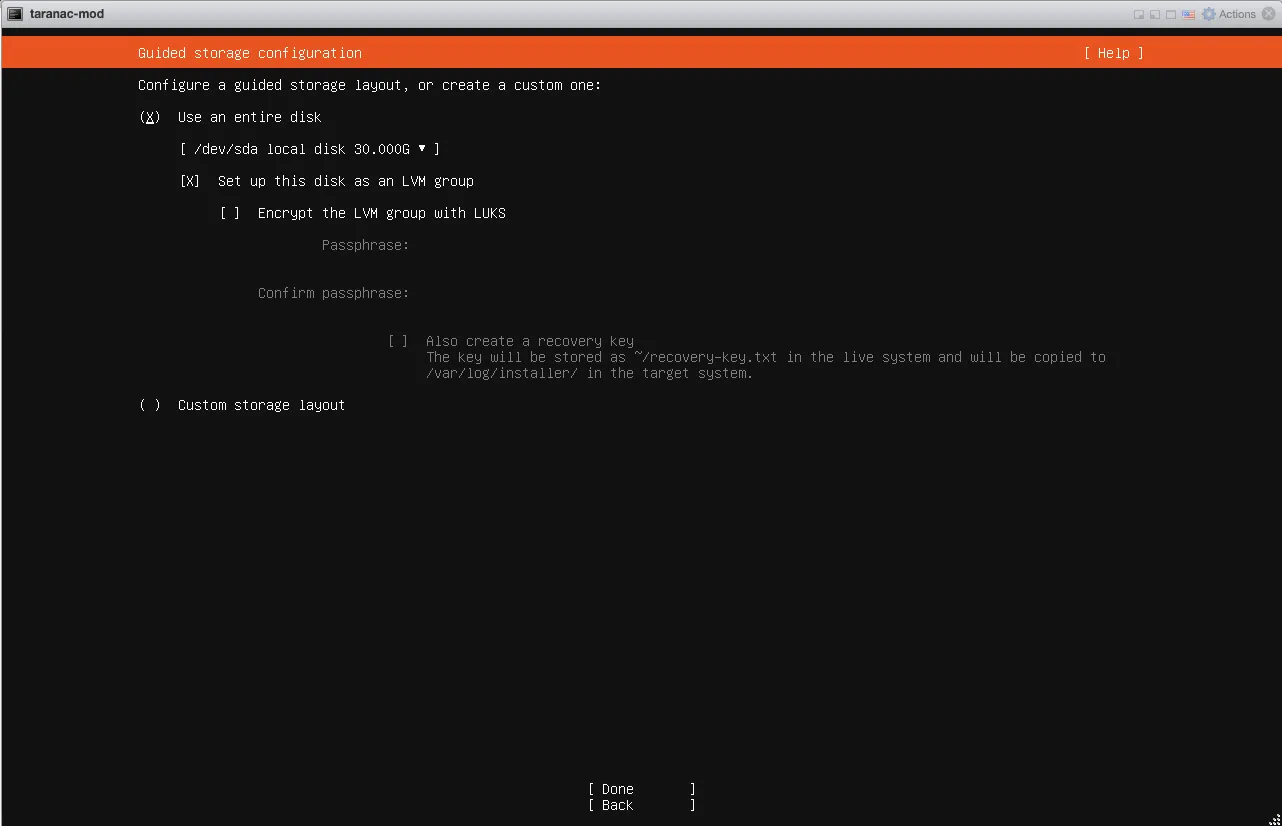
Pick the disk and leave the rest as offered: the whole disk, as an LVM group.
The summary that follows shows the root volume at about half the disk. That is the Ubuntu installer’s default and nothing to fix here — the first boot grows the root to the whole volume group.
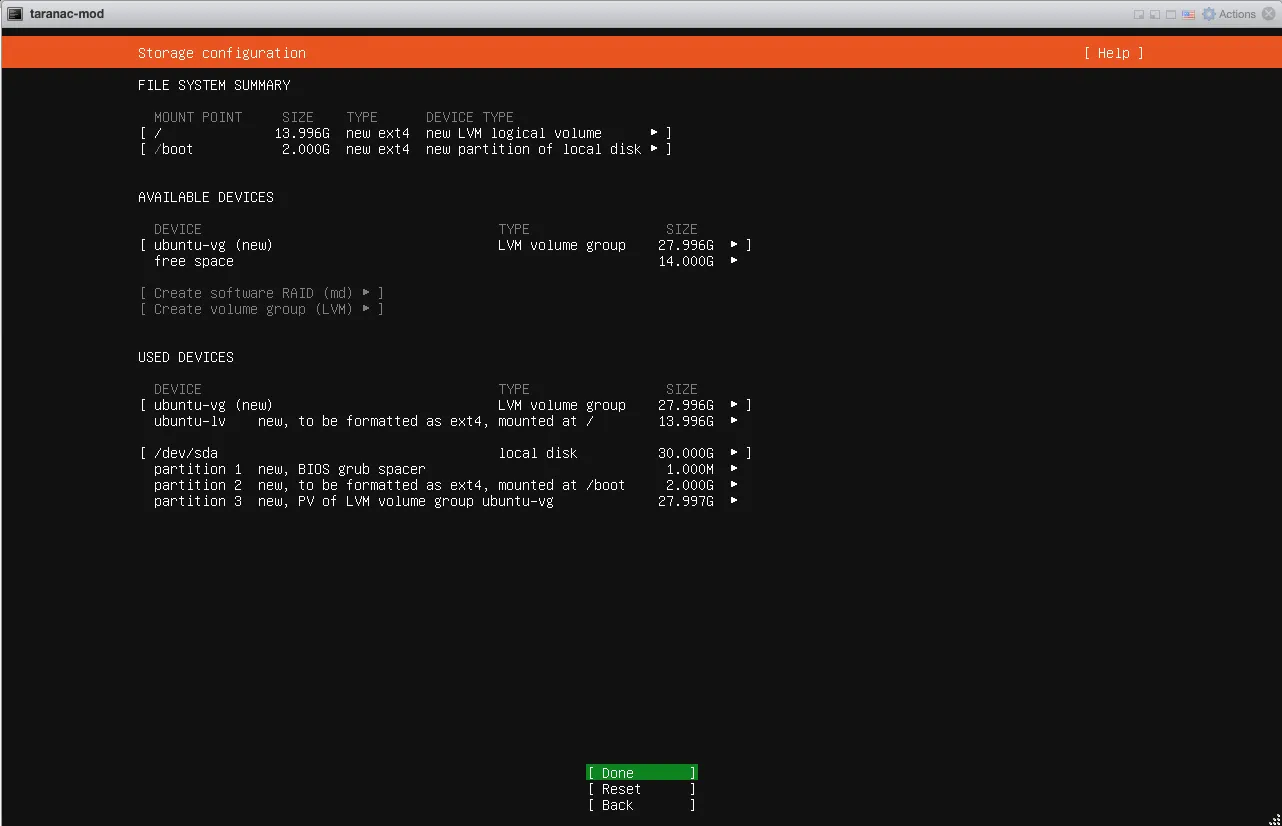
Choose Done, and confirm that the disk will be formatted:
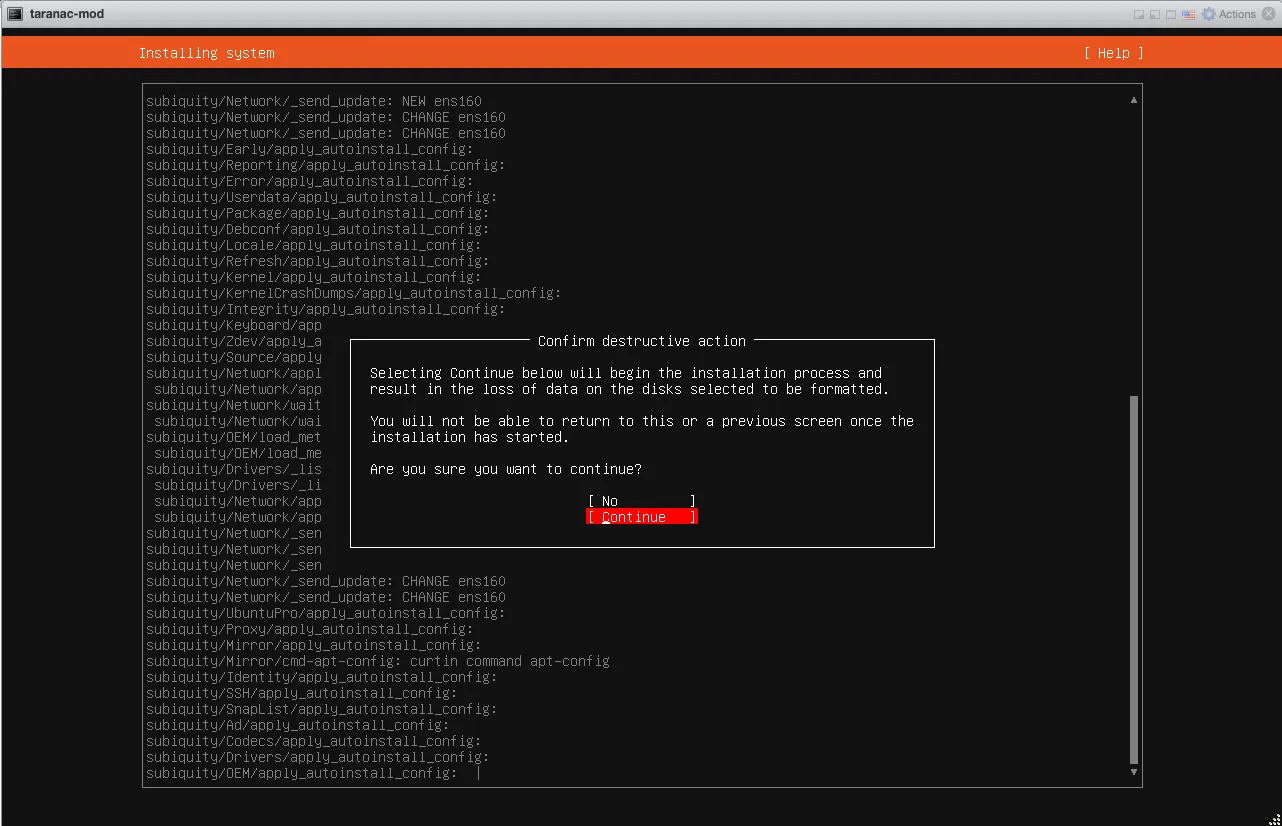
From here nothing else is asked. The installer lays down the base system, copies the Taranac payload, and upgrades the base system from the ISO — so the first boot already runs the newest kernel the ISO carries. That takes longer than a stock Ubuntu install; let it finish.
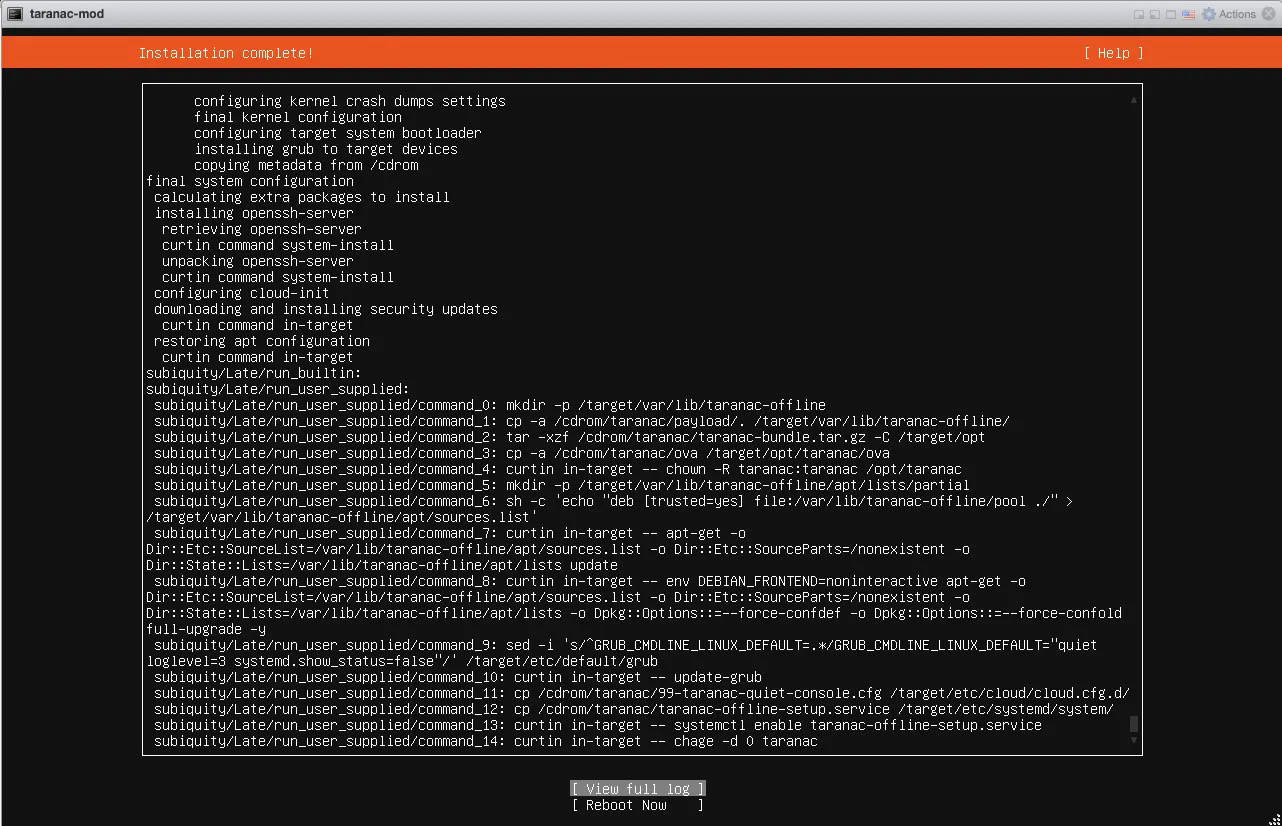
Choose Reboot Now, and detach the ISO when the installer asks you to remove the installation medium.
First boot: the offline preparation
Section titled “First boot: the offline preparation”The first boot does not open a login prompt. It takes over the console and prepares the system from the payload on the disk — exactly the steps an OVA goes through when we build it, fed from the disk instead of the internet:
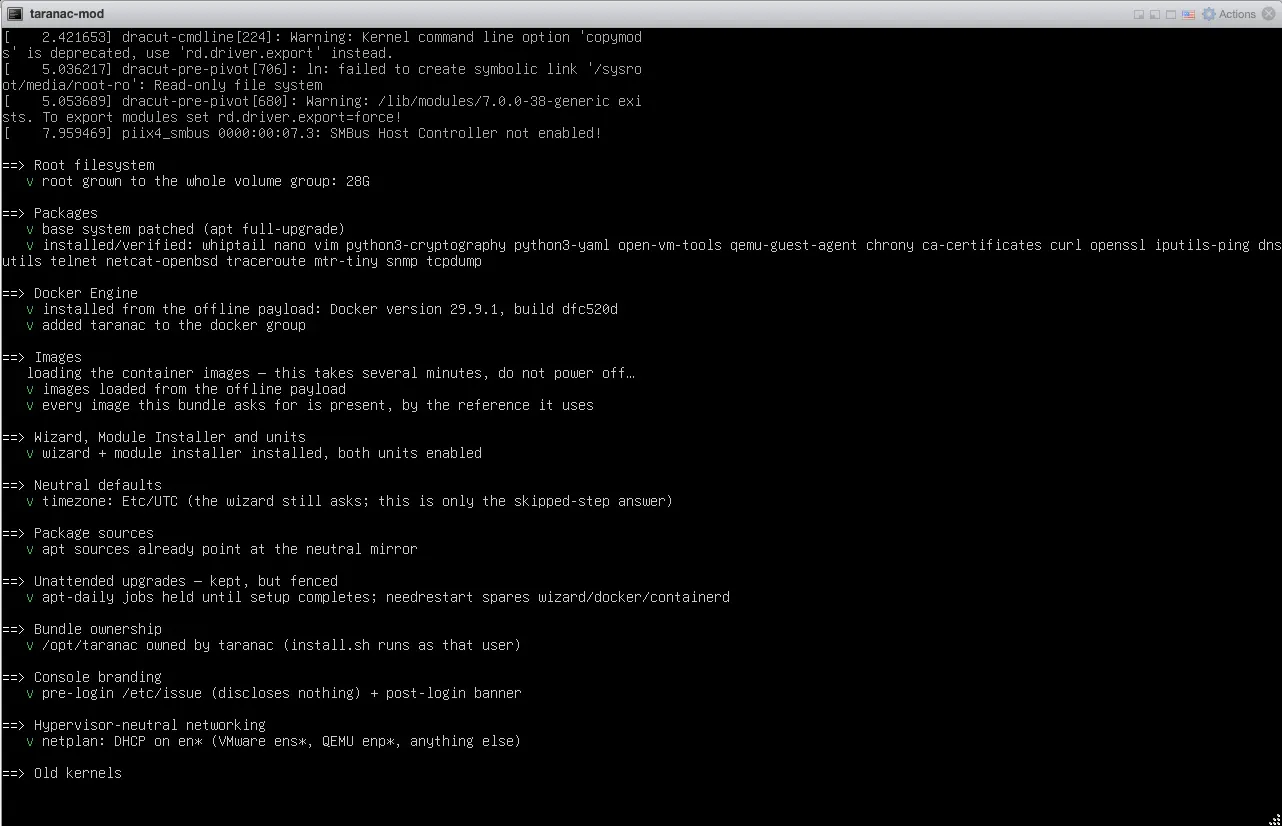
- the root filesystem is grown to the whole volume group;
- the base system is patched and the appliance’s packages installed;
- Docker Engine is installed from the payload;
- the container images are loaded — this is the long part: several minutes, and do not power off while it runs;
- the wizard, the module installer and the appliance’s console are put in place.
Before it finishes it checks that every image the bundle names is present under the exact reference the stack will ask for. If one were missing, the stack would reach for a registry it cannot see on its first start; the preparation refuses to finish instead.
When it succeeds it removes the payload and hands the console to the setup wizard. Carry on with First boot in the appliance guide — every step from there is the same.
If the preparation stops
Section titled “If the preparation stops”It does not leave you at a login prompt guessing. The console says the preparation did not finish, names its log, and gives the one command that resumes it:
less /var/log/taranac-offline-setup.logsudo /opt/taranac/ova/build-golden-image.sh --offlineLog in as taranac, with the password taranac. The system makes you change it on
that first login, and the wizard asks for a new one again later. The payload stays
on the disk until a run succeeds, so the command can be repeated as many times as
it takes.
Afterwards
Section titled “Afterwards”The installed system is an ordinary appliance. Everything in the
appliance guide — the wizard’s two
paths (Taranac or a module), the console banner, sudo taranac-setup,
updates — applies unchanged.
The day the box does get a route out, nothing has to be reconfigured to patch
it: Ubuntu’s package sources point at the regular archive.ubuntu.com, and Docker
comes with its own package source, as if it had been installed from
get.docker.com.
Updating Taranac itself on a box that stays offline is a separate matter from
installing it. The ISO carries the images of one release; the next release’s
images have to come from somewhere. ./taranac update --from taranac-bundle-<ver>.tar.gz applies a bundle you have copied across, and pulls
the release’s images from the registry the install points at — on a closed
network, a mirror of your own (IMAGE_PREFIX, see
Installation). See
Backups & upgrades, or ask
support to walk through it for your environment.