

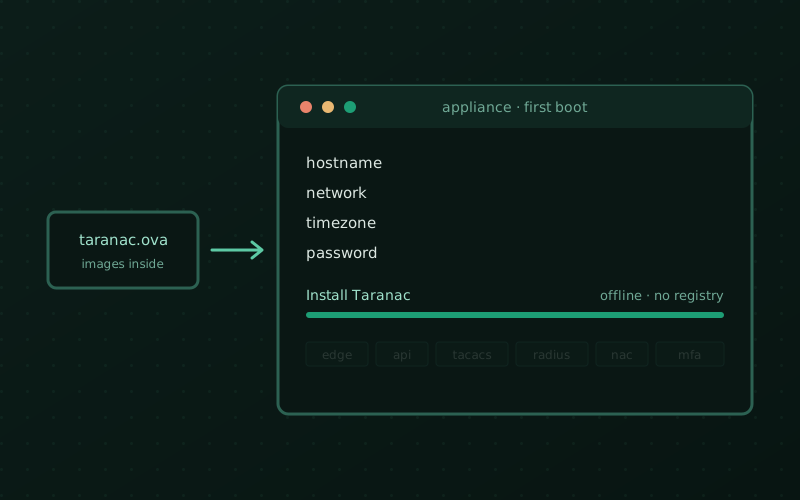
Installing Taranac has always been short — download the bundle, run two scripts. But “short” still assumed you had a host ready, Docker installed on it, and outbound access to a registry. For a pilot that’s an afternoon and three places to get something subtly wrong, and for a locked-down segment the registry access alone could be a non-starter.
So Taranac now also ships as a virtual machine. One file, one boot.
Two artifacts, one image
There’s an OVA for VMware — ESXi, vSphere, Workstation, Fusion — and a
QCOW2 of the same appliance for Proxmox VE, libvirt/KVM and plain QEMU. They
aren’t two builds: the QCOW2 is converted from the very OVA we publish, so
whatever we tested is what you run either way. The OVA is exported at hardware
version vmx-13, which keeps it importable all the way back to ESXi 6.5,
and the image carries qemu-guest-agent next to open-vm-tools so it’s equally
at home on either hypervisor.
Both are on the download page, with SHA256 sums published beside them. Check the hash. This image gets root on the box that authenticates your network — that’s exactly the kind of file you verify before you boot it.
The install runs offline
This is the part worth the engineering. Every container image is already baked into the disk. When the wizard installs Taranac, it doesn’t pull anything: no registry, no internet, nothing to mirror. An air-gapped segment that would have needed a whole internal registry story now needs a file copy.
What is not baked in is anything secret. No .env, no master key, no
pre-generated passwords — the installer generates every secret on your box, at
install time. Two appliances deployed from the same file share no credentials.
An appliance that shipped with secrets inside would mean one leaked image
compromises everyone who downloaded it, and that trade was never on the table.
Four questions on the console
Power the VM on and the setup wizard is already there — nothing to log into
first. It asks for the hostname, the network (DHCP or a static address,
prefix, gateway and DNS), the timezone — from the full tzdata list, not a
curated handful of cities — and a password for the taranac login user.
Then it offers to install. Choose Install Taranac, give it the address people will open the admin UI at, an admin username and email, and it goes away and brings the stack up. The last screen hands you the URL, the username and a generated password. Copy it then and there.
Underneath, this is not a third way for Taranac to exist. Inside the appliance is
the ordinary deployment bundle, in /opt/taranac. Every ./taranac command, the
TLS certificate procedure, ./taranac update — all of it works exactly as
documented, because it is the documented thing, pre-deployed.
What it doesn’t do yet
Three honest limits, all of them deliberate rather than forgotten.
The wizard installs a core node — collector, witness and captive-portal roles aren’t in it. Those are still deployed as their own docs describe.
The appliance is not self-updating. OS patching and product upgrades stay on your schedule, the same as any VM you run.
And one to act on: the published images carry SSH host keys baked in, so every appliance deployed from the same file presents the same fingerprint. A future build will regenerate them at first boot and make the password step mandatory rather than skippable. Until then the download page and the guide both carry the three commands that fix it — run them once, right after the wizard finishes, before the box sees production traffic.
Where to start
The appliance guide walks through
both imports with screenshots — including the Proxmox settings that are not
optional, since the image is SeaBIOS rather than UEFI and wants a VirtIO SCSI
controller with the disk on scsi0. Get those wrong and it won’t boot; get them
right and you’re at the wizard in a couple of minutes.
Self-hosted, artifact-only, Elastic License 2.0 — same as always. Now with a shorter road to the first successful authentication.