

1.2.3 was about what it costs to deploy Taranac. 1.2.4 is about what it costs to trust it.
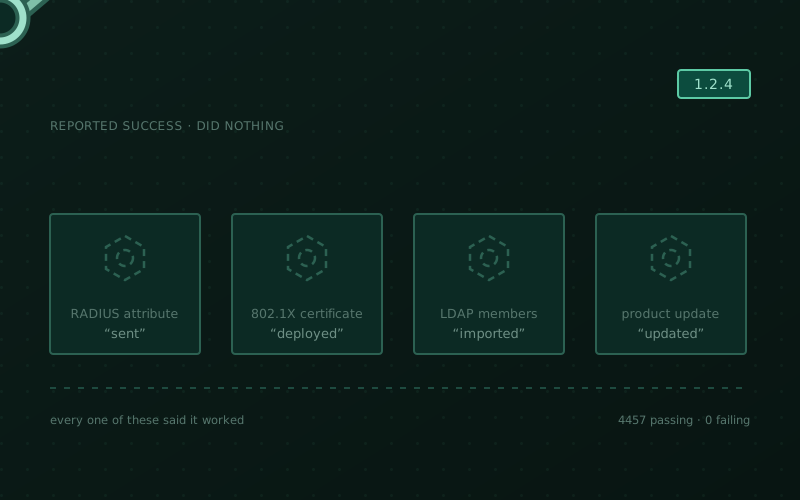
Most of this release is fixes, and one kind keeps coming back: something reported success and did nothing. A custom 802.1X server certificate that the page called “Deployed” and no supplicant ever saw. A RADIUS attribute the authentication log called applied and the switch never received. A directory synchronisation that finished with a green status and zeroes across every counter. An update that replaced the container images, left the rest of the product at the old version, and reported success.
Those are worse than errors. An error sends you somewhere. A silent success sends you nowhere, because as far as every screen you can see is concerned the work is already done — so the fault gets attributed to the network, the switch, the directory, anything but the thing that quietly did nothing.
There are two new capabilities as well — your own RADIUS attribute dictionary and groups inside groups — and one breaking change that deserves five minutes before you pull.
Before you update: two CA certificates that were quietly one
An LDAP configuration holds two CA certificates, and they check opposite directions of two different handshakes:
- the one on Connection checks the certificate the directory server presents to Taranac over LDAPS;
- the one on EAP-TLS checks the certificates client devices present to Taranac during 802.1X.
In a Windows domain the same enterprise CA usually issues both, which is exactly why they look like one setting entered twice. Until now the TACACS+ and RADIUS services leaned on that resemblance: with the connection’s own field empty, they quietly used the EAP-TLS certificate for the LDAPS handshake. That substitution is gone. Each field now does its own job and nothing else — which also ends a disagreement inside the product, since the web interface and the 802.1X service never behaved that way.
Who is affected: installations where the LDAP configuration’s CA
certificate field is empty, Validate TLS certificates is on, the directory is
reached over ldaps:// or StartTLS, and the EAP-TLS CA certificate field
is filled in. For those, TACACS+ and RADIUS logins against that directory stop
working after the update. Configurations with their own CA, configurations
without encryption, and the EAP-TLS certificate’s real job are all untouched.
What to do, before updating: open Settings → LDAP → your configuration → Connection and paste the CA that issued the directory server’s certificate into CA certificate. If it is the same enterprise CA as on the EAP-TLS tab, the Use the EAP-TLS CA button next to the field copies it across.
The copy is not automatic on purpose. The two are the same certificate only in a Windows domain, and silently moving one into the other would be putting a certificate you did not choose into a security setting. And if you update first, nothing is lost and nothing is hidden: an empty field in this situation is now reported in three places — the service log, Test connection (including when the test otherwise passes), and a notice on the form itself.
Attributes your equipment defines, and FreeRADIUS does not ship
Vendors define attributes all the time that the dictionaries bundled with the RADIUS services do not carry. Until now there was no supported way to teach Taranac about one: a profile referring to such an attribute produced nothing, and said nothing, anywhere.
Both services now carry an Attribute dictionary on their settings page — Settings → RADIUS for device administration, Settings → NAC for 802.1X. Paste the vendor’s own dictionary text into it:
VENDOR Example 32473BEGIN-VENDOR ExampleATTRIBUTE Example-Policy-Id 1 stringEND-VENDOR ExampleOnce saved, that name works like any other — as a raw attribute on a RADIUS
profile or an extra attribute on an authorization profile — and it is sent in
Access-Accept. VALUE lines work too, so an attribute can have named values
instead of bare numbers.
The text is kept exactly as you typed it, which means you can paste a vendor’s file and still diff it against theirs line for line. A mistake is refused on save and named with its line number in your text, not in the file the daemon eventually reads — those are different files, and the second number is useless to the person who typed the first.
Next to the editor, What already exists opens a searchable list of everything the service already ships — roughly 8500 attributes across 195 vendors — filtered by attribute name or by vendor. It is worth opening first: your own dictionary is only needed for names that are not in there. A name that already exists is refused on save; a new name that reuses a number already in use is accepted and then quietly takes the original’s place in what the daemon reports, which is a thing worth knowing before it happens rather than after.
Saving restarts the service, in under a second, automatically — attribute dictionaries are only read at start-up, so a reload would apply nothing. The standard dictionaries stay loaded throughout, and the two services keep separate dictionaries: an 802.1X attribute does not have to be shared with device administration.
And an attribute given by numbers now actually leaves the building
The feature above arrives next to the fix that makes it matter.
An additional attribute on a RADIUS profile can be identified by name or by the vendor + attribute-number pair, and the form has always accepted both. Only the named ones were ever sent. An attribute given by numbers was left out of the Access-Accept entirely — while the sign-in still succeeded, the interface still showed the profile, and the authentication log still recorded it as applied. The only trace in the entire system was one line in the RADIUS service’s own log.
It is now sent the way the dictionaries address it: Attr-26.<vendor>.<number>
for a vendor-specific attribute, Attr-<number> for a standard one. That covers
every vendor the service already knows, and for the rest it works the moment you
declare the vendor in your own dictionary. An entry with neither a name nor a
number cannot be addressed at all and is now skipped with a warning, instead of
being handed to FreeRADIUS as an empty attribute.
NAC authorization profiles got the same treatment: an extra attribute whose value was not text — a number entered through the API — used to disappear the same way.
Groups inside groups, and who decides membership
Directories express a role as a group containing other groups far more often than as one flat list. It is the ordinary shape of an Active Directory tree, and FreeIPA has a dedicated object class for it.
Taranac imported direct members only. Everyone who belonged through a nested group was left out — and the run reported success, so a group that looked imported carried a fraction of its real membership, indefinitely.
Members of a nested group are now imported and become members of the group you selected, however deep it goes. The nested group itself is not created in Taranac: a group here carries a permission model, and inventing a group you never chose means inventing permissions. A nested group living outside the search bases you configured is followed correctly too, because members are read one entry at a time rather than searched for inside those bases.
It is on by default, for existing configurations as well as new ones, and can be turned off per configuration (Synchronization → Follow nested groups) — at which point a nested group is named in the sync log rather than passed over in silence. A loop, where two groups contain each other, ends that branch instead of the run: directories accept such loops, and one of them must not stop everyone else from synchronising. The number of nested groups a run walked through goes into the audit log, so a sync that suddenly brings in three times as many people as expected can be explained without opening the directory.
Three fixes in the same area, and the first two are the reason this section is not just a feature note.
A nested group was being imported as if it were a person. In an Active Directory domain a group carries a login-style attribute, so a group contained in a synchronised group was created as an ordinary user account named after the group — active, listed among your users, usable in policy — while the people inside it were never imported at all. It could not sign in, a group having no password, but it counted as a user everywhere else, and with automatic certificate issuing enabled it would have been issued a certificate. Objects that are not people — groups, OUs, containers — are now refused, and the log says which was which. Accounts created this way before the update are left alone rather than deleted by an upgrade; remove them from the user list when you have looked at them.
An account the directory does not list can no longer stay in an imported
group. The membership of an imported group belongs to the directory — editing
it by hand is refused — but synchronisation only ever removed members that had
themselves been imported from that same directory. Anything else stayed for good,
removable by neither the sync nor the interface. That is how a local account
became a permanent member of an imported group: an earlier version matched
directory entries to local accounts by name, and directories ship their own
admin. Membership is now simply what the directory says, and each removal is
recorded in the audit log. This removes a membership, never an account.
Picking groups by hand now works on OpenLDAP, FreeIPA and anything else.
Choosing specific groups to synchronise imported nothing at all on those
directories — no groups, no users, no error, a green run with zeroes everywhere —
and the member list on the group-picking screen came back blank, reporting “LDAP
group not found” for a group plainly sitting in the tree. The cause was a search
term only Active Directory understands (objectClass=group) used to look up
groups everywhere; LDAP does not treat “matched nothing” as an error, so nothing
was ever reported. Searching by name missed accounts there too, whose login
attribute is uid rather than sAMAccountName. Each of these now uses the
vocabulary of the directory type the configuration is set to.
And one that locked a whole platform out: accounts imported from Google Workspace can sign in again. A directory could import every one of its accounts and then refuse all of them at the sign-in screen, reporting the password as wrong when it was right. The password check was in fact succeeding — immediately after it the LDAP library asked the directory to describe itself, Google Secure LDAP permits that question from a privileged account only, and the refusal arrived on the same connection and was read as a failed login. That question is no longer asked on a connection opened to verify somebody’s password; it was never needed there. 802.1X had the same fault, and worse, because a refusal that is not a verdict on a password still counted toward the domain guards.
Things that reported success
A custom 802.1X server certificate never reached FreeRADIUS. Uploading or issuing one wrote it to a directory the RADIUS service could not read — and every layer above reported success. The file was written. The record was stamped deployed. The page said “Deployed”. Supplicants kept being shown the built-in certificate. Nothing failed, which is exactly why it went unnoticed: this had never worked, in any release.
The certificate is now delivered to the service and applied on the spot with nothing to restart by hand, and the page reports what the running service is presenting rather than what was written to disk. Existing installations repair themselves: a certificate already marked deployed is re-delivered at start-up. Other 802.1X material — trusted CAs, revocation lists — was never affected.
An update that could not fetch the bundle updated half the product. With the
bundle undownloadable — no internet, a proxy, a blocked network — ./taranac update offered to continue with the container images alone, leaving
docker-compose.yml, the taranac wrapper, the installer and the documentation
at their old versions. A release is not only its images: a fix can live just as
much in docker-compose.yml, and new images may depend on it. This very
release is such a case. So the outcome was the worst kind available — an update
that reports success while the part that mattered never arrived, with nothing on
the operator’s side to reveal it.
It now stops with nothing changed, including the pinned version, and says what to
do: restore access to the release server, or carry the bundle over by hand and
apply it with ./taranac update --from taranac-bundle-<version>.tar.gz.
An LDAPS trust anchor configured before 1.2.2 was silently dropped. 1.2.2
changed how an LDAP CA certificate is stored — from a path to a file inside the
container to the certificate itself — and did not carry the old value across. On
an upgraded installation the setting was simply empty, and every LDAPS connection
was then verified against the container’s built-in list of public certificate
authorities. Against a private CA — the normal case for Active Directory — that
stops LDAP authentication outright with certificate verify failed, and it takes
everything with it: TACACS+ and RADIUS logins, the web sign-in, user and computer
synchronisation. Behind a publicly-trusted directory certificate it is worse,
because verification keeps succeeding, against an authority nobody chose.
Updating repairs it: at start-up the old file is read and its certificate stored in the configuration. If the file cannot be read — an unmounted volume, a path that no longer exists — nothing is discarded, the attempt repeats on the next start, and the LDAP page now names the file it could not open instead of showing an unexplained empty field.
The general case of that is closed too: a directory with an empty CA field now says so before the first failed login, on the form, on Test connection, and in the service logs. An encrypted connection validated against the public CA store is legitimate for a directory behind a public certificate and identical in appearance to a configuration that has lost its own — so it is named rather than left to a handshake error days later.
While in there: TACACS+ picks up an edited LDAP configuration without a restart. It read the LDAP settings once at start-up and kept that copy for as long as it ran, so a correction made in the interface — most painfully a CA certificate — looked saved while authentication kept failing against the old values. It now re-reads them on the same schedule the RADIUS service already used.
A switch that denied every command
On some platforms — Edgecore ECS4100 is the reported one — signing in worked and landed at the expected privilege level, and then every single command was refused.
The cause is on the wire. The standard requires each authorization attribute to
carry a = or * separator; these devices split the trailing cmd-arg=<cr> in
two and send a bare <cr> as an argument of its own. The TACACS+ service treated
the request as invalid and discarded it before any policy rule was considered,
so nothing matched and the authorization log showed a refusal with an empty
profile — pointing squarely at the policy, which was never the problem. Sign-in
was unaffected because it carries no command arguments, which is what made the
symptom so hard to read.
Such an attribute is now ignored and the rest of the request is authorized normally. A Vendor Compatibility setting on the TACACS+ settings page controls it and is on by default; turn it off only if you want the protocol enforced strictly.
One quiet security fix
The 802.1X private key was world-readable inside the RADIUS container. A blanket permission sweep over the configuration directory reached the EAP private key and left it readable by every process in that container. It affects every installation to date.
Updating fixes it: the retired certificate volume is detached and the key is
written with restrictive permissions from then on. The old nac_certs volume is
left behind untouched — nothing uses it any more, and it can be removed once the
update is confirmed working (docker volume rm taranac_nac_certs, prefixed by
your compose project name). The key inside it is the built-in one rather than
anything you uploaded, and it is replaced on this node by the update.
Screens that showed the wrong thing
A live session no longer shows another session’s disconnect. Opening an active session could show an “Accounting stop” dated weeks earlier — sometimes two of them, one belonging to a different device on a different switch — while the session was in fact still running. Network equipment hands out accounting identifiers from a short counter and reuses them, and the timeline matched on that identifier alone, so it collected the disconnects of every earlier session that had held the same number. Matching is now confined to the same equipment and to the session’s own lifetime.
Termination reasons are reported by name, too. Equipment that sends a cause the
RADIUS dictionary does not cover had it stored as a digit — which is why a large
share of closed sessions gave their reason for ending as 0. Sessions already
recorded keep the values they were stored with.
Editing a policy rule shows the profile you chose, not the previous one. Changing a rule’s profile saved correctly, but the response the form reads back still named the old profile, so the interface went on displaying a profile the rule no longer used until you reloaded the page. Group assignments behaved the same way — replacing a rule’s groups came back with the previous membership, and adding the first group came back empty. Both device-administration and 802.1X rules were affected.
Two regressions from 1.2.3, in high availability
Both arrived in 1.2.3 and are named here because 1.2.3 is the release that made clusters easy to build.
Adding a node without the setup wizard works again. A join that did not go
through the wizard’s broker — the manual flow with a join token, and --primary —
stopped on its first step with an interpreter error instead of doing anything, so
the only route into a cluster was the wizard. Behind it, on that same route, the
node registered its cluster membership under an empty name: the option that names
it has always been documented as defaulting to the node’s own name, and that
default had stopped applying outside the wizard. Clusters built with the wizard
were never affected, and nothing about that path changes.
Turning a node back into a standalone install finishes cleanly. The last step
— reducing the leaving node’s copy of the cluster roster to itself — died on an
interpreter error, so detach reported failure after it had in fact succeeded,
and the node went on listing its former peers under Cluster status as though
it were still a member. The node, its data and the cluster it left were never at
risk; it spent six steps earning a clean exit and then misreported the seventh.
Upgrade notes
- The LDAP CA change at the top of this post is the one thing to do before you pull. Everything else in this release is safe to apply and then look at.
- User accounts created from nested groups are not deleted by the update. They are left in place deliberately — an upgrade that removes accounts is not an upgrade anyone wants surprising them. Find them in the user list and remove them once you have confirmed what they are.
- Vendor Compatibility is on by default on the TACACS+ settings page. If your policy is that the protocol should be enforced strictly, that is the switch.
taranac_nac_certscan be dropped after the update is confirmed working.- Follow nested groups is on by default, including for existing configurations — a synchronisation may legitimately bring in more people than the last one did. The count is in the audit log.
1.2.4 ran 4457 passing, 0 failing on the dedicated runner — unit through
sustained-rate load under HA failover — at 82% backend line coverage, dated
2026-08-12 and commit-pinned. The breakdown ships in the bundle as TESTING.md,
including the eight end-to-end cases tracked openly as expected-fail.
There is no headline in this release, and that is the point. If you run 802.1X with your own server certificate, a directory that is not Active Directory, RADIUS profiles carrying vendor attributes, or a cluster you built by hand — one of the things above has been quietly not working for you, and now is not.
Existing installations update in place with ./taranac update — read the LDAP CA
note at the top first, and see backup & upgrades
for the full procedure. New ones start from the appliance. Where the
platform goes next is on the roadmap.
Self-hosted, artifact-only, Elastic License 2.0.