

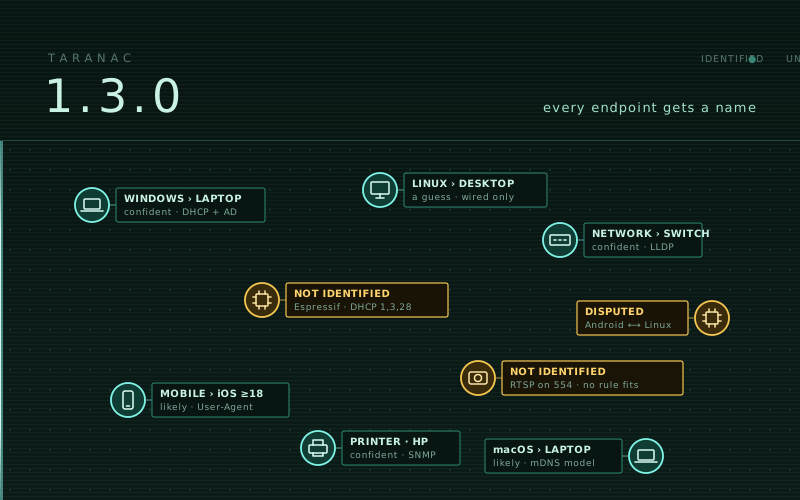
Every 1.2.x release was about the product finding out what was wrong with it. 1.3.0 is the first one since 1.2.0 that adds a subject of its own, and it is a large one: how an endpoint comes to be described.
Until now Taranac could record facts about a device — a MAC prefix, a host name, the options a DHCP client asked for — and could not say what the device is. That gap sits underneath every NAC decision. A policy that should put printers in one VLAN and Windows laptops in another has to be written against something, and “something” had been whatever the operator could type into an endpoint group by hand.
So this release is mostly one idea followed all the way through: every endpoint gets a name, the name says why it stops where it does, and every source the product can reach contributes to it. There is also a rebuilt captive portal, two new ways to scope a policy rule, and a long list of fixes — three of them public issues, one of which had broken 802.1X on every wireless network.
It is long. Click whatever you came for:
What’s in 1.3.0
Knowing what a device is
- Device Profiling: every endpoint gets a name
- Rules that read every source, and can extract as well as match
- A laptop is named Laptop, read off the RADIUS session
- A change of meaning reaches every device at once
- Exchange with taranac.pro: rule sets between releases
- The unidentified, handed to an AI assistant
Discovery sources: where the evidence comes from
- DHCP Probe: devices describe themselves
- Scanner: what is on the wire, and silent devices asked who they are
- SNMP: network devices asked in their own dialect
- Web Probe: your own script, as a source
- Which switch port, and why we think so
- The OUI database names who IEEE used to hide
Acting on it
Captive portal
- A portal that opens the network itself
- The phone is told it is free
- An installer that asks the machine, and an embedded portal that is a switch
Policy, RADIUS and TACACS+
- A rule that names a wireless network, and a rule with a period
- CoA: asked before it matters, sent where the hardware listens
- Sessions, ports and switches that restart
- TACACS+ and LDAP
Fixes
Device Profiling: every endpoint gets a name
NAC → Discovery Sources → Device Profiling.
A profile is a node in a tree: Any device › Computer › Windows › Laptop, Mobile › iOS, Embedded › IoT. Every endpoint carries the deepest node whose conditions hold and whose confidence reaches that node’s threshold. That name is what everything downstream is about. An endpoint group can classify on “everything under Computer › Windows”, the device lists gain a sortable Profile column, and the Devices tab filters by a node exactly or by its whole subtree.
Underneath the name, rules conclude four things independently — OS family, OS version, device type and manufacturer — from whatever the device has been heard saying. The arithmetic is where most of the thinking went.
One vote per source, not per rule. Three rules over the same DHCP request list are one witness said three times. A request list, a browser string and a directory record that agree are three witnesses. Counting rules instead of sources would let whoever writes the most rules about one signal outvote everybody else.
Agreement at different depths is agreement. A request list that says Apple and a browser string that says iOS are not in conflict — one is a coarser reading of the other. They answer iOS, at the strength of both, and the card shows both witnesses. An earlier design treated them as two different answers, and the stronger the evidence got, the more often the dimension came out empty.
A real disagreement is not settled by a coin. Two genuinely different answers of equal strength leave the dimension empty, and the card shows both sides. An invented winner is worse than an honest “disputed”, because an invented winner goes on to pick a VLAN. Your lever there is a rule’s priority, which is a statement you make deliberately rather than a tie-break we make for you.
Confidence is shown as three words — confident, likely, a guess — and never as a percentage. The number behind them combines expert estimates, and “84%” would promise a precision the inputs do not have; worse, it invites arithmetic. The scale with its ranges is printed on the page, and a node’s threshold is set in the same three words.
At rest the endpoint card shows a chain of names, one confidence word and one sentence saying why the chain stopped. The reasons are specific because they send you to different places:
- a device nothing has ever reported on — go and connect a source;
- a device no rule fits — write a rule, or send it to the assistant;
- a dispute — look at the two sides and set a priority;
- a threshold that was not reached — the evidence is there, just thin;
- a node that is switched off — that was you;
- the honest end of the tree — nothing below this node exists to be concluded.
Each step of the chain expands into the claim, the rules that carried it and the
exact phrase the device transmitted. A History section records every time a
device’s name or a verdict changed, with the rules that decided it and what triggered
the pass — kept for 180 days (profiling.history_retention_days).
The page has seven tabs: Profiles (the editable tree — each clause shows how many rules could ever conclude it and how many devices carry the value, with “add a rule” pre-filled from there), Rules, Devices, Not identified, Dictionary, Contribute and Settings.
The tree we ship is deliberately small. Every node in it can actually hold a device on
the rules we ship, because an empty branch teaches an operator that the tree is
decorative. OS version nodes are not shipped at all: the vocabulary of versions —
11 Enterprise 22H2, 17_4, Fedora 40 — belongs to your estate, not to us. The
tab lists the values your devices actually carry, each with a pre-filled “add a
profile”.
Rules that read every source, and can extract as well as match
A rule reads one signal, and there are many now: the DHCP request list, vendor class,
host name or client signature; the browser’s User-Agent and its Client Hints;
the OS recorded in the directory; open ports and the banners on them, nmap’s
OS guess, UPnP SERVER lines, mDNS service types, names and model identifiers,
the NetBIOS workgroup and LLDP/CDP self-descriptions — from the scanner or from
a switch’s neighbour table; an SNMP sysObjectID; or the MAC prefix.
The rule form says where each signal comes from, carries a worked example for every one, and warns about the commonest reason a right-looking rule never fires: a device only sends some of these.
Two kinds of rule are new, and both exist because a fixed string is the wrong answer more often than it looks.
A capturing rule answers with what it finds. *windows {version}* over the
directory record is one rule that covers every Windows release, including the ones
nobody has shipped yet.
A suppressing rule states that a value must not be reported, with a mandatory
reason, and it outranks every other rule in its dimension. Safari has reported macOS
10_15_7 since Catalina, whatever the machine actually runs; a ChromeOS string carries
a platform build rather than a version. We ship refusals for both instead of a
precise-looking lie. Two other vendor habits are named instead of hidden: Windows NT 10.0 is both 10 and 11, and reads 10 / 11 unless Client Hints say which; Apple
froze the iOS number in the user agent, so 18_7 reads ≥18.
Nothing is saved before it has been measured. The rule preview runs a draft against every device the installation knows and counts what it would newly identify, contradict and merely refine — a rule that says iOS where we said Apple is a refinement, not a contradiction — and Save stays disabled until a preview has run. Your rules override ours once they clear the threshold. A shipped rule can be switched off, but not edited.
Every shipped rule is written by us — from what each protocol is specified to carry, or from a DHCP client’s own source code — and records where it came from. We could have imported somebody else’s fingerprint database and got a bigger number on day one; we would also have got rules nobody here could explain. The Dictionary tab shows the vocabulary rules conclude and which name refines which. You can copy one of our families whole and extend the copy, and a later change to ours is shown against your copy rather than merged into it.
The Settings tab holds the only two judgements your estate can make wrong: the confidence at which a verdict stops being a reading on a card and becomes a value the classifier acts on — and therefore a group, and therefore a VLAN — and the trust order between sources that write an endpoint’s host name and OS. Each is shown beside what it changes, including which sources would then overrule which.
A laptop is named Laptop, read off the RADIUS session
The one honest signal of form factor is the fact of radio.
Under each of Windows, macOS, Linux and ChromeOS the shipped tree has a Laptop node
for a computer whose RADIUS sessions report a wireless NAS-Port-Type (likely), and a
Desktop node for one only ever seen on a wired port (a guess — laptops dock). A
device that was ever on Wi-Fi counts as wireless, because a dock passes the laptop’s
own MAC through to its Ethernet port.
It is a node condition, not a rule, on purpose. A rule “on radio → Laptop” would call every phone a laptop. The operating system still has to be established first; the port only decides the form factor.
A change of meaning reaches every device at once
Every source — DHCP, the portal, the directory, the scanner, Web Probe, switch neighbour tables, new RADIUS sessions — now marks the devices it heard about in the same transaction that stored the evidence, and one queue, drained on the cluster leader, re-derives them within seconds.
An edit that changes what the rules mean — a rule, the tree, the dictionary, the trust order, the confidence floor, an installed rule set — asks for the whole estate in one coalesced pass instead of waiting for the scheduled one, which is now a 24-hour backstop. Group membership is re-judged only for devices whose name actually moved, so a rule edit does not churn every group in the installation. Recalculate now queues rather than blocks, and tells you how many devices it queued. Nothing recomputes inside your request.
Exchange with taranac.pro: rule sets between releases
A device type learned about in one network can now reach every installation without waiting for a release.
Licensing gains a taranac.pro account card. Register the installation with a one-time code from your taranac.pro cabinet, or download an offline registration file. The installation holds its own Ed25519 key — kept encrypted, carried by backup, shared by an HA cluster — and signs every request with it. The card checks the path to the site step by step — DNS, TCP, TLS through your proxy, the answer — and names the step that failed, because “could not connect” is not something anyone can act on.
The Exchange card on the Contribute tab is one operation: send what this installation sees about its devices, then fetch the latest signed rule set — off, manual or daily, at most once every six hours.
What is sent was designed before anything else was:
- one record per device, built from a white list of the signals the rules read;
- no IP addresses and no user names;
- a keyed hash instead of the MAC;
- host names reduced to the words the product already knows, unless you choose to send them in full.
The exchange terms are fetched from the site and shown before anything is sent, and every send is audited. An installation with paid support gets the rule set with or without sending (Send my data).
A rule set is verified, installed and reverted the same way wherever it came from — the network, or a file for an installation that reaches nothing (Import file, same signature and version checks). Your own rules, and a shipped rule you switched off, survive every install. Restore shipped rule set takes the layer back to what this release carries, and a later exchange will not quietly reinstall the version you just rejected.
The unidentified, handed to an AI assistant
The Not identified tab is a worklist, not a shame list. It groups what no rule explains by what one rule would close, with the clues beside each group. A group you decide cannot be answered is accepted off the list and stays visible under its own filter — “unknown” is a legitimate answer, and the list should not nag about it.
The AI assistant card downloads one archive: your devices, the tree, the vocabulary and every rule, a JSON schema, and a prompt that tells the assistant to derive from the evidence and ask you about the rest rather than answer from memory. Use whichever assistant you like; Taranac never talks to it.
What comes back — profiles, terms and rules — is previewed before it is applied. Every item is accepted or rejected with a sentence you can paste back to the assistant, and the preview names the devices that would change profile, arriving and leaving, before anything is written. An assistant is a fast way to draft rules; it is not a reason to stop looking at what the rules do.
DHCP Probe: devices describe themselves
NAC → Discovery Sources → DHCP Probe.
A passive listener on the DHCP server port that never sends a byte. A relay agent
hands an independent copy of each request to every ip helper-address, so a second
listener costs the real DHCP server nothing and cannot compete with it. Point a relay at
Taranac and endpoints start describing themselves: host name, domain name, vendor class,
the options they ask for, and the switch port they arrived through (option 82). A host
name the probe learns reaches endpoint-group membership without waiting for the device
to authenticate.
Three things about it are deliberate:
- “Unknown” is a legitimate answer. The most common request list in our corpus belonged to a robot vacuum, three smart plugs and two Wi-Fi modules across three vendors — so no rule names a product for it. A profiler that always answers is wrong often.
- A verdict comes with its grounds. Opening a device shows the rules that argued for the answer, so a wrong rule can be told apart from an unusual device.
- What a device says is evidence, not a record. A sender chooses its own MAC and host name. So the probe creates no endpoints and never overrules a better-trusted source: it may fill a host name or OS nobody else has written, it is refused where the directory, a machine certificate or a person already has, and every rename by any source is audited. The card shows the value a device has reported most often, not whichever packet arrived last.
The probe listens on the core by default (DHCP_PROBE_* in .env.example — a socket
belongs to one machine, so it is configured per machine). A site collector can be a
listening point too (COLLECTOR_DHCP_PROBE_ENABLED, off by default): it reports over
its existing enrolment, buffers through a link outage and picks up a narrowed relay
allow-list within a cycle. A standalone captive portal that serves DHCP on its own
segment reports the leases it grants — which, unlike an overheard request, include the
address actually handed out.
Scanner: what is on the wire
NAC → Discovery Sources → Scanner.
A DHCP listener only hears devices that ask for an address through a relay. The scanner covers the rest. A collector reports every interface of its machine — VLAN sub-interfaces, the tags its trunks carry — and you build zones in the core out of those interfaces. Four independent methods, each chosen per zone:
- listen — ARP, mDNS, SSDP, NetBIOS, LLDP, CDP. Sends nothing.
- discover — an address sweep plus reverse DNS.
- identify — a short list of ports and what answers on them, plus unicast NetBIOS, mDNS and SSDP questions that make a quiet laptop or phone name itself.
- deep — nmap service and OS detection.
Choosing an active method for a zone is the consent to send, and it is audited. A device or a device group can be excluded, and an excluded host receives no packet at all — not a gentler one. The journal under NAC Logs groups sightings by device, keeps each scanner as a separate witness, and says when a method ran and found nothing, which is different from it not having run.
nmap is not shipped with Taranac: commercial redistribution needs a licence we do not
hold. So collector-join.sh --with-nmap builds it on your host, from your own mirrors,
and proves it runs before trusting it. What the scanner hears reaches Device Profiling
within seconds, and the shipped rules name a Windows machine from its ports and banners
with no DHCP relay, portal or directory anywhere in the picture.
SNMP: network devices asked in their own dialect
NAC → Discovery Sources → SNMP.
Taranac polls network devices over SNMP v1, v2c and v3 (authPriv) and keeps vendor, model, serial number, software version, uptime, ports, LLDP/CDP neighbours and the forwarding table.
Vendor knowledge is data, not code. A template maps each field to the OIDs and
sysDescr patterns to try, in order, and “this vendor does not report a serial” is an
answer rather than a failure. A profile is a credential plus a template, and names
who polls — the core or a specific site collector, with no silent fallback from one
to the other. Polling is off per device until you switch it on.
Each identity field on the device form is badged with who wrote it, and a polled value
never overwrites one a person typed unless you adopt it by name. The Test drawer
leads with what will be collected — identity, ports, neighbours, forwarding table,
each with its count — before the full exchange with OIDs, timings and the v3 engine-ID
handshake. taranac diagnose --protocol snmp records the session layer by layer,
including why a forwarding table came back empty.
Web Probe: your own script, as a source
NAC → Discovery Sources → Web Probe.
Every estate knows something about its endpoints that no protocol will tell us: an antivirus version, an inventory tag, an OS build out of your CMDB. Taranac POSTs batches of known endpoints to a URL you own and files whatever your script answers as a discovery source of its own.
The declaration is the contract. Nothing undeclared is stored; a field that arrives malformed is rejected as that field while the rest lands; a timestamp without an explicit offset is refused rather than guessed. An answer goes stale after three missed passes and stays on the card marked as such.
A source declares named conditions over its own attributes, and an endpoint group
can classify on them. Membership follows the answers: a finished pass re-judges what the
source answered about, and an answer that goes stale takes the device out, audited with
the reason. Four reserved attributes — profile_os_family, profile_os_version,
profile_device_type, profile_vendor — let your script assert straight into Device
Profiling. A probe runs from the core or from a site collector.
Which switch port, and why we think so
Every switch between a device and the core reports its MAC, so “where is it plugged in” has as many answers as there are hops. The endpoint card now lists every port that reports the device and marks at most one as attached here: the port the NAS authenticated it on, the port where it announces itself over LLDP/CDP, or the least crowded access port — never an uplink, and never a lone port in a stale or partial table. Each row carries its reason in words.
A session whose port the forwarding tables have since contradicted — a lost Stop, a device moved to another desk — is demoted to a candidate rather than believed.
The OUI database names who IEEE used to hide
All five IEEE registries are now loaded — MA-L, MA-M, MA-S, IAB and CID — and a MAC is matched on the longest prefix. Behind the 419 prefixes that used to answer “IEEE Registration Authority” sit about eighteen thousand real companies, mostly the sensor, meter and controller makers MAB exists for. The bundled snapshot carries the same table for installations with no outbound access.
Endpoint groups: conditions joined by AND
“Windows and Dell” was not expressible. The workaround — two rules — put the device in both groups, and the VLAN was decided by whichever group the policy happened to reach first.
A classification rule now holds several conditions, all of which must hold; OR stays between rules, as before. Two new condition types: Device profile (a node, exactly or with its subtree) and Web Probe (a named condition of a source).
The rule drawer reads the rule back as a sentence and says what saving would do: how many devices it catches, how many are new, how many would leave, and which other groups those devices already sit in. The endpoint card explains why a device is in each of its groups, condition by condition, and a group a captive portal granted is labelled as such rather than as a manual edit.
The classification tester takes one MAC and answers from that endpoint’s own stored facts, with anything you type laid over them as a hypothesis, and reports each group as held, about to leave, pending, static or reachable only through what you typed.
And one small thing that changes how every NAC journal is used: a MAC in a journal opens the device. In NAC Sessions, the NAC Auth Log and Guest Sessions a magnifier beside the MAC opens everything known about the endpoint — profile, group reasons, discovery, switch port — in a drawer over the journal, without losing your filters.
A portal that opens the network itself
Every grant used to be a CoA: place the endpoint in a group, ask the switch to re-authorize it. On Wi-Fi that is often the wrong mechanism — a re-auth into a different VLAN disconnects the guest, and 802.11 has no way to tell a station to come back.
A portal on its own host now answers the question who opens the network:
- the portal — it routes its own segment and admits the guest in its own datapath (firewall, per-guest speed limits, NAT, client isolation) without asking any NAS for anything;
- the network — as before, by CoA.
The form explains both with the three deployment shapes drawn out, and a speed limit is offered only where the portal can enforce it. An embedded portal can only be the second.
Sessions a portal admits itself exist nowhere in RADIUS, so Active Sessions labels them as portal sessions, with the portal instead of a NAS and an “Admitted” event instead of an Accounting-Start. Guest Sessions gains Access held by — network, portal or both — and revoking acts on whichever end holds it.
The phone is told it is free
A captive window re-checks the network only after a full page navigation, or on its own timer, measured in minutes. That is why a guest who has signed in so often stares at a login page that is no longer true.
Where the portal opens access itself it now publishes the RFC 8908 captive-portal API
through DHCP option 114 (RFC 8910), and answers {"captive": false} the moment the
guest is let through; a sign-in with no redirect configured ends in a navigation to the
portal’s own page, which is what makes the operating system look again. The API is
published only when the portal has an HTTPS name with a certificate a phone can verify.
Where the network opens access, the grant moves the guest, so the page says so in advance: they are approved, the device is being moved, the window may close by itself, and — on iOS — not to press Cancel, which disconnects the device. The answer to the sign-in is now sent before the Disconnect-Request, so the page no longer hangs on “Submitting…” precisely when the CoA worked.
The browser’s own description of the device is kept too. The User-Agent and the Client Hints the portal now asks for (platform, platform version, model) are recorded per device and shown on the portal card — they are the strongest OS signal the product can reach, and Device Profiling reads them.
An installer that asks the machine
The portal’s interface, range, mask, gateway and resolver used to be typed into the
console, and a wrong answer produced a portal that saved cleanly, reported healthy and
served nobody. portal-join.sh now asks them on the host — which interface faces
the guests, which is the way out, which range to hand out, which resolver, NAT and
isolation — proposing each answer from the machine itself and refusing rather than
guessing.
Portal Instances shows what each installed box reported about itself: release,
interfaces, range, gateway, resolver, how it verifies the core. The Deployment tab
reports each box’s datapath in its own words — firewall, shaping and NAT in place, the
isolation it achieved, any host-side error — and the clients it can see, authorized and
not, with their speed and traffic. On the host the portal is addressed by name:
./taranac captive-portal status|datapath|update|reset-trust|uninstall.
- The embedded portal is a switch, off by default. Every core used to serve the seeded guest portal whether anybody wanted one or not. Off, the portal ports refuse every connection. There is no Apply button: a save applies, a job converges every cluster node within a minute, and the card reports whether the container actually loaded it — and if not, which of three things failed. On upgrade the switch is set on for any installation that has used its embedded portal, so guests keep it.
- A certificate that cannot be served is named before it takes the portal down.
check-certs.shruns at container start and beforecaptive-portal restartstops anything. A passphrase-protected key, a chain in the wrong order or an indented PEM header now costs a refused command, not a portal that stops serving guests. - A portal carries the VLAN of its segment — an operator-stated label copied onto every guest session, so three portals on their own wires can be told apart in one guest log.
A rule that names a wireless network, and a rule with a period
SSID. An access point is several networks at once — one address, one device entry,
several SSIDs whose guests belong in different places — and a policy’s WHERE could only
name the NAS. A NAC rule now takes an SSID (a case-insensitive pattern), read from
Called-Station-Id by the shape of the value rather than by splitting on a separator,
so hostapd’s and RouterOS’s mac:ssid forms and a bare network name all parse. A rule
that names a network never matches a wired NAS, which names none. The policy tester
takes an SSID and agrees with the daemon, and the network name is shown on NAC
sessions, auth log entries and guest sessions — derived from the stored attribute, so
rows recorded before the upgrade show it too.
Valid from / valid until. AAA and NAC policy rules can be in force for a period — absolute instants, either end optional. Outside it a rule is skipped exactly as if switched off, but stays in the list, greyed, with a badge naming the boundary. Every evaluator checks the period on each request; TACACS+ also drops the rule from the rendered configuration on the next cycle, so it reaches sessions already admitted. The testers take a simulated instant. The default rule cannot have a period.
CoA: asked before it matters
- A device can be asked whether a CoA reaches it. A CoA test on the device card sends a Disconnect for a session that cannot exist. Any authenticated answer proves the port, the shared secret and the device’s dynamic-authorization configuration in one datagram, without touching a real session. Whether a vendor can safely be asked is recorded in the vendor dictionary: Cisco IOS is measured and enabled, Huawei is refused explicitly (VRP stays silent about an unknown session, which would read as a fault), and an unmeasured vendor is not probed. After what a CoA did to a Huawei last time, “measured first” is not a formality.
- A CoA goes to the port the hardware listens on. Cisco IOS listens on 1700, which the vendor dictionary had always declared and nothing read — so every CoA to an IOS switch went to 3799 and timed out while the correct port was on screen. The vendor’s port now sits between the device group and the global default, and the console’s explanation of the port is computed by the same code that sends.
- The diagnostic bundle names a CoA that led nowhere. A switch that acknowledges a CoA, tears the session down and then never sends another Access-Request leaves a guest with no network while every screen shows success. The bundle now raises it as a problem: a CoA-driven Stop with no re-authentication from the same station within sixty seconds.
Sessions, ports and switches that restart
- A switch that restarts closes its sessions. Accounting-On and Accounting-Off were ignored, so after every switch reboot its sessions stayed on screen for up to an hour — users no longer on the network, and admin disconnects aimed at sessions that no longer existed. Every session that NAS held is now archived at once, with the reason NAS restart.
- A NAC session belongs to one switch. The live session table treated
Acct-Session-Idas unique across the installation; RFC 2866 asks only that it be unique per NAS, and some switches number from zero after every reboot. A second switch’s Start was dropped, its Interims were written onto another switch’s session, and its Stop archived a session still live elsewhere. The key is now the pair. - A session whose id the access point reuses is recorded again. hostapd and the
access points built on it reuse one
Acct-Session-Idacross re-associations, and a Start that followed its own Stop within five minutes was dropped as a leftover — a device on the network with no session row, invisible and impossible to disconnect. - The port a switch reports by number. TP-Link and its class send only
NAS-Port, neverNAS-Port-Id, so the port column read ”—”. Both are stored now, withNAS-Port-Type, and the table’s Port column shows the best answer available. - A MikroTik access point receives the VLAN in the attribute it reads
(
Mikrotik-Wireless-VLANID, not the RFC 3580 tunnel attributes). New installations get the corrected vendor entry; an existing one needs the row updated.
TACACS+ and LDAP
- A TACACS+ service can carry different attributes per protocol phase. A device
authorizes
ppponce per phase —lcp, thenip— each expecting only its own attributes, and values keyed by service alone meant the second phase silently replaced the first on save. Existing profiles render byte for byte as before. - A Terminal Message is offered where it can be delivered, measured on Cisco IOS: on
a
profilerule it is shown once, at login. Adenyrule’s text never reached the terminal — the daemon deliberately answers a denial exactly like a wrong password — so it now carries a fixed text. - The global enable password is generated per installation. A fresh install used to offer “Custom Password” with an empty value behind it, which denies every enable.
- LDAP group membership that is not written in the group entry. An RFC 2307
posixGrouplists people by login name (memberUid), not by DN — now read, and a name that matches no account is reported rather than dropped. A primary group (gidNumber, orprimaryGroupIDin Active Directory) lives on the account and never in the group entry, which is whyDomain Userslooked empty; a new per-directory setting imports those members, off by default, because switching it on for existing installations would silently widen groups that already carry permissions. A group that still comes back empty now says why. - A directory reports its own successes, and a failed sync is an alert — per configuration and phase, resolved by the next clean run. A failed sync used to mail nobody.
Three public issues
#21 — 802.1X over the air works again. This is the one that matters most. The NAC
post-auth stripped MS-MPPE-Send-Key and MS-MPPE-Recv-Key from every Access-Accept.
Those two attributes are the EAP MSK: an access point derives the WPA key from them,
and a strongSwan IKEv2 gateway verifies the peer with them. So every wireless 802.1X
client was accepted by the policy and then dropped by its own access point right after
EAP-Success — while our log recorded an accept. Our own end-to-end probe had hidden it by
ignoring missing keys. It now requires them.
#20 — a one-time code is checked with the parameters it was enrolled with. Both AAA daemons verified every TOTP code as SHA1 / 6 digits / 30 s regardless of the enrollment, so choosing SHA512 let a person into the web console and locked them out of every switch — with a log line sending the investigation after the phone’s clock. Codes are now verified with each enrollment’s own algorithm, length and interval; the global setting affects only new enrollments; the settings are validated (a 7-digit code would have passed in the browser and failed on every device); and changing them raises one alert naming the accounts still on the previous parameters.
#18 — a configuration the collector had to cut no longer passes for an unchanged one. The collector bounds its input before the scrub rules run, and the discarded tail was not part of the version hash, so a change past the cut read as “no change”. The tail is now hashed (never stored); both bounds are settings; the version viewer warns per bound; a truncated capture raises an alert; and two versions identical because the change is in the tail say where the change is instead of “No differences”.
Everything else that was wrong
- A linked enable credential actually escalates an NCM session. On an Eltex MES2324
show running-configanswered ”% Invalid input”, that text was stored as the configuration, and the run went green. - An optional TACACS+ attribute (
*) no longer stops the daemon loading its configuration — it was rendered in a syntax tac_plus-ng does not parse, so one such attribute failed the whole file. - A captive-portal grant moves the guest. Several defects between them left a guest who had been told they were online exactly where they were — a Disconnect-Request an access point refused (Error-Cause 406), a portal throwing off the Wi-Fi the guest it had just admitted, a revoke aimed at the portal’s own bookkeeping row, a grant made before the device had a NAS session and never retried. All fixed; a wired guest’s port is now bounced so the client re-requests DHCP in its new VLAN.
- Revoking a guest no longer removes access the portal did not give — only the membership the portal created.
- A standalone portal that routes its segment serves its guests correctly — the
right gateway on a two-NIC host, no DNS interception after release, a lease feed that
actually runs, and an
--uninstallthat removes the datapath from the host. - A user certificate no longer overwrites the device’s identity. A domain machine presents its own certificate at boot and its user’s at logon; the second renamed the endpoint after whoever had logged on and moved it between groups twice a day.
- A machine the directory no longer knows stops being classified by it.
- An endpoint gets its IP address from the portal’s DHCP lease, and the newest first-hand witness wins between the lease and RADIUS accounting.
- A malformed attribute can no longer stall NAC, RADIUS or TACACS+ logging — the failure behind issue #3, from a different attribute.
- A PATCH to settings carrying the secret mask keeps the stored secret. A client that
read the settings and wrote them back replaced the TACACS+ or RADIUS key with
***. This one is also listed under Security. - A Web Probe run on a collector finishes properly (a vanished collector had produced a new run every minute — 969 of them on one stand), a failed scheduled LDAP sync keeps its audit record, and an endpoint created by a directory sync or a Web Probe knows its manufacturer.
- Save and Cancel stick to the bottom of long forms — nineteen forms kept them below the fold, one by 1.8 thousand pixels.
What moved
- NAC → Discovery Sources is a new group: OUI, DHCP Probe, Web Probe, SNMP, Scanner
and Device Profiling. Links to
/nac/settings/ouibecome/nac/discovery/oui. - Collectors are no longer part of NCM. They collect configurations, run Web Probe
and SNMP, listen for DHCP and scan, so they live under Settings → System →
Collectors, with rights of their own. Enrolment is one drawer, and
collector-join.shchecks the address and the token before it installs anything. A 1.2.x collector keeps working against an upgraded core. - A collector runs with host networking by default — a relayed DHCP copy and a
broadcast both need their real source address.
COLLECTOR_NETWORK_MODE=bridgekeeps the old arrangement. - “Vendor” is Manufacturer where it means who built the endpoint (inside NAC vendor already meant the maker of the network equipment), and Device profiles and Authorization profiles are two different words now.
- The NCM text-store threshold defaults to 8 MiB instead of 2 — a FortiOS
show full-configurationscrubs to about 6 MiB and opened as nothing at all. - The NAC auth log CSV labels its port columns by the attribute each holds, which changes the header row.
Taranac stays free, self-hosted and artifact-only — Docker images under the Elastic License 2.0, same as always. 1.3.0 ran 8452 passing, 0 failing on the dedicated runner: 8193 unit, service and integration at 86% backend line coverage, 245 end-to-end across six shards, and 14 load. Eight end-to-end cases are expected-fail — the documented known gaps — and nothing was skipped. The count grew by more than three thousand tests since 1.2.8, which is roughly what it costs to let a product make statements about devices it has never met.
Device Profiling is also the first feature that gets better after it ships. Every installation that turns on the exchange teaches the rule set something about a device somebody else will meet next week — and every public issue in this release was, once again, found on somebody else’s hardware. Thank you for both.
The bundle and the appliance images are on the download page, the live demo is at demo.taranac.pro, and what is coming next is on the roadmap.